Key takeaways
- PC handhelds: Steam Deck OLED, ROG Ally X, Lenovo Legion Go
- Android emulation handhelds: Retroid Pocket 4 Pro, Anbernic RG405M, AYN Odin 2 class devices
What's inside
- What Matters Most When Choosing a Handheld for Retro Gaming
- Head-to-Head Comparison: Key Specs for Retro Use
- Display Quality: OLED vs High-Resolution LCD for 4:3 and 16:9 Content
- Controls and Ergonomics for Emulation
- Battery Life: A Worked Power Budget Calculation
- Which Device Fits Which Retro Gamer
- Software and Compatibility Considerations in 2026
- Portability in Practice
- Frequently Asked Questions
For retro gaming console reviews in 2026, the Steam Deck OLED remains the best all-around choice for emulation up to PlayStation 3 and Switch-era titles, the ROG Ally X offers more raw headroom for demanding emulators but with higher power draw, and compact Android handhelds like the Retroid Pocket 4 Pro are better for pure portability and low-power systems up to PSP and Dreamcast.
- What Matters Most When Choosing a Handheld for Retro Gaming
- Head-to-Head Comparison: Key Specs for Retro Use
- Display Quality: OLED vs High-Resolution LCD for 4:3 and 16:9 Content
- Controls and Ergonomics for Emulation
- Battery Life: A Worked Power Budget Calculation
- Which Device Fits Which Retro Gamer
- Software and Compatibility Considerations in 2026
- Portability in Practice
- Frequently Asked Questions
What Matters Most When Choosing a Handheld for Retro Gaming
Raw performance benchmarks don’t tell you much about the retro experience. Most systems up to PlayStation 2, GameCube, and Wii run at full speed on any modern handheld x86 APU. The differences that actually affect daily use are image quality on a small screen, how long the battery lasts at emulation-appropriate power levels, whether the controls map cleanly to older consoles, and how easy the software is to configure.
This comparison focuses on those four criteria across the main categories available in 2026:
- PC handhelds: Steam Deck OLED, ROG Ally X, Lenovo Legion Go
- Android emulation handhelds: Retroid Pocket 4 Pro, Anbernic RG405M, AYN Odin 2 class devices
Head-to-Head Comparison: Key Specs for Retro Use
| Device | Display | Battery | Weight | Typical Market Price Range | OS for Emulation |
|---|---|---|---|---|---|
| Steam Deck OLED | 7.4-inch HDR OLED, 1280×800, 90Hz, ~110% DCI-P3 | 50 Wh | ~640 g | usually $550–$650 | SteamOS (Arch Linux) / EmuDeck |
| ROG Ally X | 7-inch IPS, 1920×1080, 120Hz, ~100% sRGB | 80 Wh | ~678 g | usually $700–$850 | Windows 11 / RetroArch, standalone emulators |
| Lenovo Legion Go | 8.8-inch IPS, 2560×1600, 144Hz | 49.2 Wh | ~854 g | usually $650–$800 | Windows 11 |
| Retroid Pocket 4 Pro | 4.7-inch IPS, 1334×750, 60Hz | 5000 mAh (~19 Wh) | ~251 g | usually $180–$250 | Android 13 |
| Anbernic RG405M class | 4-inch IPS, 640×480, 60Hz | 4500 mAh (~17 Wh) | ~262 g | usually $150–$220 | Android 12 |
The table highlights the core tradeoff: PC handhelds offer large OLED or high-refresh displays and large batteries to feed x86 chips, while Android handhelds sacrifice screen size and raw power for half the weight and far lower power consumption.
Display Quality: OLED vs High-Resolution LCD for 4:3 and 16:9 Content
Retro games were mastered for very different displays, so the panel type matters more than resolution.
Why Steam Deck OLED Has the Advantage for Older Titles
The Steam Deck OLED’s 90Hz OLED panel provides true blacks, which makes scanline and CRT shader filters look convincing without washing out the image. The 1280×800 (16:10) aspect ratio also leaves room for integer-scaled 4:3 content with minimal black bars. At 800p, you can run 4x integer scaling for most 240p consoles (240 x 4 = 960, cropped to 800 vertically with shader overscan) without introducing uneven pixels, which keeps pixel art sharp.
When 1080p and 1600p Become a Disadvantage
The ROG Ally X and Legion Go have sharper panels on paper, but 1080p and 1600p require more GPU work to render CRT shaders at native resolution. For retro emulation, that extra resolution doesn’t add detail to a PlayStation or SNES game; it just increases the pixel fill rate. The Legion Go’s 8.8-inch 2560×1600 display is excellent for modern PC games, but for portable retro play it’s heavy and makes integer scaling more complex, often requiring non-integer scaling that softens the image unless you use precise shader settings.
Android handhelds at 640×480 or 750p are actually ideal for integer scaling of 240p and 480p content at 2x or 3x with no performance cost, and their smaller screens provide higher pixel density than the numbers suggest.
Controls and Ergonomics for Emulation
Control layout determines whether a system feels authentic.
- Steam Deck OLED: Symmetrical trackpads, four rear paddles, and excellent software-level controller remapping in Steam Input. This is particularly useful for systems that used unusual inputs like the Wii, DS touch controls, or arcade trackballs. D-pad is decent but not the standout.
- ROG Ally X: Traditional Xbox-style offset sticks, excellent face buttons and triggers, and improved D-pad over the original Ally. Rear paddles are smaller. Better for GameCube and PlayStation 2 where analog trigger depth and stick precision matter.
- Lenovo Legion Go: Detachable controllers and a built-in kickstand, plus a trackpad and FPS mode for mouse-based games. Versatile but the large chassis makes long handheld sessions less comfortable for 2D retro platforms.
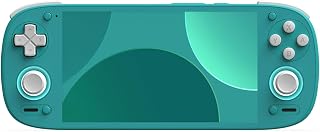
- Retroid Pocket 4 Pro / RG405M: Compact, low-profile sticks and a strong D-pad, closer to a classic handheld. Best for 8-bit and 16-bit systems where a precise D-pad and light weight matter more than analog range.
For emulation specifically, check for two features: the ability to map hotkeys (save state, rewind, fast-forward) without complex combos, and proper analog trigger support if you plan to play GameCube or PlayStation 2 racing games. PC handhelds allow hotkey mapping through RetroArch or Steam Input; Android handhelds often require a front-end like Daijishou or Beacon to do it cleanly.
Battery Life: A Worked Power Budget Calculation
Battery life for retro gaming is not about the chip’s maximum 30W turbo mode. Most emulators for systems up to PSP and PlayStation 2 need only 8W to 15W total system power.
You can estimate real runtime with this formula:
Runtime (hours) = Battery Capacity (Wh) x Usable Efficiency (0.85) / Average System Power Draw (W)
The 0.85 factor accounts for voltage conversion, display, fans, and background OS overhead.
- Steam Deck OLED at 11W (PS2/GameCube at 3x resolution, 60Hz cap): 50 Wh x 0.85 / 11W = 3.86 hours, or about 3 hours 50 minutes
- ROG Ally X at 13W (same workload on Windows, higher idle draw): 80 Wh x 0.85 / 13W = 5.23 hours, or about 5 hours 15 minutes
- ROG Ally X at 25W (PS3 / Switch emulation, 1080p): 80 Wh x 0.85 / 25W = 2.72 hours
- Retroid Pocket 4 Pro at 4.5W (Android, PSP / Dreamcast at 2x): 19 Wh x 0.85 / 4.5W = 3.59 hours
This explains why the ROG Ally X outlasts the Steam Deck OLED in lighter retro workloads despite a less efficient OS: the 80Wh battery compensates for Windows overhead. If you limit the Ally X to 15W manually in Armoury Crate and cap the display to 60Hz for emulation, you can extend that 2.7-hour heavy-load figure to over 4.5 hours. On Steam Deck OLED, setting the TDP limit to 9W and the frame limiter to 45Hz for 30fps-locked PS2 games yields close to 4.5 hours as well.
For practical settings: set a 60Hz or 45Hz refresh rate to match the emulated system’s original frame rate, enable TDP limit, and disable the high-refresh mode when emulating anything older than Dreamcast. The power saved by dropping from 90Hz/120Hz to 60Hz is typically 1.5W to 2W on its own.
Which Device Fits Which Retro Gamer
Use this decision matrix to map your library to the right hardware class:
| If You Primarily Play | Best Fit | Why |
|---|---|---|
| NES, SNES, Genesis, Game Boy, GBA, Arcade (MAME/FBNeo) | Retroid Pocket 4 Pro or RG405M class | Lighter, pocketable, perfect integer scaling, instant resume, no fan noise |
| PS1, N64, Dreamcast, PSP | Either category | Android handles these at 2x-3x efficiently; PC handhelds add shader flexibility |
| GameCube, Wii, PS2 at 2x-4x resolution with widescreen patches and texture packs | Steam Deck OLED | Best balance of performance per watt, OLED shaders, and community EmuDeck configs |
| Switch, PS3, Wii U (via emulation) or you want Windows PC games too | ROG Ally X | Highest sustained power, 80Wh battery for heavy emulation, native Windows compatibility |
| DS and 3DS with dual-screen layout | Lenovo Legion Go or Steam Deck OLED | Large screen allows practical top/bottom layout without shrinking the playfield too much |
Software and Compatibility Considerations in 2026
Hardware is only half the question. Emulation front-ends determine setup time.
SteamOS + EmuDeck (Steam Deck OLED): EmuDeck automates installation of RetroArch, Dolphin, PCSX2, RPCS3, and Yuzu/Ryujinx forks, and adds Steam ROM Manager so every game appears in the Steam library with artwork. Updates are handled through the EmuDeck updater. The tradeoff is occasional manual fixes after major SteamOS updates.
Windows (ROG Ally X / Legion Go): You install each emulator directly or use RetroArch plus standalone emulators for more demanding systems. Tools like LaunchBox or Playnite provide a console-like front end. Windows gives you the widest compatibility for newer emulators and mods, but requires more driver and power-profile management.
Android (Retroid / Anbernic): RetroArch, plus standalone apps like Dolphin for GameCube/Wii, PPSSPP for PSP, and Redream for Dreamcast. Android is the simplest for pick-up-and-play use and the most power-efficient, but PSP and GameCube compatibility varies by driver and some high-accuracy cores are not available.
For storage, budget for a high-speed microSD card. A 512GB card is sufficient for a full library up to PSP (usually 300GB–400GB with compressed CHD/RVZ formats), while a 1TB card is advisable if you include PS2, GameCube, and Wii ISOs, which average 1.2GB to 4.5GB per title.
Portability in Practice
Weight and form factor affect whether you will actually carry the device. At 250–260g, Android handhelds fit in a jacket pocket and can be used one-handed for turn-based RPGs. At 640g, the Steam Deck OLED is comfortable for 60–90 minute sessions but benefits from a grip or case for longer play. The Legion Go at over 850g is best as a bag-carry device for table or lap play rather than standing commutes.
If portability is the primary goal and your library stops at Dreamcast/PSP, the smaller Android devices deliver 90% of the visual quality at half the weight. If you want one device that also covers upscaled PS2/GameCube and PC indie games, the Steam Deck OLED or ROG Ally X justifies the extra bulk.
Frequently Asked Questions
Do I need 120Hz or 144Hz for retro games?
No. Most retro consoles output at 50Hz, 60Hz, or occasionally 30Hz. A 60Hz or 90Hz OLED with low response time looks smoother than a 144Hz LCD running at 60Hz without proper frame pacing. Use the refresh rate to evenly divide the original frame rate (e.g., 90Hz for 30fps PS2 games, 60Hz for SNES).
Is the Legion Go too big for retro gaming?
For 16-bit and handheld systems, yes, it can feel oversized. Its strength is for systems that benefit from a large screen, like DS/3DS dual-screen emulation, Wii pointer emulation with the detachable right controller, and modern PC games alongside retro titles.
Which is easier to set up for a beginner?
Android handhelds have the shortest setup time for systems up to PSP, since most emulators are single APK installs. Steam Deck OLED with EmuDeck is the most automated among PC handhelds, while Windows handhelds require the most manual configuration but offer the deepest customization.