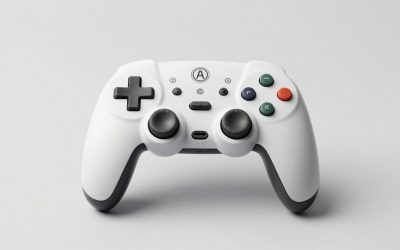
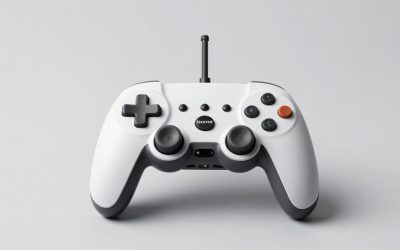
Our Top Picks
The best gaming controller for most people in 2026 is the Xbox Wireless Controller if you play on PC and Xbox, the DualSense if you play mostly on PS5, and the 8BitDo Ultimate 2C or GameSir G7 Pro if you want drift-resistant sticks on PC at a lower price. Valve’s new Steam Controller is the pick for PC players who want trackpads and gyro, and the Switch 2 Pro Controller is the safest option on Nintendo’s console. The right choice depends on platform support, stick sensor type, battery format and whether you want back paddles.
Quick Comparison of the Picks
| Pick | Best for | Key specs | Price range |
|---|---|---|---|
| Xbox Wireless Controller | Best overall for PC and Xbox | Bluetooth and Xbox wireless, 2 AA or rechargeable pack, USB-C wired | Mid |
| Sony DualSense | Best for PS5 | Adaptive triggers, haptics, built-in battery, USB-C | Mid |
| GameSir G7 Pro | Best value PC pick | Hall effect sticks, Xbox layout, wired and wireless options | Mid |
| 8BitDo Ultimate 2C | Best budget pick | Hall effect sticks, 2.4 GHz adapter, rear buttons on some versions | Budget |
| Valve Steam Controller (2026) | Best for Steam players | Magnetic TMR sticks, two trackpads, gyro, about 35 hours per Valve | Mid to upper-mid |
| Xbox Elite Series 2 Core | Best premium Xbox/PC | Adjustable-tension sticks, swappable parts, back paddles, case | Upper-mid |
| DualSense Edge | Best premium PS5 | Swappable stick modules, back buttons, profile switching | Premium |
| Nintendo Switch 2 Pro Controller | Best for Switch 2 | Full-size layout, rumble, motion controls, USB-C | Mid |
Details come from maker spec pages and published roundups, not personal use. Confirm the exact edition before ordering, since several models have multiple versions.

XBOX Wireless Gaming Controller | Shock Blue | Textured triggers and bumpers, Hybrid D-pad, XBOX Wireless, Bluetooth, USB-C, Play across Console & PC & Cloud Devices
Chosen because it specifies Shock Blue and Textured triggers and bumpers.
View on Amazon
PlayStation DualSense™ Wireless Controller – Cosmic Red - for PS5, PC, MAC & Mobile
Chosen because it specifies Cosmic Red and for PS5.
View on Amazon
GameSir G7 Pro Wired Controller for Xbox Series X|S, Xbox One, Wireless Gamepad for PC&Android with TMR Sticks, Hall Effect Analog Triggers, 1000Hz Polling Rate, 3.5mm Audio Jack - Black
Chosen because it specifies Xbox One and Wireless Gamepad for PC&Android with TMR Sticks.
View on Amazon
Xbox Wireless Gaming Controller | Deep Pink | Textured triggers and bumpers, Hybrid D-pad, XBOX Wireless, Bluetooth, USB-C, Play across Console & PC & Cloud Devices
Chosen because it specifies Deep Pink and Textured triggers and bumpers.
View on AmazonBest Overall for PC and Xbox: Xbox Wireless Controller
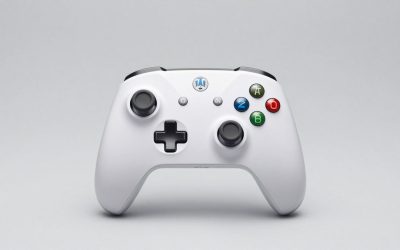
The Xbox Wireless Controller remains the default for Windows. It works over Bluetooth and the Xbox wireless protocol, supports USB-C wired play, and is recognized by nearly every PC game without extra software. It uses two AA batteries by default or a rechargeable pack, which matters if you want to avoid being tethered to a charge cable (see the battery notes below).
The trade-off is the sticks. They use potentiometer sensors that can develop drift over time, and the controller lacks back paddles. If those matter to you, move up to an Elite model or a Hall effect alternative.
Best for PS5: Sony DualSense
The DualSense is the controller for PS5 owners who want adaptive triggers and detailed haptics. It also works on PC over USB-C or Bluetooth, though full haptic and trigger features depend on the game and platform support. Its built-in battery avoids the AA question but means you must charge it, and the battery is not user-replaceable.
The trade-off is battery life, which is shorter than controllers that use AA cells or large batteries, and potentiometer-based stick wear.
Best Value PC Pick: GameSir G7 Pro
Several 2026 roundups from PC outlets name the GameSir G7 Pro as a top PC controller. It follows an Xbox-style layout, uses Hall effect sticks that are less prone to drift, and supports multiple connection modes. It is a good fit for people who want a premium feel without paying Elite prices.
The trade-off is ecosystem support. Console compatibility varies by version, so check the listing for the console you use, and the software for remapping is third-party rather than built into your OS.
Best Budget Pick: 8BitDo Ultimate 2C
The 8BitDo Ultimate 2C is a low-cost controller with Hall effect sticks and a 2.4 GHz wireless adapter. It is often named as the budget choice in roundups because it offers drift-resistant sticks at a price close to a basic gamepad. It works well on PC and Steam Deck.
The trade-off is feature set. Build and trigger feel are good for the price but not as refined as premium controllers, and there is no support for console-specific features.
Best for Steam Players: Valve Steam Controller (2026)
Valve released a new Steam Controller in May 2026. According to Valve and published coverage, it has magnetic TMR thumbsticks, two square trackpads, a six-axis gyro, four assignable grip buttons and a battery that Valve rates at up to 35 hours. It connects over a 2.4 GHz puck, Bluetooth or USB. For PC strategy games, shooters that benefit from gyro aiming and desktop navigation, it offers inputs a standard gamepad cannot match.
The trade-off is availability and learning curve. Supply was tight after launch, and trackpads take time to master. Console support is not the goal of this controller.
Best Premium for Xbox and PC: Xbox Elite Series 2 Core
The Elite Series 2 Core has adjustable-tension thumbsticks, swappable parts, rear paddles and shorter hair triggers. The built-in rechargeable battery is rated for up to about 40 hours by the maker. It works on Xbox and Windows.
The trade-off is cost, and the stick sensors are still potentiometer-based, so drift can appear after long use even though the parts are swappable.
Best Premium for PS5: DualSense Edge
The DualSense Edge adds swappable stick modules, back buttons, trigger stops and profile switching to the standard DualSense layout. For competitive PS5 players, those controls speed up play. The trade-off is price and battery life, and it needs its modules to be replaced if they wear.
Best for Switch 2: Nintendo Switch 2 Pro Controller
The Switch 2 Pro Controller is the full-size option for Nintendo’s console, and roundup coverage ranks it as the top overall pick for that system. It offers rumble, motion controls and a layout comfortable for long sessions. It also works with PC through standard Bluetooth input in many cases, though compatibility varies.
Controller Compatibility Matrix
| Controller | PC | Xbox | PS5 | Switch 2 | Steam Deck |
|---|---|---|---|---|---|
| Xbox Wireless Controller | Yes | Yes | No | No | Yes |
| DualSense | Yes | No | Yes | No | Yes |
| GameSir G7 Pro | Yes | Version dependent | No | No | Yes |
| 8BitDo Ultimate 2C | Yes | No | No | Limited | Yes |
| Steam Controller | Yes | No | No | No | Yes |
| Switch 2 Pro Controller | Often | No | No | Yes | Limited |
Stick Sensors and Battery Math
Most controllers use potentiometers, which wear as the sensor track rubs. Hall effect and TMR sensors use magnets and have no contact, so they resist drift. TMR is newer and claimed to be more precise and power efficient than Hall effect. If you play many hours per week, a magnetic sensor is worth paying for.
For battery planning, take a rechargeable AA cell rated at 2,000 mAh and a controller drawing roughly 50 mA on average. That gives about 40 hours per charge (2,000 divided by 50), which matches the range makers quote for AA-powered controllers. A built-in 1,000 mAh pack at the same draw lasts 20 hours. Real-world numbers fall with rumble and wireless polling, so treat these as estimates.
Connection Modes and Latency Planning
Wireless controllers connect in three common ways, and the choice changes responsiveness. Bluetooth is the most universal and works with phones, tablets and handhelds, but it shares the radio with other devices and typically has the highest latency of the three. A 2.4 GHz dongle or puck uses a dedicated radio link and is usually faster and more stable, which is why Valve, 8BitDo and GameSir ship adapters. A USB-C cable removes wireless delay and charges at the same time.
To put numbers on it: a 60 fps game updates every 16.7 ms and a 144 Hz setup every 6.9 ms. If a connection adds 8 ms, you will not notice it in a slow adventure game, but in a fast shooter on a high-refresh monitor it is more than a full frame at 144 Hz. For those games, use the adapter or a cable. For turn-based and story games, Bluetooth is perfectly fine.
Ergonomics, Triggers and Extras to Check
- Grip size: larger hands often prefer the Xbox shape, while the DualSense is a bit chunkier. Smaller hands may like the compact feel of 8BitDo models.
- Triggers: adaptive triggers are a PS5 feature, trigger stops and hair triggers are found on Elite and Edge models, and Hall effect triggers resist wear.
- Back buttons: useful in shooters and action games. Check that the software lets you remap them on your platform.
- Software: Xbox Accessories and Steam Input offer remapping on PC. Third-party apps are required for some budget models.
- Replaceable parts: premium models let you swap sticks, but you pay for that flexibility up front.
How to Choose
- PC only, low budget: 8BitDo Ultimate 2C.
- PC plus Xbox: Xbox Wireless Controller, or an Elite if you want paddles.
- PS5 first: DualSense, or an Edge for competitive play.
- Steam library and desktop: Steam Controller.
- Switch 2 owner: Switch 2 Pro Controller.
Frequently Asked Questions
What is the best controller for PC?
The Xbox Wireless Controller is the safest all-around PC pick, while the GameSir G7 Pro and 8BitDo Ultimate 2C offer drift-resistant sticks for less. The Steam Controller suits Steam-heavy setups.
Is Hall effect better than regular sticks?
Hall effect sticks use magnets instead of physical contact, so they usually resist stick drift longer. They do not change the feel unless the manufacturer tunes the springs.
Can I use a DualSense on PC?
Yes, over USB-C or Bluetooth. Some games support adaptive triggers and haptics, while others treat it as a standard gamepad.
Are wireless controllers laggy?
Bluetooth adds some latency, but 2.4 GHz adapters and wired USB modes are faster. For fast shooters, use the adapter or a cable.
Do I need back paddles?
They help in competitive games because you can press face buttons without lifting your thumb from the stick. Casual players may not miss them.
Are Elite controllers worth it?
If you play for many hours and want customization, they can be. If you play casually, a standard controller or a budget Hall effect model gives better value.