Our Short List of 3

- Best for: High-refresh console and PC streaming.
- Capture: Up to 4K144, 1440p144, 1080p240
- Passthrough: Up to 4K144, 1440p240, 1080p240
- Input and output: HDMI 2.1
- HDR: HDR10 support

- Best for: 4K60 console streaming on a 5 Gbps USB link.
- Capture: 2160p60, 1440p144, 1080p240, 1440p30 HDR, 1080p60 HDR
- Passthrough: 2160p60 HDR/VRR, 1440p144 HDR/VRR, 1080p240 HDR/VRR
- Input and output: HDMI 2.0
- Connection: USB 3.2 Gen 1 Type-C, 5 Gbps

- Best for: Using a DSLR or mirrorless camera as a webcam.
- Job: Turns a DSLR, mirrorless camera, camcorder, or action camera into a webcam
- Supported resolutions: 4K60 (MJPG only), 4K30, 1080p60, 1080p30, 720p60
- Input: HDMI, unencrypted
- Connection: HDMI to USB 3.0
All 5 Picks at a Glance
| Product | Specs | Action |
|---|---|---|
| 1. Elgato 4K X |
| Check price on Amazon |
| 2. AVerMedia Live Gamer ULTRA S |
| Check price on Amazon |
| 3. Elgato Cam Link 4K |
| Check price on Amazon |
 4. NZXT Signal 4K30 |
| Check price on Amazon |
 5. Elgato HD60 S+ |
| Check price on Amazon |
Our Top Picks
A streaming capture card is chosen by what feeds the broadcast, not by the biggest resolution in its title. Some streamers send console gameplay to a computer, some send a PC game to a second computer, and some send a real camera into the stream as a face camera. Each job needs a different card: a console card must pass the game through to a television, a camera card must turn HDMI into a webcam feed, and a dual-PC card must handle a high-refresh signal. The wrong card is usually the one bought for the wrong source, not the one with the lowest numbers.
This guide covers console streamers, PC streamers, creators who use a DSLR or mirrorless camera on stream, beginners who want a card that works in OBS, and makers who also record. The five cards below are chosen from their Amazon product titles and listing details, with capture, passthrough, connection, audio, and operating system stated where the listing gives them.
Quick Picks
As an Amazon Associate we earn from qualifying purchases.
| Product | Best for | Key spec from title |
|---|---|---|
| Elgato 4K X | High-refresh console and PC streaming | 4K144 capture, HDMI 2.1, VRR, HDR10 |
| AVerMedia Live Gamer ULTRA S | 4K60 console streaming on a 5 Gbps USB link | 4K60 capture, RGB24, HDR/VRR passthrough |
| Elgato Cam Link 4K | Using a DSLR or mirrorless camera as a webcam | 1080p60 or 4K30/4K60, HDMI to USB 3.0 |
| NZXT Signal 4K30 | Simple 4K30 streaming with 4K60 HDR passthrough | 4K30 capture, 4K60 HDR passthrough |
| Elgato HD60 S+ | Straightforward 1080p60 HDR streaming | 1080p60 HDR10 capture, 4K60 HDR10 passthrough |
How to Choose
Begin with the source: console, PC, or camera
The source decides the card, because each source asks for a different connection. A console needs HDMI in and HDMI passthrough out to a television, which the 4K X, the ULTRA S, the Signal 4K30, and the HD60 S+ all provide. A PC source needs the same HDMI path, usually at a higher refresh rate. A camera needs a card that turns its HDMI output into a webcam feed, which is exactly what the Cam Link 4K does, and it needs no passthrough at all. Naming the source first stops a camera buyer from ordering a console card, and a console buyer from ordering a camera dongle.
Decide the stream resolution before the capture resolution
A stream is watched at the resolution the platform delivers, so capture above that adds work without adding viewers. A 1080p60 stream is covered by the HD60 S+ and the Signal 4K30, both of which capture in 1080p60, and by the Cam Link 4K for a camera feed. A 4K60 recording for YouTube needs the 4K X or the ULTRA S, which both capture in 4K60. High-refresh capture, such as 1080p240 on the 4K X or 1440p144 on the ULTRA S, suits slow-motion clips and fast games. Pick the resolution the audience will actually see, then buy the card that reaches it.
Check software, drivers, and the operating system
A card that works in OBS on Windows may behave differently on a Mac or an iPad, so the operating system line in the listing matters as much as the resolution. The 4K X names Windows 10, macOS 11, and iPadOS 17 or later, the ULTRA S names Windows 10 and 11, macOS 13 and 14, and iPadOS 17 or later, and the Cam Link 4K names Windows 10, macOS 13, and iPadOS 17 or later. Some cards also need a USB 3.2 Gen 2 port for full performance, while others run on a 5 Gbps link. Confirm the port, the system, and the app you stream with before ordering.
Plan audio for game, voice, and chat together
Audio is where many first streams go wrong, because game sound, a microphone, and party chat travel on different paths. The ULTRA S names 5.1-channel audio capture on Windows, which suits a desk where surround sound matters. The 4K S in the companion PS5 guide names an analog audio input, and the ULTRA 2.1 names party chat, but the cards in this guide do not all name those features. A streamer who needs party chat should check the listing for a chat path before buying, and a streamer who uses a separate microphone should check that the card leaves the microphone path free. A short audio check beats a silent first broadcast.
The 5 Best Options
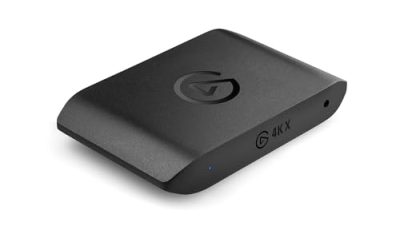
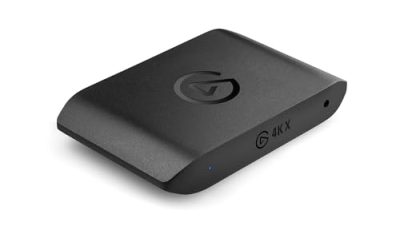
1. Elgato 4K X
- Best for: High-refresh console and PC streaming.
- Capture: Up to 4K144, 1440p144, 1080p240
- Passthrough: Up to 4K144, 1440p240, 1080p240
- Input and output: HDMI 2.1
- HDR: HDR10 support
High-refresh console and PC streaming.
Full performance needs a USB 3.2 Gen 2 port, and HDR capture is not available at every resolution and frame rate, so check the listing for your exact combination before buying.
For a streamer whose setup already runs at high refresh rates, the 4K X removes the card as a bottleneck. Its listing names capture up to 4K144, passthrough up to 4K144, HDMI 2.1 on both sides, VRR, and HDR10, which together cover a fast console or PC game without forcing the player to give up smooth motion. It also names PS5 Pro, Xbox Series X and S, Switch 2, PC, Mac, and iPad, so one card can serve several sources in the same room. The buyer who gains most is the one with a high-refresh display and a computer that can keep up with it.
Watch out for: Full performance needs a USB 3.2 Gen 2 port, and HDR capture is not available at every resolution and frame rate, so check the listing for your exact combination before buying.
2. AVerMedia Live Gamer ULTRA S
- Best for: 4K60 console streaming on a 5 Gbps USB link.
- Capture: 2160p60, 1440p144, 1080p240, 1440p30 HDR, 1080p60 HDR
- Passthrough: 2160p60 HDR/VRR, 1440p144 HDR/VRR, 1080p240 HDR/VRR
- Input and output: HDMI 2.0
- Connection: USB 3.2 Gen 1 Type-C, 5 Gbps
4K60 console streaming on a 5 Gbps USB link.
4K60 capture on macOS needs very powerful Mac hardware in the listing, so confirm your Mac meets those conditions before buying.
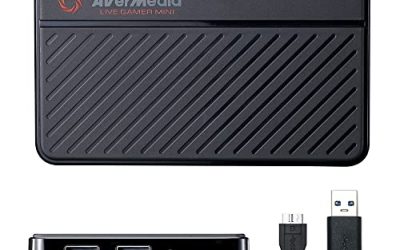
The ULTRA S is the 4K60 streaming card for a desk that runs on an ordinary 5 Gbps USB link, because it captures in 4K60 over USB 3.2 Gen 1 Type-C rather than demanding a 10 Gbps port. Its listing also names RGB24 full-colour capture on Windows, ultrawide input, and 5.1-channel audio, which mark it out for a creator who cares about colour and sound as well as resolution. It names PS5 and PS5 Pro, Xbox, Switch 2, and PC, and it works with Twitch, OBS, Streamlabs, and AVerMedia Streaming Center. A Mac buyer should read the listing closely, because 4K60 capture on macOS carries demanding hardware conditions.
Watch out for: 4K60 capture on macOS needs very powerful Mac hardware in the listing, so confirm your Mac meets those conditions before buying.
3. Elgato Cam Link 4K
- Best for: Using a DSLR or mirrorless camera as a webcam.
- Job: Turns a DSLR, mirrorless camera, camcorder, or action camera into a webcam
- Supported resolutions: 4K60 (MJPG only), 4K30, 1080p60, 1080p30, 720p60
- Input: HDMI, unencrypted
- Connection: HDMI to USB 3.0
Using a DSLR or mirrorless camera as a webcam.
4K60 needs a compatible camera and the current Cam Link 4K model, and the card has no passthrough output, so confirm your camera and model before buying.
Where the other cards in this guide capture gameplay, the Cam Link 4K captures a camera. It turns a DSLR, mirrorless camera, camcorder, or action camera with a clean HDMI output into a webcam, so a stream can show a sharp, real-camera picture instead of a built-in webcam. Its listing names 1080p60 or 4K30 and 4K60 meeting, streaming, and recording, with easy connection for OBS, Zoom, and Discord, over HDMI to USB 3.0. It suits a creator who already owns a good camera and wants that camera on every stream, call, and recording, without buying a separate webcam.
Watch out for: 4K60 needs a compatible camera and the current Cam Link 4K model, and the card has no passthrough output, so confirm your camera and model before buying.
4. NZXT Signal 4K30
- Best for: Simple 4K30 streaming with 4K60 HDR passthrough.
- Capture: Up to 4K30 or 1080p60
- Passthrough: Up to 4K60 HDR10, 240 Hz at Full HD (1080p)
- Input and output: HDMI 2.0
- Connection: USB 3.2 Gen 1 Type-C
Simple 4K30 streaming with 4K60 HDR passthrough.
The listing names no VRR support, so confirm that your display and games do not need VRR passthrough before buying.
The Signal 4K30 is the plain, no-fuss card in this group, built for a streamer who wants to plug in and go live without learning a new software suite. Its title names 4K60 HDR passthrough and 240 Hz at Full HD, so the game stays sharp on the television while the stream runs at 4K30 or 1080p60. It connects over USB 3.2 Gen 1 Type-C, works with any streaming software in its listing, and names open compatibility with PCs and consoles that have HDMI. A buyer who streams in 1080p or records in 4K30 will find it covers the job.
Watch out for: The listing names no VRR support, so confirm that your display and games do not need VRR passthrough before buying.
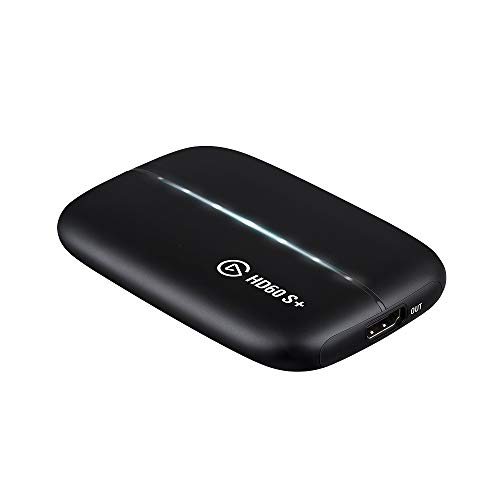
5. Elgato HD60 S+
- Best for: Straightforward 1080p60 HDR streaming.
- Capture: 1080p60 HDR10
- Passthrough: 4K60 HDR10, zero-lag
- Connection: HDMI, USB
- Features named: Instant gameview, flashback recording, unlimited capture
Straightforward 1080p60 HDR streaming.
Capture tops out at 1080p60, so confirm that you do not need a 4K recording before buying.
A streamer who broadcasts in 1080p does not need a 4K capture card, and the HD60 S+ is built around that fact. It captures in 1080p60 HDR10, passes 4K60 HDR10 through to the television with no lag, and names instant gameview, flashback recording, and unlimited capture, which together suit a streamer who clips moments after they happen. It connects over HDMI and USB, works with PC and Mac, and names PS5, PS4, Xbox Series X and S, and Xbox One in its title. The box includes a USB 3.0 cable and an HDMI 2.0 cable, so a first-time streamer can wire the whole chain from one box.
Watch out for: Capture tops out at 1080p60, so confirm that you do not need a 4K recording before buying.
Which One Fits Your Situation
You stream console games at high refresh rates
Choose the Elgato 4K X, because it captures and passes up to 4K144 over HDMI 2.1, with VRR and HDR10. That combination keeps a fast game smooth on your own display while the recording matches it. It names PS5 Pro, Xbox, Switch 2, PC, Mac, and iPad, so it suits a room with several sources. Confirm that your computer has a USB 3.2 Gen 2 port first.
You want 4K60 streaming without a 10 Gbps USB port
Choose the AVerMedia Live Gamer ULTRA S, because it captures in 4K60 over a USB 3.2 Gen 1 Type-C link at 5 Gbps, with RGB24 colour on Windows and 5.1-channel audio. It passes 4K60 HDR and VRR through to the display, which keeps the game looking right while you stream. Mac buyers should check the listing for the demanding 4K60 conditions on macOS before buying.
You want your real camera on every stream
Choose the Elgato Cam Link 4K, because it turns a DSLR, mirrorless camera, camcorder, or action camera into a webcam over HDMI to USB 3.0. It supports 1080p60 and 4K30, with 4K60 in MJPG on a compatible camera and the current model, and it works in OBS, Zoom, and Discord. It has no passthrough output, so it suits a camera feed rather than a console chain.
You want a first streaming card that just works
Choose the NZXT Signal 4K30, because it captures in 4K30 or 1080p60, passes 4K60 HDR through to the television, and works with any streaming software in its listing. Its plug-and-play setup suits a beginner who wants to go live without learning a new suite. If you need VRR passthrough or high-refresh capture, pick a different card in this guide instead.
Common Mistakes
- Ordering a camera card for a console, or a console card for a camera, without naming the source first.
- Buying 4K144 capture for a stream that is watched in 1080p, and adding load the audience never sees.
- Plugging a USB 3.2 Gen 2 card into a slow USB port, then missing the top resolutions it promises.
- Forgetting party chat audio, and discovering after the first broadcast that voices from the party are missing.
- Assuming a card passes VRR through, when the listing names no VRR support at all.
Frequently Asked Questions
Do I need a capture card to stream at all?
No. Consoles can stream directly, and a PC can stream its own games without any card. A capture card becomes useful when the game runs on one device and the stream runs on another, or when a real camera needs to join the broadcast. If your game and your streaming software already run on the same computer, a card adds nothing to that setup.
What is the difference between capture and passthrough?
Capture is the copy sent to the computer for streaming or recording, while passthrough is the copy sent onward to the television or monitor you play on. A card can capture in 1080p60 while passing 4K60 through, so the game looks sharp on screen and the stream stays at 1080p. Check both numbers in the listing, because the passthrough ceiling decides how the game looks to you.
Can a capture card work with a laptop?
Yes, every card in this guide connects over USB to a laptop or desktop, and several name laptop use in their listings. The laptop still needs a suitable USB port, enough processing power for the capture resolution, and the operating system named in the listing. A fast card on a slow USB port will not reach its top resolutions, so check the port before buying.
Why is my stream silent even though the game has sound?
Sound usually fails because game audio, microphone audio, and party chat travel on different paths, and only some of those paths reach the card. Check the audio source in your streaming software, confirm that the card is receiving HDMI audio, and check the listing for a chat or analog audio path if party voices are missing. A short audio check before going live saves a silent first broadcast.
FAQ
Do I need a capture card to stream at all?
What is the difference between capture and passthrough?
Can a capture card work with a laptop?
Why is my stream silent even though the game has sound?
More from Amazon
Programs that pair well with the guide above. Offers and eligibility are set by Amazon and may change.
Free shipping on eligible items, Prime Video and more. Eligible new members can start with a free trial.
Start a Prime free trialAd-free music streaming. Eligible new subscribers can start with a free trial.
Try Music Unlimited freeA Prime membership for ages 18-24 with a trial period. Eligibility is set by Amazon.
See Prime for Young AdultsAudiobooks and podcasts to listen to on the go. Eligible new members can start with a free trial.
Try Audible freeAs an Amazon Associate we earn from qualifying purchases.