Our Top Picks
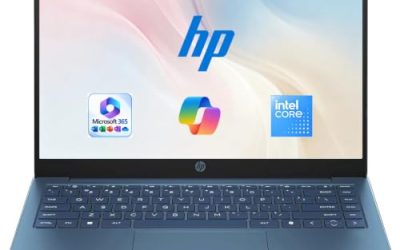
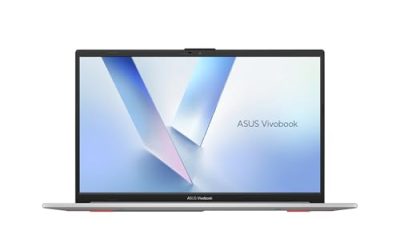
 Lenovo V15 Gen 4 Business Laptop16GB RAM | 512GB SSD14.13 x 9.29 x 0.78 Inches3.64 poundsCheck on Amazon
 Dell Latitude 5420 14" FHD Business Laptop Computeri5-1145G7-16-256-SV-Win1112.76 x 8.35 x 0.76 Inches3 poundsCheck on Amazon
A small business laptop has to do three jobs at once: run the books, survive client meetings, and stay out of the IT-budget conversation. Unlike a corporate fleet, there is no spare machine in a closet and no help desk to call, so the decision is less about peak speed and more about what breaks the workday. Windows 11 Pro for domain and encryption features, 16GB of memory for a dozen browser tabs plus a spreadsheet, and a physical port set that handles a projector or a wired network jack matter more than any marketing adjective.
This guide is written for sole proprietors, contractors, boutique agencies, and owners buying two to five machines for staff. Every pick below is judged only on what its listing states, with no invented figures to fill gaps: processor family, memory, storage, screen size, ports, and operating system. Where a listing leaves a detail unspoken, the article says so rather than guessing. Buyers in 2026 will also see “Copilot” and “AI PC” labels; treat them as software features, not proof of speed.
Quick Picks

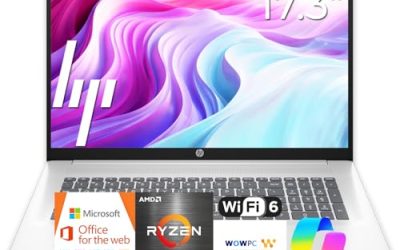
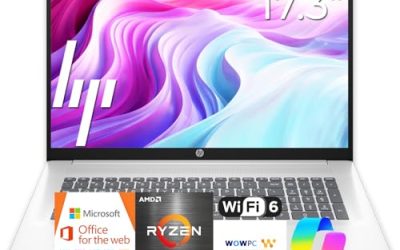
HP 17 inch Business Laptop Computer • 2026 Edition • Latest AMD Ryzen 5 CPU • 16GB RAM • 512GB SSD • 17.3" FHD Display • Numeric Keypad • Long Battery Life • Windows 11 with Office 365 for The Web
One of the consumer electronics options compared in this guide.
View on Amazon
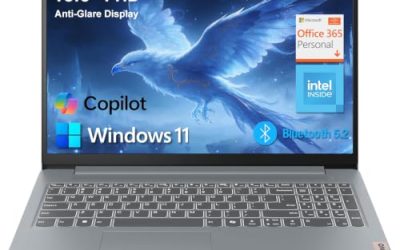
Lenovo Business 15.6" FHD Laptop, Intel Processor, 8GB DDR5, 128GB Storage | Office 365, Copilot AI, WiFi 6, USB-C, Anti-Glare Screen, Long Battery Life, Windows 11, Arctic Grey
One of the consumer electronics options compared in this guide.
View on Amazon
2026 Laptops Computer,15.6" Windows 11 Pro Laptop with Office 365 included,8GB RAM 256GB SSD,Intel Pentium Process,6H Battery,Mini HDMI,cam|Mic,Portable Thin Lap Top for College Student Business Work
One of the consumer electronics options compared in this guide.
View on AmazonLenovo V15 Gen 4 Business Laptop, 15.6" FHD Display, Intel Core i5-13420H (Beat i7-1355U), HDMI, RJ45, Webcam, Numeric Keypad, Wi-Fi, Windows 11 Pro, Black (16GB RAM | 512GB SSD)
One of the consumer electronics options compared in this guide.
View on Amazon
HP 255 G10 Business Laptop, AMD Quad-core CPU, 16GB RAM, 512GB SSD, W11 Pro | 15.6" Full HD Display, Webcam w/ shutter, Numeric Keypad, Microsoft Copilot, HDMI, Wi-Fi 6, Dark Ash Silver
One of the consumer electronics options compared in this guide.
View on AmazonDell Latitude 5420 14" FHD Business Laptop Computer, Intel Quad-Core i5-1145G7, 16GB DDR4 RAM, 256GB SSD, Camera, HDMI, Windows 11 Pro (Renewed)
One of the consumer electronics options compared in this guide.
View on Amazon| Product | Best for | Key spec from the title |
|---|---|---|
| HP 17 Ryzen 5 Business Laptop | Bookkeeping and spreadsheets all day | 17.3″ FHD, 16GB RAM, 512GB SSD, numeric keypad |
| Lenovo V15 Gen 4 | Offices with wired networks | Core i5-13420H, HDMI and RJ45, Windows 11 Pro |
| HP 255 G10 | Privacy-minded client work | 16GB RAM, 512GB SSD, webcam with shutter |
| Dell Latitude 5420 (Renewed) | Compact, tight-budget second machine | 14″ FHD, i5-1145G7, 16GB DDR4, 256GB SSD |
| HP Ryzen 7430U 17.3-inch | Big-screen multitaskers | Ryzen 5 7430U, 16GB RAM, 512GB PCIe, Wi-Fi 6 |
| Dell Pro 16 PC16250 | Owners planning a longer service life | Core 5 120U, 16GB DDR5, 16″ FHD+ anti-glare |
How to Choose
Memory and storage that match real office work
Eight gigabytes still launches, but a browser full of web apps, a PDF editor, and an accounting package push it hard. For a machine that must last several years, look for 16GB. For storage, 256GB is the practical floor for a laptop that holds client files and software; 512GB leaves room for local backups and scanned documents. Cloud storage bundled with a listing is a convenience, not a substitute for a local drive.
Operating system and security basics
Windows 11 Pro adds drive encryption management and remote-desktop hosting that Home editions lack. If a listing says Home or S Mode, expect to upgrade or live with restrictions on installing software outside the store. A webcam shutter or physical privacy cover helps if you take video calls near client paperwork.
Screen size, keyboard, and ports
A 15.6-inch screen at 1920×1080 is the standard business panel. A 17.3-inch model gives side-by-side windows but weighs more in a carry bag. A numeric keypad matters if your day is invoices and data entry. For ports, HDMI is essential for presenting, and an RJ45 jack saves a dongle in offices that still use wired networking.
What to ignore and where budget models cut corners
Start by sorting listings into two piles: machines that name their memory, storage, screen, and operating system, and machines that rely on adjectives. The second pile is where surprises hide. Ignore edition years in the title, “beats” comparisons against other chips, and vague “long battery life” phrases with no hour count. Budget machines typically trim the screen brightness, the keyboard backlight, and the memory slot design. Renewed units can be a smart value, but confirm the seller’s warranty terms and the battery condition before relying on one for client work.
The 6 Best Options
HP 17 Ryzen 5 Business Laptop
The listing pairs an AMD Ryzen 5 with 16GB of RAM, a 512GB SSD, and a 17.3-inch FHD display, plus a numeric keypad. That combination suits an owner who lives in spreadsheets and wants a large canvas without an external monitor. It is the sort of machine that stays on a desk most of the week, docked to nothing and simply opened each morning. The listing also describes long battery life, though without an hour figure, so treat that as a general claim rather than a number to plan around. Owners who split time between a front counter and a back office will appreciate that everything fits on one screen.
- Strength: 16GB of memory and 512GB of storage are comfortable for daily office software.
- Strength: the 17.3-inch panel and numeric keypad speed up data entry.
- Trade-off: a screen this large makes it a poor fit for frequent travel.
Skip it if you carry a laptop on commuter trains or present at client sites weekly.
Lenovo V15 Gen 4
This V-series model lists a 15.6-inch FHD screen, an Intel Core i5-13420H, HDMI, an RJ45 Ethernet port, a webcam, a numeric keypad, and Windows 11 Pro. For a small office with wired desks and a conference-room display, that port list removes the need for adapters. The shortlist-worthy detail is the pairing of a Core i5 from the H-series naming with a full-size keyboard; that tends to point toward sustained office work instead of ultra-thin travel. Freelancers who bill by the hour and cannot afford connection drops will see the appeal of a wired jack.
- Strength: a built-in Ethernet jack gives stable connections in older buildings.
- Strength: Windows 11 Pro is included for business management features.
- Trade-off: the visible title does not state memory or storage amounts, so confirm them before ordering.
Skip it if you want an ultrathin design or need the specific RAM figure verified up front.
HP 255 G10
The 255 G10 lists an AMD quad-core CPU, 16GB of RAM, a 512GB SSD, Windows 11 Pro, a 15.6-inch Full HD display, and a webcam with a shutter. It reads like a straightforward workhorse for an owner or office manager who values privacy during video calls. Because the shutter is physical, the camera is covered on demand without a software toggle, which is reassuring when the desk sits near client files. The Microsoft Copilot mention in the listing signals current Windows features, though the everyday value comes from the memory and drive.
- Strength: the shuttered webcam is a thoughtful privacy feature.
- Strength: 16GB and 512GB cover multitasking and local file storage.
- Trade-off: the listing names no dedicated graphics, so it is aimed at office use rather than design work.
Skip it if your work involves video editing or 3D drawings.
Dell Latitude 5420 (Renewed)
The Latitude 5420 is a 14-inch FHD business laptop with an Intel quad-core i5-1145G7, 16GB DDR4 memory, a 256GB SSD, a camera, HDMI, and Windows 11 Pro. The word “Renewed” signals a refurbished unit rather than new stock. Compared with the other picks, it trades screen size and newness for portability, and the Intel quad-core i5 still handles email, accounting packages, and video meetings. It makes sense as a second laptop for a part-time bookkeeper or a seasonal hire.
- Strength: the 14-inch size is easy to carry between meetings.
- Strength: 16GB of RAM is generous for a lower-cost machine.
- Trade-off: a renewed unit may arrive with wear, and the 256GB drive fills quickly with archives.
Skip it if you want a full manufacturer warranty or plan to store large project folders locally.
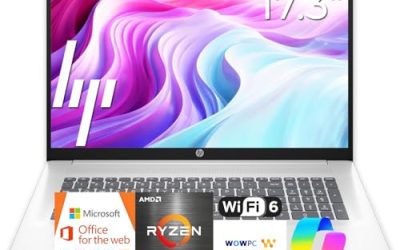
HP Ryzen 7430U 17.3-inch
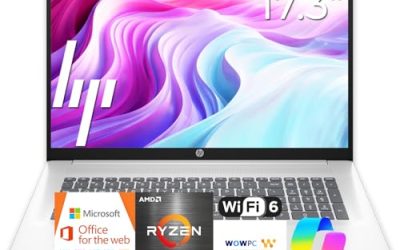
This HP lists a Ryzen 5 7430U, a 17.3-inch FHD display, Wi-Fi 6, 16GB of RAM, and a 512GB PCIe drive. It sits close to the first HP on this list, with a different processor generation and a specific wireless standard worth noting for crowded office networks. A coworking space with dozens of devices on one access point is where that wireless detail pays off. The numbers are otherwise identical in spirit to the earlier HP: memory and storage that carry a normal office load with room to spare.
- Strength: Wi-Fi 6 suits shared offices with many connected devices.
- Strength: PCIe storage points to a modern drive interface.
- Trade-off: the 17.3-inch footprint is bulky in a standard backpack.
Skip it if portability is a priority or if you prefer a 14-inch screen.
Dell Pro 16 PC16250
The Dell Pro 16 lists an Intel Core 5 120U, 16GB of DDR5, a 512GB SSD, and a 16-inch FHD+ anti-glare screen, framed as a business AI PC in the title. The taller 16:10 panel is useful for documents and long spreadsheets. Buyers who expect to keep one machine for several years may like that DDR5 is a newer memory type than DDR4, and that the screen has a matte coating to cut reflections from office windows and ceiling lights.
- Strength: DDR5 memory and a 16-inch anti-glare display favor long working sessions.
- Strength: the Pro line is positioned for business use.
- Trade-off: the title does not state battery size, so mobility claims are unverified.
Skip it if you want the smallest possible bag footprint.
Which One Fits Your Situation
You run the books from a home office
Pick the HP 17 Ryzen 5. The large screen and numeric keypad cut the time spent scrolling through ledgers.
You share space with a wired office network
Choose the Lenovo V15 Gen 4. The RJ45 port and HDMI cover the usual office plug-ins without adapters.
You meet clients on video all day
The HP 255 G10 fits best, thanks to its webcam shutter and 16GB of RAM for call software plus a document open beside it.
You want one machine to last for years, or need a lower-cost second laptop
Lean toward the Dell Pro 16 PC16250. DDR5 memory, a business-line badge, and a 16-inch screen give it the most headroom of the group on paper, and the Windows 11 era hardware is less likely to feel dated in a few years. If instead you are equipping a part-timer, the Dell Latitude 5420 (Renewed) keeps outlay down, provided you accept refurbished stock and its 256GB drive.
Common Mistakes
- Buying 4GB of RAM because the listing says “long battery life”; memory is what keeps tabs responsive.
- Overlooking Windows Home or S Mode on a machine meant for business software.
- Ignoring the port list until the first client presentation needs an HDMI adapter.
- Trusting “beats a competitor’s chip” wording instead of reading the actual model number.
- Choosing a 17.3-inch laptop for a job that involves daily travel.
Related guides
- How To Extend Battery Life On A Handheld Gaming Pc
- Gen4 Nvme M2 Ssds For High Performance Pc
- Travel Backpack With Laptop Compartment
Frequently Asked Questions
How much RAM does a small business laptop need?
Sixteen gigabytes is the comfortable target for accounting software, a browser with many tabs, and video calls. Eight gigabytes can work for lighter tasks but leaves little room to grow, and four gigabytes, common on entry listings, is best avoided for anything beyond email.
Is a renewed business laptop a good idea?
It can be, particularly for secondary machines. Confirm the return window, warranty length, and battery condition, because those matter more than the processor name.
Do I need Windows 11 Pro?
If you want managed drive encryption or remote-desktop access to your office PC, yes. Home editions are fine for simple browsing and office apps.
Are Copilot and AI PC labels worth paying extra for?
Not by themselves. Those labels describe software features that arrive through Windows updates; the processor, memory, and storage still determine everyday speed.