Our Top Picks
 XPPen 15.6 Inch Drawing Tablet with Screen Artist15.6 inch17.5 x 11 x 0.4 inches3.2 poundsCheck on Amazon

One fact first, stated plainly: no listing in this guide mentions tattooing, stencil work or tattoo design anywhere in its text. Every product below is a pen display, a screen you draw directly on, and the tattoo case rests only on the pen and display facts the listings do state: pressure levels for line weight, tilt support, laminated screens that keep the pen tip close to the line, battery-free pens and shortcut controls for undo and zoom.
The five displays serve tattoo artists and apprentices who design, revise and size artwork digitally before it reaches skin or stencil paper. Sizes run from compact 13.3-inch panels to desk-filling 15.6-inch models, and pressure sensitivity runs from 4,096 levels to 16,384. Each pick was chosen from the names and specifications on its Amazon product page, with the gaps in those listings left visible rather than filled in.
Quick Picks
As an Amazon Associate we earn from qualifying purchases.
| Product | Best for | Key spec from title |
|---|---|---|
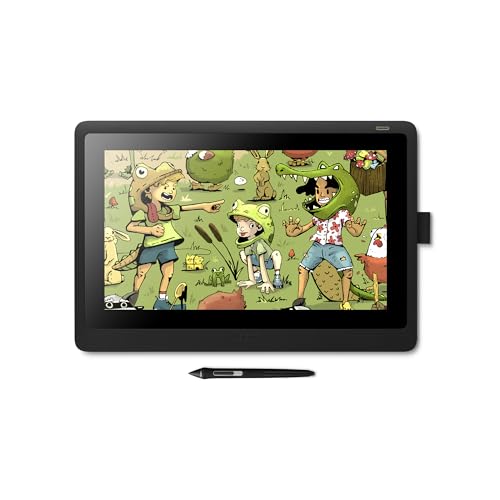
| Wacom Cintiq 16 | Artists who want the Wacom pen feel and a desk-sized drawing surface for long design sessions. | Full HD display, Pro Pen 2 with 8,192 pressure levels |
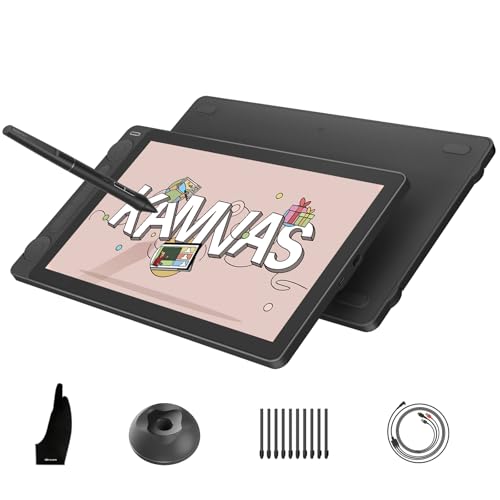
| XPPen Artist 15.6 Pro | Designers who lean on dials and shortcut keys for zoom, brush size and undo while drawing. | 15.6-inch full-laminated display, Red Dial, 8 shortcut keys |
| HUION Kamvas 13 (Gen 3) | Linework-focused artists who want the finest pressure control and a paper-like surface in a compact display. | 13.3-inch laminated display, 16,384 pressure levels |
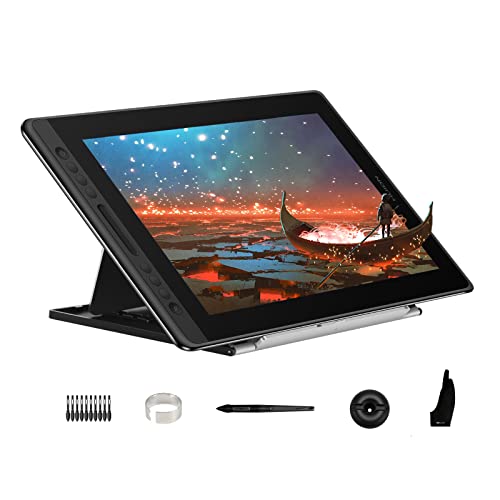
| HUION Kamvas Pro 16 | Artists who want a 15.6-inch display with an adjustable stand included rather than bought separately. | 15.6-inch anti-glare glass display, 6 keys plus touch bar |
| Wacom One (2019 Generation) | Apprentices and beginners who want a first pen display from the Wacom line for learning digital design. | 13.3-inch Full HD display, 4,096 pressure levels |
How to Choose
Pressure levels shape line weight control
Designing tattoos is line work: tapering strokes, consistent outlines and fine detail at small sizes. The listings here state 4,096, 8,192 and 16,384 pressure levels, and the practical difference shows at the extremes, in how gently a line can start and end. Double the levels does not mean double the quality, but a designer coming from pen on paper will feel the finer steps. The 16,384-level listing also states a 2 gram initial activation force, the lightest touch figure in the group.
Lamination and surface decide pen-on-glass feel
Every listing here states a laminated or full-laminated screen, which keeps the pen tip visually close to the line it draws — the parallax question that decides whether digital inking feels direct. Surfaces differ: anti-glare film, etched glass, and one nano-etched canvas glass that its listing describes as paper-textured. An artist whose style depends on slow, controlled pulls should weight the surface description as heavily as the pressure figure, because friction is what their hand actually reads.
Shortcut controls are workflow, not decoration
Digital design runs on undo, zoom and brush resizing, and the listings differ sharply in hardware help: one model states zero built-in shortcut keys, others state five or six keys, two dials, a red dial with eight keys, or a touch bar. Each stated control is a hand that stays on the desk instead of travelling to a keyboard. Check the control lines in the specs as carefully as the pen lines; they decide how a long session flows.
None of these displays works on its own
Every listing here states or implies a host computer: these are pen displays, not standalone tablets, and the tattoo software you already use on a laptop or desktop is what they show. One model also lists Chromebook and Android compatibility, which widens the host options but does not remove the host. Budget and desk planning should assume a computer beside the display, plus the cable connection each listing describes, rather than a self-contained device.
The 5 Best Options
Wacom Cintiq 16
The Cintiq 16 is the established studio name in this group. Its listing states a 1920 by 1080 screen resolution, an active area of 13.6 by 7.6 inches and the Pro Pen 2 with 8,192 levels of pressure sensitivity, tilt response and reduced parallax. The pen runs on EMR technology that draws power from the display, so the listing says it never needs charging. An anti-glare, scratch-resistant surface and foldable legs that set a 19-degree incline complete the stated facts. For linework, the parallax and pen facts are the argument.
Specs
- Resolution: 1920 x 1080 per listing technical details
- Active area: 13.6 x 7.6 inches per listing
- Pen: Pro Pen 2, 8,192 pressure levels, tilt response per listing description
- Pen power: EMR technology; the listing states the pen never needs charging
- Surface: anti-glare film, scratch-resistant screen per listing
- Stand: foldable legs adjusting to a 19-degree incline per listing
- Shortcut keys: the listing’s comparison table states 0 ExpressKey buttons for this model
- Model: DTK1660K0A per listing
Best for: Artists who want the Wacom pen feel and a desk-sized drawing surface for long design sessions.
Watch out for: The listing states the screen size three different ways across its own fields, so this guide prints only the corroborated resolution; it also states zero built-in shortcut keys, so plan on keyboard shortcuts or a separate remote.
XPPen Artist 15.6 Pro
The Artist 15.6 Pro is the control-heavy pick. Its listing states a 15.6-inch 1920 by 1080 screen, 8,192 pressure levels and tilt support of plus or minus 60 degrees, with colour quoted at 120 percent sRGB and a 178-degree viewing angle. The screen is full-laminated with a replaceable anti-glare film. What separates it here is the hardware around the panel: a Red Dial and eight fully customizable shortcut keys, the controls a designer maps to zoom, brush size and undo. The PA2 pen is battery-free per the listing’s comparison table.
Specs
- Display: 15.6-inch, 1920 x 1080, LCD per listing
- Pressure: 8,192 levels per listing title and spec fields
- Tilt: plus or minus 60 degrees per listing
- Colour: 120% sRGB (88% NTSC), 178-degree viewing angle per listing description
- Screen: full-laminated technology, replaceable anti-glare film per listing
- Controls: Red Dial plus 8 fully customizable shortcut keys per listing
- Pen: PA2, battery-free per the listing’s comparison table
- Connection: not a standalone product; must connect to a computer per listing
Best for: Designers who lean on dials and shortcut keys for zoom, brush size and undo while drawing.
Watch out for: This model circulates under several other codes for bundles and regional listings; only this ASIN matches the base listing’s product-information field, so check the live page configuration before ordering.
HUION Kamvas 13 (Gen 3)
The Kamvas 13 (Gen 3) is the pressure leader in a compact body. Its listing states 16,384 levels of pressure sensitivity from PenTech 4.0 with a 2 gram initial activation force, double every other figure here. The 13.3-inch 1920 by 1080 screen is full-laminated Canvas Glass 2.0 with a nano-etched, paper-textured anti-glare surface. Colour is quoted at 99 percent sRGB and 90 percent Adobe RGB, factory-calibrated with a certificate in the box. Five press keys and two dial controllers handle shortcuts, and the slim 11.7 mm body suits smaller desks.
Specs
- Display: 13.3-inch, 1920 x 1080, LCD per listing
- Pressure: 16,384 levels, PenTech 4.0, 2g initial activation force per listing
- Surface: full-laminated Canvas Glass 2.0, nano-etched anti-glare, paper-textured per listing
- Colour: 99% sRGB / Rec.709 and 90% Adobe RGB; factory-calibrated, certificate included per listing
- Controls: 5 press keys plus 2 dial controllers per listing
- Profile: 11.7 mm; left- and right-handed symmetrical design per listing
- Connection: not standalone; connects to a computer or laptop per listing
- Model: GS1333 per listing
Best for: Linework-focused artists who want the finest pressure control and a paper-like surface in a compact display.
Watch out for: The listing does not state that its pen is battery-free, and its weight appears inconsistently across its own fields, so neither fact is printed here: confirm both on the live page if they matter to you.
HUION Kamvas Pro 16
The Kamvas Pro 16 is the larger Huion with a stand in the box. Its listing states a 15.6-inch full-laminated screen behind anti-glare etched glass at 1920 by 1080, 8,192 pressure levels and a PW507 pen the listing describes as battery-free, with 60-degree tilt recognition. Colour is quoted at 120 percent sRGB with 16.7 million colours and a 1000:1 contrast ratio. Six customized express keys and a touch bar cover shortcuts, and the included ST200 stand adjusts from 20 to 60 degrees, the working angles long drawing sessions rotate through.
Specs
- Display: 15.6-inch, 1920 x 1080, full-laminated anti-glare etched glass per listing
- Pressure: 8,192 levels per listing
- Pen: PW507, described in the listing as a pen without battery; 60-degree tilt recognition per listing
- Colour: 120% sRGB (92% AdobeRGB), 16.7 million colours, 1000:1 contrast per listing
- Controls: 6 customized express keys plus 1 touch bar per listing
- Stand: adjustable stand included, 20 to 60 degrees per listing
- Cable: 3-in-1 USB-C cable carrying the HDMI signal per listing
- Connection: not standalone per listing
Best for: Artists who want a 15.6-inch display with an adjustable stand included rather than bought separately.
Watch out for: This model’s name covers several variants, including higher-resolution versions under different codes; the facts here are only the Full HD with-stand listing’s, so confirm the live page matches before ordering.
Wacom One (2019 Generation)
The Wacom One is the entry point, and its listing is honest about that in its own title, which labels it the old generation from 2019. The stated facts: a 13.3-inch 1920 by 1080 screen with an 11.6 by 6.5 inch active area, full lamination, and a pen with 4,096 pressure levels — half or less of every other product in this guide, printed here plainly rather than rounded up. The listing positions it for creative beginners, sketching and photo editing, and it works with Mac, PC and Chromebook systems.
Specs
- Display: 13.3-inch, 1920 x 1080, LCD per listing
- Active area: 11.60 x 6.50 inches per listing
- Pressure: 4,096 levels per listing spec fields
- Screen: full lamination per listing fields
- Compatibility: Mac, Windows PC, Chromebook and Android per listing
- Positioning: creative beginners, sketching, photo editing per listing description
- Generation: the listing title labels it Old Gen (2019)
- Model: DTC133W0C per listing item details
Best for: Apprentices and beginners who want a first pen display from the Wacom line for learning digital design.
Watch out for: The title itself calls this the 2019 generation and a newer Wacom One exists, so stock and support horizons are the weakest in this group: confirm a live offer on this ASIN before planning around it.
Which One Fits Your Situation
An apprentice learning digital design on a budget of space
Take the HUION Kamvas 13 (Gen 3): the highest stated pressure figure, a paper-textured surface and a compact 13.3-inch body that fits a small station. The factory calibration certificate in the box also means colour decisions made on screen start from a trustworthy baseline while skills are still developing.
A studio artist drawing at a fixed desk all day
Take the XPPen Artist 15.6 Pro for its 15.6-inch laminated screen, Red Dial and eight shortcut keys, the control set a full working day uses constantly. The full-laminated screen keeps the pen tip close to the line, and the battery-free PA2 pen removes charging from the studio routine entirely.
An artist who wants Wacom’s pen and a big surface
Take the Wacom Cintiq 16 for the Pro Pen 2 and its never-charge EMR design, accepting the stated absence of built-in shortcut keys. The foldable legs set a 19-degree working incline, and the anti-glare surface keeps reflections down under the bright lighting studios work under.
A beginner buying a first pen display to learn on
Take the Wacom One, positioned by its own listing for creative beginners, with the plain caveat that its 4,096 pressure levels are the lowest here. It also works with Chromebook and Android hosts per its listing, which widens the chances it pairs with a computer a beginner already owns.
Common Mistakes
- Assuming any pen display is marketed for tattoo work, when no listing here claims it: the fit is argued from pen and screen facts, and your own workflow is the final test.
- Buying a pen display expecting a standalone tablet, then discovering every model here needs a computer connected before it draws anything at all.
- Comparing only pressure numbers and ignoring shortcut hardware, when one listing states zero built-in keys and others build whole sessions around dials.
- Claiming features a listing never states, such as a battery-free pen or a tilt angle for the Kamvas 13 (Gen 3), whose captured text omits both facts.
- Ordering a variant listing of the same model name with different resolution or contents, since these displays circulate under several codes and bundles.
Frequently Asked Questions
Does any of these listings actually claim tattoo use?
No. None of the five listings mentions tattooing, stencils or tattoo design in its title, bullets, description or spec fields. This guide argues the fit only from stated pen and display facts — pressure, tilt, lamination and controls — and says so openly rather than borrowing a claim.
Which pen display has the highest pressure sensitivity?
The HUION Kamvas 13 (Gen 3). Its listing states 16,384 pressure levels with a 2 gram initial activation force, double the 8,192 levels stated by the Wacom Cintiq 16, XPPen Artist 15.6 Pro and HUION Kamvas Pro 16 listings. The Wacom One sits at the other end of the range at 4,096 levels, per its listing’s spec fields.
Do any of these pens need charging?
Three listings say no: the Cintiq 16’s pen draws power from the display by EMR, the XPPen PA2 is listed as battery-free, and the Kamvas Pro 16’s pen is described as a pen without battery. The Kamvas 13 (Gen 3) listing does not state it, so no claim is made for that one.
Can I use one of these displays without a computer?
No. Each listing describes a pen display that connects to a computer, and two state it outright. The Wacom One adds Chromebook and Android hosts to its compatibility list, but it still needs a host device to draw on. A phone alone is not a host for these displays; the connection is to a computer-class device in every listing here.
FAQ
Does any of these listings actually claim tattoo use?
Which pen display has the highest pressure sensitivity?
Do any of these pens need charging?
Can I use one of these displays without a computer?
More from Amazon
Programs that pair well with the guide above. Offers and eligibility are set by Amazon and may change.
Free shipping on eligible items, Prime Video and more. Eligible new members can start with a free trial.
Start a Prime free trialAd-free music streaming. Eligible new subscribers can start with a free trial.
Try Music Unlimited freeA Prime membership for ages 18-24 with a trial period. Eligibility is set by Amazon.
See Prime for Young AdultsAudiobooks and podcasts to listen to on the go. Eligible new members can start with a free trial.
Try Audible freeAs an Amazon Associate we earn from qualifying purchases.