Key takeaways
- Substantially stronger docked graphics: An eGPU can make demanding games more comfortable at 1080p or 1440p on an external display.
- Uses the Legion Go’s USB4 connection: No internal modification is required; the handheld has USB4-capable USB-C ports.
- One compact Windows library: Your Steam, PC Game Pass, launchers, saves, and settings remain on the same device.
- Better workstation flexibility: An enclosure can support a monitor and peripherals, creating a useful desktop-style station for general PC tasks as well as games.
- Upgradeable graphics: Replacing a desktop GPU later can be easier than replacing an entire handheld, provided the card fits the enclosure and power supply.
- Less need for a separate gaming PC: For buyers short on space, one handheld plus a docked station can be more practical than maintaining two complete systems.
The Short Answer
It depends: buy an eGPU for a Lenovo Legion Go only if you will use the handheld primarily docked at a desk or TV and want desktop-class graphics without buying a separate gaming PC. For mostly handheld play, the answer is no. An external GPU adds cost, cables, a power supply, desk space, and setup friction—while doing nothing for battery-powered gaming away from the dock.
The Legion Go already has capable integrated Radeon graphics through its AMD Ryzen Z1 Extreme chip. It can run plenty of indie games, older AAA titles, esports games, and well-optimized modern releases at sensible settings. Its 8.8-inch, 2,560 x 1,600 display is sharp, but it is also demanding; expecting native-resolution, high-settings performance in every new game is unrealistic without compromises.
Our top picks
 Lenovo Legion Go S
- ALL GAMES, ALL PLACES, ALL YOURS
- Make every scene pop with 500 nits of…
- Play hundreds of high-quality PC games with your…
 Lenovo Legion Go
- Cutting-Edge Performance: AMD Ryzen Z1 Extreme with 8…
- High-Resolution Display: 8.8" WQXGA (2560x1600) IPS touchscreen, 500…
- Ample Storage & Expansion: 512GB SSD plus M.2…
As an Amazon Associate we earn from qualifying purchases at no extra cost to you.
An eGPU changes that calculation when the Legion Go is plugged in. Its USB4 ports provide up to 40Gbps of bandwidth for compatible external-GPU enclosures. Connect an enclosure, a desktop graphics card, an external monitor, keyboard, mouse, and power, and the Legion Go becomes a compact desktop-style gaming setup. That is useful—but it is not a cheap or seamless upgrade.
What You Actually Get
The Lenovo Legion Go is a Windows handheld with an 8.8-inch WQXGA IPS touchscreen, a 144Hz refresh rate, 16GB of memory, and a 512GB PCIe NVMe SSD in the common configuration. It measures about 11.8 by 5.15 by 1.61 inches and weighs roughly 1.88 pounds with its detachable controllers attached. The built-in 49.2Wh battery and included 65W charging approach make it practical as a portable machine, but not a substitute for a desktop gaming tower.
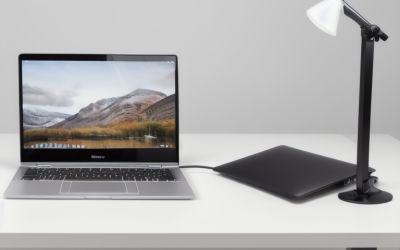
With an eGPU, the Legion Go can drive an external monitor much more effectively than it can power its own high-resolution screen in demanding games. The best use is generally a 1080p or 1440p monitor connected directly to the graphics card inside the enclosure. This matters: routing the rendered image back through USB4 to the Legion Go’s internal display can reduce performance further.
Budget realistically. A USB4-compatible eGPU enclosure usually costs about $250 to $500 before the graphics card. Add a midrange desktop GPU at roughly $300 to $550, and a complete setup commonly lands between $550 and $1,050. A monitor, dock, keyboard, mouse, and storage can raise the total further. Some enclosures include a 500W to 750W power supply; others require you to supply one, so check that detail before buying.
USB4 is fast, but it is not the same as a desktop GPU connected directly through a full PCIe slot. Performance varies by game, graphics card, driver behavior, and resolution. In general, an eGPU can offer a major improvement over the handheld’s integrated graphics, but the same card will usually perform better in a desktop. Avoid overspending on a top-tier GPU solely for this setup: bandwidth limitations can prevent the Legion Go from extracting its full value.
The practical eGPU setup also has a personality change. Instead of picking up the Legion Go and playing from the couch, you plug in one substantial USB4 cable, switch on the enclosure, manage Windows display settings, and play at a desk. That can be excellent for a hybrid work-and-play space. It is less appealing for someone who bought a handheld specifically to avoid a stationary setup.
Pros
- Substantially stronger docked graphics: An eGPU can make demanding games more comfortable at 1080p or 1440p on an external display.
- Uses the Legion Go’s USB4 connection: No internal modification is required; the handheld has USB4-capable USB-C ports.
- One compact Windows library: Your Steam, PC Game Pass, launchers, saves, and settings remain on the same device.
- Better workstation flexibility: An enclosure can support a monitor and peripherals, creating a useful desktop-style station for general PC tasks as well as games.
- Upgradeable graphics: Replacing a desktop GPU later can be easier than replacing an entire handheld, provided the card fits the enclosure and power supply.
- Less need for a separate gaming PC: For buyers short on space, one handheld plus a docked station can be more practical than maintaining two complete systems.
Cons
- It is expensive: Expect approximately $550 to $1,050 for an enclosure and sensible midrange graphics card, before a monitor or accessories.
- It is not portable: Most enclosures are roughly small-desktop sized, and many weigh 6 to 15 pounds before adding a GPU.
- Performance is not equal to a desktop: USB4 bandwidth reduces the potential of the graphics card compared with a direct desktop PCIe connection.
- Setup can require troubleshooting: GPU drivers, Windows updates, sleep behavior, display detection, and game-specific settings can occasionally need attention.
- It does not improve handheld battery life: Once disconnected, the Legion Go returns to its integrated graphics performance.
- It can duplicate hardware you already own: If you have a competent desktop or console connected to the same display, an eGPU may be unnecessary overlap.
Who Should Buy It
An eGPU makes sense for the Legion Go owner who spends most gaming time at a desk, already owns a good monitor, and wants one Windows machine for both portable and stationary use. It is especially compelling if you travel with the handheld but want stronger graphics at home, or if you need a small-footprint setup in an apartment, dorm, or shared room.
Buy with a midrange mindset. Pairing an enclosure with a practical GPU and an external 1080p or 1440p display is usually more balanced than chasing a very expensive card. You are paying for versatility, not for the absolute highest frame rates available from that GPU.
It can also suit someone replacing an aging desktop who values detachable controls and portable PC access more than a traditional tower. In 2026, that hybrid use case is more credible than ever, but it still works best for a person comfortable with Windows settings and occasional hardware troubleshooting.
Who Should Skip It
Skip the eGPU if you play mainly in handheld mode, on the couch, in bed, or while traveling. Put that money toward games, a fast microSD card, a larger internal SSD, a protective case, or a better power bank instead. Those purchases improve the portable experience rather than turning it into something else.
You should also skip it if your goal is simply to make every game run perfectly on the Legion Go’s built-in 8.8-inch screen. An eGPU can help, but it is an awkward and expensive route for that specific goal. A lower render resolution, upscaling, sensible graphics settings, and a 30fps or 45fps cap are often more practical.
Finally, do not buy an enclosure and GPU if the combined cost approaches the price of a desktop PC you would genuinely prefer. The standard Legion Go configuration has been listed around $705, while a Legion Go S configuration has appeared around $694. Adding a full eGPU station can quickly cost as much as, or more than, a separate gaming computer.
Cheaper Alternatives
| Option | Cost | Trade-off |
|---|---|---|
| USB-C dock, HDMI cable, and existing TV or monitor | $40–$140 | Gives you a bigger screen and easier charging, but no graphics-performance increase. |
| Lower game resolution, upscaling, and tuned settings | $0 | Can improve smoothness, but image quality and effects settings may need to drop. |
| 1TB microSD card | $70–$120 | Adds game storage, not speed; choose a reputable UHS-I card. |
| 1TB or 2TB internal M.2 2242 SSD upgrade | $90–$220 | More involved than using a microSD card and does not increase GPU performance. |
| Use an existing desktop or console at the main display | $0–$60 | Eliminates eGPU expense, but separates your gaming setup from the Legion Go. |
FAQ
Does the Lenovo Legion Go support an eGPU?
Yes. The Legion Go has USB4-capable USB-C ports that can work with compatible external-GPU enclosures. Confirm enclosure compatibility, power requirements, physical GPU size limits, and current driver support before purchasing.
Will an eGPU make the Legion Go faster in handheld mode?
No. The graphics card works only while the Legion Go is physically connected to the enclosure. Once you unplug it, games use the handheld’s integrated Radeon graphics again.
Should I use the Legion Go screen or an external monitor with an eGPU?
Use an external monitor connected directly to the eGPU whenever possible. It is generally the cleaner setup and avoids sending completed frames back over the USB4 connection to the built-in display.
What size GPU should I buy for a Legion Go eGPU setup?
A midrange card is usually the sensible choice. Look first at your enclosure’s maximum card length, slot width, and power-supply rating. Spending heavily on an oversized, high-end GPU can bring diminishing returns because USB4 is more bandwidth-limited than a desktop PCIe slot.