Key takeaways
- Purpose: A low-profile card for basic display output is very different from a gaming GPU. Decide whether you need frames or just a picture.
- Resolution: Buy for your monitor. 1080p needs a mainstream card, while 1440p and 4K demand progressively more power.
- VRAM: 4GB suits light use, 8GB is the gaming baseline, and 20 to 24GB serves 4K and heavy creative work.
- Card size: Low-profile and single-fan cards fit small PCs and HTPCs, while triple-fan flagships need a full-size case.
- Power supply: High-end cards draw serious wattage, so confirm your PSU has the capacity and connectors before buying.
What's inside
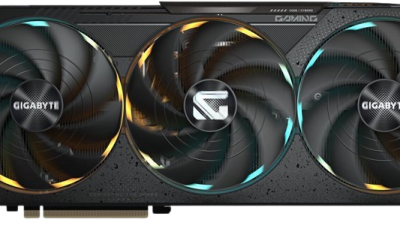
Graphics cards span an enormous range, from tiny low-profile chips that add display outputs to a small PC all the way up to flagship monsters built for 4K gaming and content creation. Understanding where each card sits helps you avoid overpaying or underbuying. The lineup here captures that full spread, mixing entry-level GPUs with powerful high-end options.
Below are our top picks across the performance ladder, followed by a buying guide to help you match a card to your resolution, budget, and case. Whether you need a basic display adapter or a high-end gaming powerhouse, there is a clear choice here.
As an Amazon Associate we earn from qualifying purchases.


🎮 Get More From Your Setup — Free
Prime Gaming gives you free PC games every month, in-game loot, and a free Twitch channel sub — plus fast free shipping on all the gear above. New members get a 30-day free trial.
Watch: Best Top 10 Gpu — Video Review
How to Choose the Right GPU
- Purpose: A low-profile card for basic display output is very different from a gaming GPU. Decide whether you need frames or just a picture.
- Resolution: Buy for your monitor. 1080p needs a mainstream card, while 1440p and 4K demand progressively more power.
- VRAM: 4GB suits light use, 8GB is the gaming baseline, and 20 to 24GB serves 4K and heavy creative work.
- Card size: Low-profile and single-fan cards fit small PCs and HTPCs, while triple-fan flagships need a full-size case.
- Power supply: High-end cards draw serious wattage, so confirm your PSU has the capacity and connectors before buying.
The Best GPUs Reviewed
ASUS Dual GeForce RTX 5060 Ti 16GB OC
This is the mainstream sweet spot, pairing 16GB of GDDR7 with DLSS 4 support and a compact design. It handles 1440p gaming with ease and has the VRAM to stay comfortable in demanding titles, making it our top all-round pick.
EVGA GeForce RTX 3090 FTW3 Ultra
A former flagship that still delivers, the RTX 3090 with 24GB of GDDR6X and thousands of CUDA cores is a strong choice for 4K gaming and content creation. Its huge memory buffer suits creators working with large projects.
XFX Radeon RX 7900 XT 20GB
The RX 7900 XT brings 20GB of GDDR6 and AMD’s RDNA 3 architecture for excellent high-refresh 1440p and capable 4K gaming. It is a powerful option for players who want lots of raw performance and memory.
ASUS TUF Gaming RTX 3080 V2 OC
With 10GB of GDDR6X and a rugged dual-fan cooler, the RTX 3080 remains a great 1440p and entry 4K card. Its military-grade build and strong performance make it a dependable high-tier pick.
Glorto GeForce GT 730 4G Low Profile
At the opposite end, this low-profile GT 730 with 4GB is not a gaming card but a practical way to add HDMI and VGA outputs to a small or office PC. It is ideal for HTPCs and basic display needs.
Frequently Asked Questions
What GPU do I need for 4K gaming?
A high-end card like the RTX 3090 or RX 7900 XT with 20GB or more of VRAM handles 4K well. The RTX 3080 manages entry 4K too.
Are low-profile cards good for gaming?
Not really. Cards like the GT 730 are meant for display output and basic tasks, not modern gaming. Choose an RTX 5060 Ti or higher for gaming.
How much VRAM should a gaming GPU have?
8GB is the baseline, 16GB is comfortable for 1440p and future titles, and 20 to 24GB is best for 4K and creative workloads.
Do these high-end cards need a big power supply?
Yes. Cards like the RTX 3090 and RX 7900 XT draw significant power, so ensure your PSU has enough wattage and the right connectors.
Final Thoughts
The right GPU depends entirely on what you are doing. The RTX 5060 Ti 16GB is our overall value and 1440p pick, the RTX 3090 and RX 7900 XT serve 4K gamers and creators, the RTX 3080 is a dependable high-tier option, and the GT 730 covers basic display duty. Match the card to your resolution, case, and power supply, and you will get exactly the performance you need.