Key takeaways
- Best overall: 512GB microSDXC
- Best budget choice: 256GB microSDXC
- Best for a large library: 1TB microSDXC
- Performance target: UHS-I U3, V30, or faster; a UHS-II-compatible card can also be considered
- Physical card size: 0.59 x 0.43 x 0.04 inches, or approximately 1.5 x 1.1 x 0.1 cm
If you are asking what size microSD card for Legion Go, the best choice for most players is a 512GB card. It provides a useful balance of installed games, cost, and performance without making the card unnecessarily expensive. Choose 256GB for a small game library or 1TB if you keep many large PC games installed at once.
The Short Answer
The Lenovo Legion Go uses a microSD card slot, and its storage capacity is separate from the handheld’s internal SSD. A 256GB card is suitable for lighter use, while 512GB is the practical all-around size. A 1TB card makes sense for large libraries, frequent travel, or games that regularly occupy 80GB to 150GB each.
Our top picks
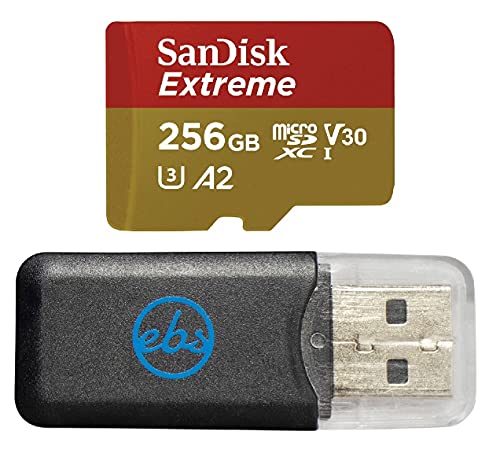 SanDisk 256GB Extreme MicroSD Memory Card for
- Bundle Includes: (1) SanDisk 256GB Extreme MicroSD Card…
- High-Speed Performance: Up to 190 MB/s read and…
- Ample Storage Capacity: 256 GB of space provides…
 SanDisk 512GB Extreme MicroSDXC Card Compatible with
- Bundle Includes: (1) SanDisk 512GB Extreme MicroSD Card…
- High-Speed Performance: Up to 190 MB/s read and…
- Ample Storage Capacity: 512 GB of space provides…
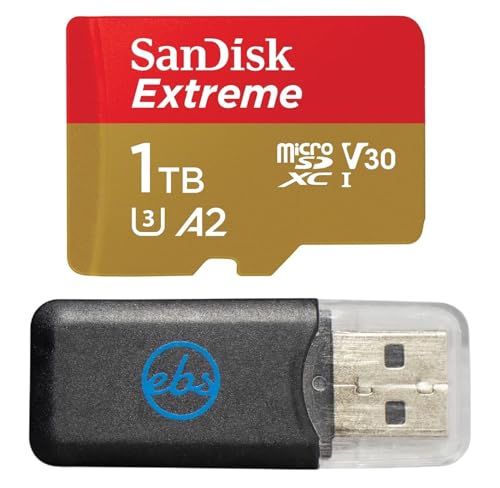 SanDisk MicroSD 1TB Extreme Memory Card Compatible
- Bundle Includes: (1) SanDisk 1TB Extreme MicroSD Card…
- High-Speed Performance: Up to 190 MB/s read and…
- Ample Storage Capacity: 1 TB of space provides…
| Product | Key specs | |
|---|---|---|
| SanDisk 256GB Extreme MicroSD Memory Card for | Bundle Includes: (1) SanDisk 256GB Extreme MicroSD Card… High-Speed Performance: Up to 190 MB/s read and… Ample Storage Capacity: 256 GB of space provides… | Check price |
| SanDisk 512GB Extreme MicroSDXC Card Compatible with | Bundle Includes: (1) SanDisk 512GB Extreme MicroSD Card… High-Speed Performance: Up to 190 MB/s read and… Ample Storage Capacity: 512 GB of space provides… | Check price |
| SanDisk MicroSD 1TB Extreme Memory Card Compatible | Bundle Includes: (1) SanDisk 1TB Extreme MicroSD Card… High-Speed Performance: Up to 190 MB/s read and… Ample Storage Capacity: 1 TB of space provides… | Check price |
 addlink 512GB Gaming microSD Express Card for addlink 512GB Gaming microSD Express Card for | [Design for next gen gaming]: NintendoSwitch 2, Steam… [Revolutionary performance]:4x faster than typical UHS-I microSD cards [Performance]: Incredible speed Read/write Speeds Up To 880MB/750… | Check price |
As an Amazon Associate we earn from qualifying purchases at no extra cost to you.
- Best overall: 512GB microSDXC
- Best budget choice: 256GB microSDXC
- Best for a large library: 1TB microSDXC
- Performance target: UHS-I U3, V30, or faster; a UHS-II-compatible card can also be considered
- Physical card size: 0.59 x 0.43 x 0.04 inches, or approximately 1.5 x 1.1 x 0.1 cm
Capacity is not the only specification that matters. Look for a reputable microSDXC card with a minimum sustained-write rating of V30 when possible. This does not guarantee a particular game-loading time, but it identifies a card designed for sustained data transfers rather than only short bursts.
Standard Sizes
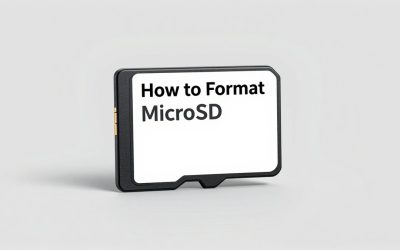
All full-size microSD cards have nearly identical physical dimensions, regardless of whether the card is 256GB, 512GB, or 1TB. The differences are in storage capacity, speed ratings, controller quality, and price.
| Card or accessory | Nominal capacity | Physical dimensions | Approximate usable capacity | Typical price range |
|---|---|---|---|---|
| microSD card | 256GB | 0.59 x 0.43 x 0.04 in 1.5 x 1.1 x 0.1 cm |
About i>238GB to 245GB | $25 to $85 |
| microSD card | 512GB | 0.59 x 0.43 x 0.04 in 1.5 x 1.1 x 0.1 cm |
About 475GB to 490GB | $60 to $135 |
| microSD card | 1TB | 0.59 x 0.43 x 0.04 in 1.5 x 1.1 x 0.1 cm |
About 900GB to 950GB | $120 to $265 |
| SD adapter, if included | Not additional storage | 1.26 x 0.94 x 0.08 in 3.2 x 2.4 x 0.2 cm |
Same as the microSD card | Usually included |
Usable capacity is lower than the number printed on the package because manufacturers calculate storage using decimal units, while Windows reports capacity differently and reserves some space for formatting. A 512GB card will not show 512GB of free space. Allowing roughly 5% to 8% for formatting and measurement differences is a reasonable planning rule.
Example pricing illustrates the spread. A 256GB SanDisk Extreme card may cost about $83.69, while a 512GB SanDisk Extreme model may be around $129.86. A 1TB SanDisk Extreme card can be approximately $261.20. A 512GB addlink gaming microSD Express card may be listed near $125.44. Prices change frequently, so compare the speed class, warranty, and seller rather than choosing by capacity alone.
How to Measure Your Space
You do not need to measure the Legion Go’s card slot before buying a normal microSD card. The slot is designed for the standardized microSD form factor. Instead, measure your storage space by estimating how many games and files you want to carry.
- Check your internal free space. Open Windows storage settings and note how much room remains on the Legion Go’s built-in SSD.
- List the games you want installed. Record the installed size shown in each game launcher. Include high-resolution texture packs and optional downloadable content.
- Add room for updates. Reserve at least 15% to 20% of the card’s usable capacity. Some PC games need temporary free space while patching, even when the final update is smaller.
- Estimate your library. A 256GB card typically holds several smaller indie games or roughly two to five large games, depending on their sizes. A 512GB card may accommodate four to eight large games. A 1TB card gives more flexibility for roughly eight to 15 large games, though actual numbers vary considerably.
- Check the card format. Choose microSDXC for capacities from 64GB through 2TB. Format the card in the Legion Go or Windows before moving a large library to it.
The Legion Go’s microSD slot is not a replacement for a fast internal NVMe SSD. It is better viewed as expandable game storage. If a title has unusually long loading screens or performs frequent asset streaming, installing it on the internal SSD may provide a smoother experience.
By Room or Use Case
For a small or rotating game library
Choose 256GB if you usually play a few games at a time and uninstall finished titles. It is also a sensible choice when the internal SSD already has substantial free space. A quality 256GB card costs less than larger capacities, but avoid unbranded cards with unusually low prices. Fake-capacity cards can report space that they do not actually contain and may corrupt files.
For most Legion Go owners
A 512GB card is the safest recommendation. It adds enough room for several major releases, smaller games, emulators, screenshots, and downloads without the premium charged for the largest cards. Look for U3 and V30 markings, and buy from a recognized brand or an authorized seller. SanDisk Extreme cards are one example of the type of product commonly marketed for Lenovo handhelds.
For frequent travelers
Choose 1TB if the Legion Go is your primary gaming computer while traveling. Large modern PC games can consume 100GB or more, and a 1TB card leaves room for multiple titles without constant uninstalling. The higher price is easier to justify when carrying a second computer or portable SSD is inconvenient.
For emulation and media storage
Capacity matters more than peak sequential speed for a collection of ROM backups, music, videos, and documents. A 512GB card is usually plenty for this use. Keep legally obtained game backups and media organized in separate folders, and maintain another backup because removable flash storage can fail.
For a microSD Express purchase
MicroSD Express cards advertise much higher interface speeds, but compatibility depends on the host device and card reader. A product designed for Nintendo Switch 2 or labeled for another handheld should not automatically be assumed to deliver Express performance in the Legion Go. Before paying extra, verify that the Legion Go and the specific card support the same interface. A conventional UHS-rated card from a reliable brand is the less complicated choice.
Common Sizing Mistakes
- Confusing physical size with capacity: A 1TB card is not physically larger than a 256GB card. All standard microSD cards use nearly the same dimensions.
- Buying only by the number of gigabytes: A larger card with poor sustained performance or questionable authenticity is not a good upgrade.
- Filling the card completely: Leave about 15% to 20% free for updates, temporary files, and normal storage management.
- Expecting SSD performance: A microSD card expands capacity, but it may not match the responsiveness of the Legion Go’s internal NVMe drive.
- Using the wrong label as a guarantee: “Gaming,” “Extreme,” and similar marketing names are less useful than the actual UHS, U3, V30, and warranty details.
- Skipping backups: Do not keep the only copy of important photos, saves, or documents on a removable card.
FAQ
What is the best microSD card size for Legion Go?
For most people, 512GB is the best size. It offers a meaningful storage increase while keeping the price below most 1TB options. Choose 256GB for a smaller rotating library and 1TB for frequent travel or many large games.
Can Legion Go use a 1TB microSD card?
A 1TB microSDXC card is a practical capacity for the Legion Go, provided it is a genuine, compatible card formatted correctly. Check the card manufacturer’s specifications and Lenovo’s current support information if you are considering a capacity beyond 1TB.
Does a faster microSD card improve game performance?
It can reduce file-transfer and loading bottlenecks compared with a slow or counterfeit card, but it will not turn microSD storage into NVMe storage. Choose a reputable U3 or V30 card first, then prioritize the capacity you actually need.
Should I install Legion Go games on the microSD card?
Yes, many games can be installed there to preserve internal SSD space. For the fastest loading and the best chance of smooth asset streaming, keep demanding titles on the internal drive when possible and use the microSD card for less demanding games, older releases, emulation, and overflow storage.