Our Top Picks
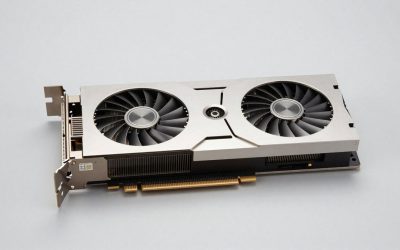
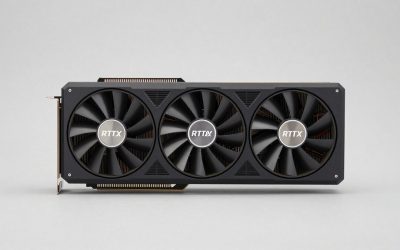
 GIGABYTE GeForce RTX 4070 Ti Super Gaming OC2.3" x 5.1" x 11.8"11.81 x 5.11 x 0.1 inchesCheck on Amazon
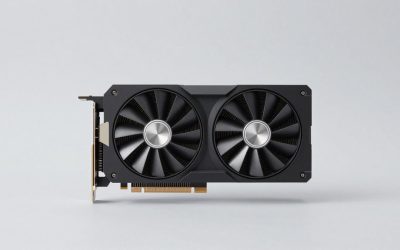
 ASUS TUF Gaming GeForce RTX™ 4070 Ti SuperRTX4070Ti Super|OC|OG|16G12.8 x 5.5 x 2.5 inches3.5 poundsCheck on Amazon
Best 4070 Ti Super Graphics Cards GPUs
The best RTX 4070 Ti Super for most gaming PCs is the ASUS TUF Gaming GeForce RTX 4070 Ti SUPER if your case can fit its large cooler; choose the MSI GeForce RTX 4070 Ti SUPER 16G VENTUS 2X OC for a shorter, simpler build, or the MSI SUPRIM X when quiet cooling matters more than size and cost. All use the same GPU, so differences in game performance are usually small; cooler design, dimensions, noise behavior, and power connections are the more useful tie-breakers.
This card remains a capable upper-tier option in 2026, particularly for 1440p high-refresh gaming and 4K with sensible settings or upscaling. Its 16 GB of VRAM offers more headroom than many older high-end cards, but a pricier factory-overclocked version does not turn it into a substantially faster GPU.

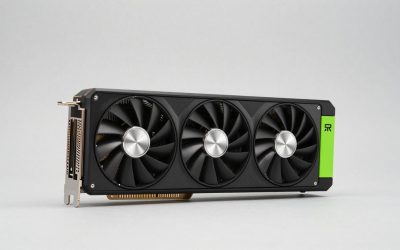
PNY GeForce RTX™ 4070 Ti Super 16GB XLR8 Gaming Verto™ Epic-X RGB™ OC Triple Fan Graphics Card DLSS 3 (ARGB, 256-bit, GDDR6X, PCIe 4.0, HDMI/DisplayPort, incl. Adapter & Support Bracket, 3.3 Slot)
Chosen because it specifies 256-bit and GDDR6X.
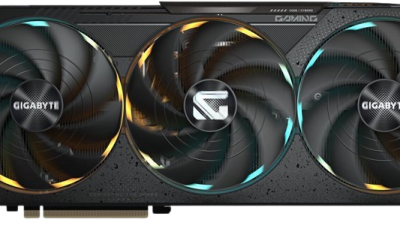
View on AmazonGIGABYTE GeForce RTX 4070 Ti Super Gaming OC 16G Graphics Card, 3X WINDFORCE Fans, 16GB 256-bit GDDR6X, GV-N407TSGAMING OC-16GD Video Card
Chosen because it specifies 3X WINDFORCE Fans and 16GB 256-bit GDDR6X.
View on AmazonASUS TUF Gaming GeForce RTX™ 4070 Ti Super OG OC Edition Gaming Graphics Card (PCIe 4.0, 16GB GDDR6X, DLSS 3, HDMI 2.1a, DisplayPort 1.4a), 3 Year Warranty
Chosen because it specifies 16GB GDDR6X and DLSS 3.
View on Amazon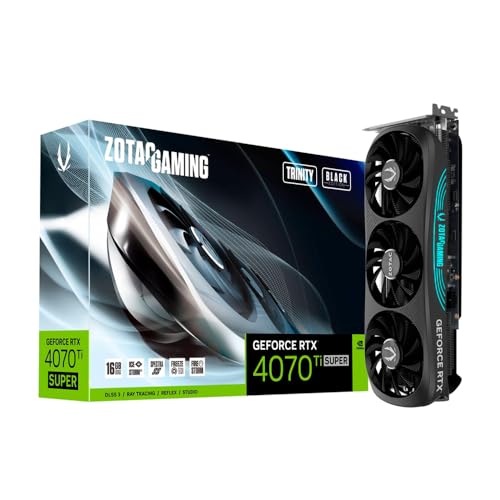
ZOTAC GAMING GeForce RTX 4070 Ti SUPER Trinity Black Edition 16GB GDDR6X
Picked as a relevant option in this category.
View on AmazonShortlist: which card fits your build?
| Model | Card length (approx.) | Slot class | Power guidance | Best fit |
|---|---|---|---|---|
| ASUS TUF Gaming RTX 4070 Ti SUPER | 305 mm | 3.25 slots | 750 W PSU recommended; 16-pin GPU power | Large cases, sustained gaming, balanced cooling |
| MSI RTX 4070 Ti SUPER 16G VENTUS 2X OC | 242 mm | 2.5 slots | 700 W PSU recommended; 16-pin GPU power | Shorter cases and less obstructed builds |
| MSI SUPRIM X RTX 4070 Ti SUPER | 338 mm | 3.75 slots | 750 W PSU recommended; 16-pin GPU power | Roomy cases and a focus on lower fan speeds |
| Founders Edition | Approx. 267 mm | 2 slots | 700 W PSU recommended; 16-pin GPU power | Compact, conventional layouts where available |
Dimensions and power recommendations can vary by exact revision and regional listing. Check the manufacturer’s page for the precise model number before buying. “Slot class” is a practical estimate of how much expansion-slot space the cooler occupies, not a guarantee that adjacent slots remain usable.
How the leading cards compare
1. ASUS TUF Gaming: best all-round fit for a roomy case
The TUF is a strong default when you have ample clearance and want a substantial air cooler without choosing the largest option on the list. Its triple-fan design has room to move heat away from the GPU, which can help it maintain comfortable fan speeds during long gaming sessions. That does not guarantee it will be quieter than every alternative: case airflow, fan curves, and individual samples all matter.
Its main drawback is physical, not computational. At roughly 305 mm long and more than three slots thick, it can compete with front fans, drive cages, and other expansion cards. Measure the case’s GPU clearance with front radiator or fan thickness included.
2. MSI VENTUS 2X OC: best for shorter builds
The VENTUS 2X is the practical pick when a long triple-fan card will not fit. At about 242 mm, it is substantially shorter than the TUF and SUPRIM X, while retaining the same 16 GB GPU configuration. A smaller cooler has less surface area and fewer fans, so expect it to rely more on fan speed under heavy loads; do not assume it will be the quietest option simply because it is compact.
Choose it for a shorter mid-tower, a build with limited front-to-back clearance, or a PC where you value fit and price over a premium cooler. Confirm that its thickness still leaves room for the case’s side panel and neighboring cards.
3. MSI SUPRIM X: best for a quiet-focused, spacious build
The SUPRIM X pairs a high-end cooler with a factory overclock, but its roughly 338 mm length and nearly four-slot thickness make it the least flexible choice here. The larger heatsink can dissipate heat at lower fan speeds, which is useful if your case has good airflow and you are sensitive to fan noise. Its size and premium positioning are hard to justify if the card will be squeezed into a restrictive case.
It is also not a major gaming-performance upgrade over more modest 4070 Ti Super cards. Consider it when the cooler, acoustics, or build finish matter to you—not because its name suggests a different GPU class.
4. NVIDIA Founders Edition: best for a conventional two-slot layout
The Founders Edition is shorter and thinner than many partner cards, making it worth considering when extra expansion-slot clearance matters. Its compact, two-slot form can simplify a build, though its cooling and noise behavior depend on case airflow and the way its fans exhaust heat. It is not always available at a sensible price, so compare the total cost against a partner card that fits your case.
Performance: small gaps, same GPU
These cards all use the GeForce RTX 4070 Ti SUPER GPU, with 16 GB of GDDR6X memory and a 256-bit memory interface. Factory overclocks can shift results slightly, but game, resolution, cooling conditions, and power limits typically matter more than the brand name. For a buying decision, treat premium models as cooling and build-quality upgrades rather than assuming a large frame-rate gain.
At 1440p, the card is well suited to high settings and high refresh rates in many games. At 4K, demanding ray tracing can still call for DLSS upscaling, frame generation where supported, or reduced settings. The 16 GB memory buffer is useful for large textures and newer games, but it cannot eliminate the processing cost of every demanding effect.
Check fit and power before you order
1. Measure the real GPU clearance
Compare the card’s listed length with the space from the rear expansion slots to the nearest obstruction. If a front radiator or fans sit in that space, subtract their thickness. Leave some room for cable routing and airflow rather than treating the case’s advertised maximum GPU length as a comfortable target.
2. Check the 16-pin power connection
These cards use a 16-pin GPU power connection, commonly supplied through a compatible PSU cable or the adapter included with the card. Avoid sharply bending the cable right at the plug; allow a straight section before routing it toward the side panel. A cramped panel that presses on the connector is a reason to choose a different card or case.
3. Size the PSU for the whole PC
A 700–750 W quality PSU is a sensible starting range for a typical gaming system, but the right size depends on the CPU and the rest of the build. Here is a worked estimate for a system with a 120 W gaming CPU, a 285 W GPU, and about 75 W for the motherboard, memory, storage, and fans:
- Estimated gaming load: 120 W + 285 W + 75 W = 480 W.
- Allow roughly 20% headroom: 480 W × 1.2 = 576 W.
- A good 650 W PSU may cover that example, but a 700–750 W unit gives more margin for CPU spikes, upgrades, and quieter operation. Follow the card maker’s recommendation and check that the PSU has the correct native cable or an appropriate supplied adapter.
This is a planning estimate, not a substitute for checking the exact PSU and CPU. A high-power processor, heavy overclock, or older unit with limited connectors can change the decision.
Choose by your situation
| Your priority or constraint | Best starting choice | What to verify |
|---|---|---|
| Case clearance below roughly 260 mm | MSI VENTUS 2X OC | Card thickness, front intake space, and side-panel cable clearance |
| Roomy case and balanced cooling | ASUS TUF Gaming | At least 305 mm of usable length and more than three slots of space |
| Quiet operation is a priority | MSI SUPRIM X or ASUS TUF | Case airflow and room for the cooler; larger cards still need fresh air |
| Only two expansion slots are available | Founders Edition | Exact card availability, exhaust path, and power-cable bend clearance |
| Best value among compatible models | Lowest-priced suitable card | Compare current market prices; avoid paying a large premium for a small factory overclock |
Bottom line
For most people with a spacious case, the ASUS TUF Gaming RTX 4070 Ti SUPER is the safest all-round pick. The MSI VENTUS 2X OC is the more useful choice when length is the limiting factor, while the MSI SUPRIM X suits a roomy build where a premium cooler is worth the added bulk. Buy based on measured clearance, PSU and cable compatibility, and the price difference—not on small advertised clock-rate gaps between cards built around the same GPU.