Key takeaways
- Choose the RX 9070 if it is at least about $100 cheaper, your monitor is 1440p 144Hz or below, or your power supply is close to its limit.
- Choose the RX 9070 XT if you use a 1440p 165Hz or 240Hz display, want fewer compromises at 4K, or plan to keep the card for several years.
- Do not buy the XT solely because it has “XT” in the name; display resolution, game type, and price determine whether the difference matters.
The best “Ryzen GPU for gaming” is usually the AMD Radeon RX 9070 XT for high-refresh 1440p, while the Radeon RX 9060 XT 16GB is the smarter value choice for 1080p and mainstream 1440p.
The naming matters: Ryzen is AMD’s brand for processors, including desktop and laptop CPUs, while Radeon is AMD’s graphics brand. A PC can have a Ryzen 7 processor and a Radeon RX graphics card, but there is no current consumer graphics-card family officially called “Ryzen GPU.” Search results and retailer listings sometimes blur the two names, so this guide compares Radeon GPUs that pair naturally with Ryzen systems.
Quick Radeon recommendations by resolution
| Gaming target | Best match | Useful alternative | Why |
|---|---|---|---|
| 1080p, high settings | Radeon RX 9060 XT 16GB | Radeon RX 9060 XT 8GB | Strong performance without overspending; 16GB is safer for new games. |
| 1440p, high refresh | Radeon RX 9070 XT 16GB | Radeon RX 9070 16GB | Excellent raster performance and enough VRAM for demanding settings. |
| 4K, high settings | Radeon RX 9070 XT 16GB | Radeon RX 7900 XTX 24GB | The 9070 XT has newer features; the 7900 XTX offers more memory and bandwidth. |
| Ray tracing priority | Radeon RX 9070 XT | Radeon RX 9070 | RDNA 4 improves AMD’s ray-tracing position compared with older Radeon generations. |
| Small or low-power PC | Radeon RX 9060 XT | Radeon RX 9070, if the case and PSU allow it | Lower power and easier cooling make the 9060 XT simpler to install. |
Best overall: Radeon RX 9070 XT
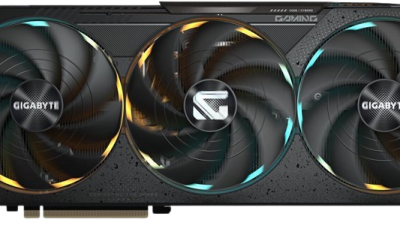
The Radeon RX 9070 XT is the best all-round Radeon choice for a new gaming PC in 2026. Its 16GB of GDDR6 memory suits 1440p ultra settings and gives it enough capacity for many 4K games when textures are managed sensibly. It is particularly attractive if your priority is traditional rasterized performance rather than maximum ray-tracing performance.
Expect a typical market range of roughly $650–$800, depending on the cooler, factory overclock, and regional supply. It is not automatically the best purchase at any price: if a discounted RX 9070 is substantially cheaper, or if you mainly play esports titles at 1080p, the less expensive card makes more sense.
For a balanced 1440p build, pair it with a modern Ryzen 5 or Ryzen 7 CPU, 32GB of system memory, and a quality 750W power supply. A faster processor helps maintain high minimum frame rates in simulation games, competitive shooters, and large open worlds, but a Ryzen 7 is not required for the RX 9070 XT to perform well.
Best value: Radeon RX 9060 XT 16GB
The Radeon RX 9060 XT with 16GB is the most sensible answer for many 1080p players and budget-conscious 1440p buyers. It has enough VRAM to avoid the 8GB-capacity trap in newer titles, while its performance is well suited to high settings and high-refresh 1080p.
The 8GB version can cost less, commonly landing around $300–$380, while the 16GB model is often around $350–$450. The extra memory is not a guarantee of higher frame rates, but it prevents texture-heavy games from stuttering or forcing reduced texture quality. If the price gap is modest, choose the 16GB card.
At 1440p, the RX 9060 XT remains capable, but you may need to use high rather than ultra settings, enable FSR Quality in demanding games, or reduce ray tracing. It is a better fit for a 60–100Hz 1440p display than for a 165Hz monitor in every new AAA release.
RX 9070 versus RX 9070 XT
Both cards have 16GB of VRAM and are aimed at 1440p and 4K gaming. The RX 9070 is the efficiency-focused option: it generally consumes less power and costs less, while retaining the same broad feature set. The RX 9070 XT is worth the premium when the price difference is reasonable and you want higher frame rates at 1440p or more headroom at 4K.
Use this decision rule:
- Choose the RX 9070 if it is at least about $100 cheaper, your monitor is 1440p 144Hz or below, or your power supply is close to its limit.
- Choose the RX 9070 XT if you use a 1440p 165Hz or 240Hz display, want fewer compromises at 4K, or plan to keep the card for several years.
- Do not buy the XT solely because it has “XT” in the name; display resolution, game type, and price determine whether the difference matters.
Where the Radeon RX 7900 XTX still makes sense
The RX 7900 XTX remains a real high-end option when its price falls into roughly the $750–$950 range. Its 24GB of VRAM and 384-bit memory interface are useful for 4K texture packs, mods, and workloads that exceed the comfort zone of 16GB cards. Its 24GB capacity is also valuable for some creator applications, although gaming performance depends on the software.
The trade-off is age and efficiency. The RX 9070 XT uses a newer architecture and is generally a more attractive choice for ray tracing and newer AMD features. The 7900 XTX can still be faster in some conventional 4K games, but it uses more power and should be installed with a strong power supply, typically 800W or higher depending on the rest of the system and the specific card.
VRAM, resolution, and the bandwidth calculation
Resolution does not directly dictate VRAM, because textures, ray-tracing data, mods, and game-engine behavior matter just as much. A practical target in 2026 is 8GB for cost-conscious 1080p, 12GB or more for comfortable 1440p, and 16GB or more for 4K. These are planning guidelines rather than hard requirements.
Display bandwidth also explains why a high-refresh monitor can expose a weak GPU. A 2560×1440 display has 3,686,400 pixels per frame. At 165Hz, that is 3,686,400 × 165 = 608,256,000 pixel updates per second, or about 608 million before accounting for shading complexity, anti-aliasing, lighting, and overdraw. A 3840×2160 display at 144Hz requires 8,294,400 × 144 = about 1.19 billion pixel updates per second—nearly twice the raw workload of 1440p at 165Hz.
This is why the RX 9060 XT can be excellent at 1080p but not an ideal 4K card, while the RX 9070 XT has a clearer advantage as resolution and image quality rise. It is also why lowering a game from ultra to high can help substantially: shadows, volumetric effects, reflections, and ray tracing often cost more performance than texture quality.
Settings that make each Radeon class work better
For the RX 9060 XT
- Use high settings rather than ultra in demanding AAA games.
- Set FSR to Quality at 1440p or Balanced only when Quality cannot maintain your target frame rate.
- Keep textures high if the 16GB model is installed, but lower ray-traced reflections first when performance falls.
- Use a frame-rate cap slightly below the monitor’s refresh rate to reduce power draw and uneven frame pacing.
For the RX 9070 and RX 9070 XT
- Start at native 1440p with high or ultra settings and enable FSR Quality only when necessary.
- At 4K, use FSR Quality, then lower volumetric fog, shadows, and ray-tracing effects before reducing textures.
- Enable Radeon Anti-Lag in supported games when input response matters, but avoid stacking several competing latency modes.
- Use FreeSync or a compatible variable-refresh display to smooth dips below the panel’s maximum refresh rate.
Compatibility checklist before buying
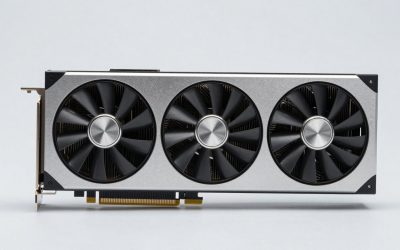
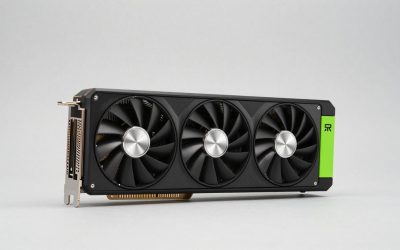
Check the graphics card’s physical length and thickness against the case, especially for triple-fan RX 9070 XT and RX 7900 XTX models. Confirm that the power supply has the required PCIe connectors and enough continuous capacity. For a system using a Ryzen 5 processor, 650W may be adequate for some RX 9060 XT builds, while a 750W unit is a sensible starting point for an RX 9070 XT. Leave headroom for drives, fans, USB devices, and future CPU upgrades.
Your motherboard does not need to be an expensive gaming model. A modern PCIe x16 slot is sufficient, and PCIe generations are backward compatible. Install the latest AMD Adrenalin driver, enable Resizable BAR or Smart Access Memory when supported, and update the motherboard firmware if the card is not detected correctly.
Final buying verdict
For most new builds, the Radeon RX 9070 XT is the best Ryzen GPU for gaming once the terminology is corrected: it is the best Radeon card to pair with a Ryzen CPU for serious 1440p and usable 4K gaming. Choose the RX 9060 XT 16GB for value, the RX 9070 for efficient 1440p performance, and the RX 7900 XTX only when its 24GB capacity or discounted 4K raster performance outweighs its older feature set and higher power use.