Key takeaways
- 1080p, tight budget: The RX 9060 XT 8GB can make sense when the price is notably lower than the 16GB version and your games are not especially VRAM-hungry. If the gap is modest, the 16GB card is the safer long-term buy.
- 1440p, value first: The RX 9060 XT 16GB offers room for high-resolution textures without requiring a high-end power supply. It is the practical starting point for a new midrange gaming PC.
- 1440p, high refresh or demanding games: Step up to the RX 9070 or RX 9070 XT. Pick the XT when its price premium is reasonable and you want more headroom for high settings, demanding titles, or a later monitor upgrade.
- 4K without a flagship budget: The RX 9070 XT is the more balanced current-generation choice. Expect to adjust settings or use upscaling in demanding games rather than assuming every title will hold a high frame rate at maximum settings.
- 4K raster gaming at a discount: The RX 7900 XTX remains worth considering if its 24GB memory and strong conventional rendering performance come at a competitive price. Its higher power draw and older architecture make it a less appealing pick at a price close to newer alternatives.
- Ray tracing is your priority: Compare game-specific results and current rival prices before buying. AMD’s cards can handle ray tracing, but the heaviest effects often cost more performance than they do on competing cards in the same price class.
The short answer
The best AMD graphics cards GPUs right now depend on your monitor and budget: choose the Radeon RX 9070 XT for high-refresh 1440p and capable 4K, the RX 9070 for a more efficient 1440p/entry-4K build, or the RX 9060 XT 16GB for a lower-cost 1440p upgrade. For demanding ray tracing, compare current prices carefully against Nvidia alternatives; AMD’s latest cards are more competitive than older generations, but heavy ray tracing remains a weaker value point.
These recommendations are for desktop gaming in 2026. Street prices vary with region, sales, and stock, so use the ranges below as buying guides rather than fixed quotes.

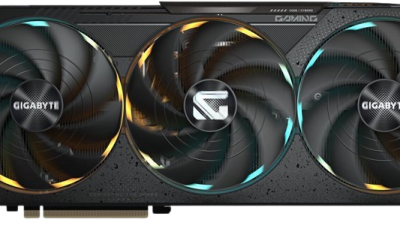
ASUS Prime Radeon RX 9070 XT 16GB GDDR6 OC Edition Gaming Graphics Card
Included for 'Best AMD Graphics Cards GPUs Right Now' as a relevant option in this category; details come from the product listing.
View on Amazon
ASUS ATS Radeon RX 9070 GRE 12GB GDDR6 OC Edition Gaming Graphics Card
Included for 'Best AMD Graphics Cards GPUs Right Now' as a relevant option in this category; details come from the product listing.
View on Amazon
XFX Speedster SWFT210 Radeon RX 6650XT CORE Gaming Graphics Card with 8GB GDDR6 HDMI 3xDP, AMD RDNA 2 RX-665X8DFDY
Included for 'Best AMD Graphics Cards GPUs Right Now' because the listing specifies AMD RDNA 2 RX-665X8DFDY, details this guide uses to compare options.
View on AmazonAMD GPU comparison at a glance
| GPU | Best fit | VRAM | Typical board power | Common market range |
|---|---|---|---|---|
| Radeon RX 9070 XT | High-refresh 1440p; 4K with sensible settings | 16GB | About 304W | Usually $650–$800 |
| Radeon RX 9070 | 1440p; occasional or tuned 4K | 16GB | About 220W | Usually $550–$700 |
| Radeon RX 9060 XT 16GB | Value-focused 1080p and 1440p | 16GB | About 160W | Usually $300–$400 |
| Radeon RX 9060 XT 8GB | Budget 1080p | 8GB | About 150W | Usually $250–$330 |
| Radeon RX 7900 XTX | Discounted 4K raster performance | 24GB | About 355W | Usually $700–$950 |
Power figures are reference board-power ratings; factory-overclocked cards can draw more. Actual prices and performance depend on the exact model and game.
Which card fits your games and monitor?
- 1080p, tight budget: The RX 9060 XT 8GB can make sense when the price is notably lower than the 16GB version and your games are not especially VRAM-hungry. If the gap is modest, the 16GB card is the safer long-term buy.
- 1440p, value first: The RX 9060 XT 16GB offers room for high-resolution textures without requiring a high-end power supply. It is the practical starting point for a new midrange gaming PC.
- 1440p, high refresh or demanding games: Step up to the RX 9070 or RX 9070 XT. Pick the XT when its price premium is reasonable and you want more headroom for high settings, demanding titles, or a later monitor upgrade.
- 4K without a flagship budget: The RX 9070 XT is the more balanced current-generation choice. Expect to adjust settings or use upscaling in demanding games rather than assuming every title will hold a high frame rate at maximum settings.
- 4K raster gaming at a discount: The RX 7900 XTX remains worth considering if its 24GB memory and strong conventional rendering performance come at a competitive price. Its higher power draw and older architecture make it a less appealing pick at a price close to newer alternatives.
- Ray tracing is your priority: Compare game-specific results and current rival prices before buying. AMD’s cards can handle ray tracing, but the heaviest effects often cost more performance than they do on competing cards in the same price class.
Why VRAM and power change the value calculation
VRAM capacity is not a direct measure of speed, but it affects whether a card can keep high-resolution textures and large game assets in memory. At 1080p, 8GB may be adequate for many games with settings chosen sensibly. At 1440p, 16GB provides more flexibility for newer releases and texture-heavy titles. At 4K, 16GB is a useful baseline, while 24GB can help with unusually large assets or workloads beyond gaming. More memory cannot compensate for a GPU that lacks the processing power to render the game smoothly.
Power affects more than the electricity bill: it determines whether your power supply, case airflow, and cooling are up to the job. As a rough planning check, allow around 100W for the rest of a typical gaming system, then add the graphics card’s board power. An RX 9070 XT system therefore has an approximate 404W component-power total before transient headroom. A quality 750W power supply is a sensible class to consider for that build, subject to the CPU, card manufacturer guidance, and PSU quality. The RX 9060 XT’s lower draw is easier to accommodate in modest systems.
When the upgrade is actually worth it
Do not decide from the new card’s name alone. Compare its likely performance in the games you play with your current GPU, then weigh the extra cost against the resolution and settings you want. A move from an older entry-level card to an RX 9060 XT can be meaningful; replacing a recent upper-midrange GPU with a similarly priced card may bring less noticeable improvement.
Use this quick decision matrix before checkout:
| Your situation | What to buy or check | Why |
|---|---|---|
| 1080p monitor, older budget GPU | RX 9060 XT 16GB, or 8GB if substantially cheaper | Good step-up potential; the 16GB model reduces memory pressure in newer games. |
| 1440p monitor, want the best balance | RX 9070 | More performance headroom than the entry option without the XT’s higher power class. |
| 1440p high-refresh or occasional 4K | RX 9070 XT | Extra rendering capacity helps sustain higher settings and frame rates. |
| 4K and mostly non-ray-traced games | RX 9070 XT or discounted RX 7900 XTX | Compare price, power, and game performance; the older card’s 24GB is not automatically worth a premium. |
| Small power supply or compact case | Check card dimensions, connectors, PSU rating, and airflow first | Board power alone does not guarantee fit or safe power delivery. |
How to compare prices without overpaying
Compare cards within the same performance tier, not just by brand or memory capacity. If an RX 9070 XT costs only a little more than an RX 9070, the extra performance may be worthwhile for high-refresh play. If the price jump is large, the RX 9070 is often the more balanced purchase. Likewise, the RX 9060 XT 16GB is most compelling when its premium over the 8GB model is modest; do not pay a large markup solely for the extra memory.
For an RX 7900 XTX, look for a meaningful discount relative to the RX 9070 XT. The XTX’s added memory and raster strength can suit 4K, but its roughly 355W board power calls for a more capable cooling and power setup. If the two are similarly priced, the newer card’s lower power draw and newer feature set may make it the easier all-around choice.
Bottom line
For most gamers, the RX 9070 XT is the best AMD GPU for high-performance 1440p and attainable 4K, while the RX 9070 is the sensible step-down for efficiency and price. The RX 9060 XT 16GB is the strongest value-oriented pick for 1080p and 1440p, and the RX 7900 XTX is a conditional bargain for 4K raster gaming only when discounted. Match the card to your display, power supply, and actual games—then let the current street price decide between nearby tiers.