Key takeaways
- For battery life: Snapdragon X wins decisively, often lasting a full workday unplugged.
- For app compatibility: Intel Core i7 runs every Windows program natively with zero emulation risk.
- For AI features: Snapdragon X leads with its high-TOPS NPU and Copilot+ integration.
- For gaming: Intel Core i7 remains the reliable pick, especially paired with a discrete GPU.
- For silent, thin laptops: Snapdragon X enables fanless designs Intel struggles to match.
What's inside
The laptop processor conversation has shifted dramatically. Qualcomm’s Snapdragon X series has muscled into territory once owned by Intel, promising all-day battery life, silent fanless designs, and a dedicated NPU for on-device AI. Intel’s Core i7, meanwhile, remains the proven performer with unmatched software compatibility and raw multithreaded muscle.
So which belongs in your next machine? This comparison breaks down where each chip wins, from battery and AI features to gaming and legacy app support, so you can match the silicon to how you actually work.
As an Amazon Associate we earn from qualifying purchases.


🎮 Get More From Your Setup — Free
Prime Gaming gives you free PC games every month, in-game loot, and a free Twitch channel sub — plus fast free shipping on all the gear above. New members get a 30-day free trial.
Watch: Snapdragon X Processor Vs Intel i7: Full Comparison — Video Review
Quick Verdict
For thin-and-light laptops used for browsing, office work, and AI-assisted tasks, the Snapdragon X delivers exceptional efficiency and battery life. For gaming, heavy multitasking, and guaranteed compatibility with every Windows app, an Intel Core i7 is still the safer, more versatile choice, especially in desktops.
Snapdragon X Processor
The Snapdragon X is built for the Copilot+ PC era. Its standout traits are efficiency and a powerful NPU rated around 45 TOPS, which accelerates AI features like live captions and image generation without hammering the battery. Machines like the ASUS Vivobook 14, Lenovo IdeaPad Slim 3X and 5X, and HP OmniBook 3 routinely deliver all-day runtime with fanless or near-silent operation.
Being an Arm-based chip, it runs native apps beautifully and emulates most x86 software well, though a handful of specialized programs and some games still stumble. The newer Snapdragon X2 Plus in the IdeaPad Slim 5X pushes performance further while keeping the efficiency advantage intact.
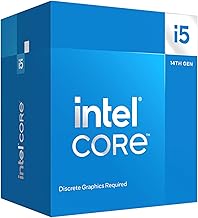
Intel Core i7
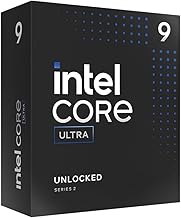
Intel’s Core i7 is the known quantity. Its x86 architecture runs literally everything in the Windows ecosystem natively, from niche enterprise tools to the full library of PC games. Chips like the desktop Core i7-14700K pair many performance and efficiency cores with integrated graphics, delivering the kind of sustained multithreaded output that content creators and gamers rely on.
The trade-off is power. Intel laptops generally run hotter, spin fans more often, and drain batteries faster than a comparable Snapdragon machine. In a desktop, where power and cooling are plentiful, that concern largely disappears and the i7’s raw throughput shines.
Head-to-Head: Which Should You Buy?
- For battery life: Snapdragon X wins decisively, often lasting a full workday unplugged.
- For app compatibility: Intel Core i7 runs every Windows program natively with zero emulation risk.
- For AI features: Snapdragon X leads with its high-TOPS NPU and Copilot+ integration.
- For gaming: Intel Core i7 remains the reliable pick, especially paired with a discrete GPU.
- For silent, thin laptops: Snapdragon X enables fanless designs Intel struggles to match.
Frequently Asked Questions
Can Snapdragon X run all my Windows programs?
Most, but not all. Native and popular apps run great, and emulation covers the majority of x86 software, yet some specialized tools and anti-cheat games still lack support.
Is Snapdragon X good for gaming?
It handles many titles through emulation, but for serious gaming an Intel or AMD machine with a discrete GPU is the dependable choice.
Does the Core i7 have an NPU?
Newer Intel Core Ultra chips include an NPU, but the classic Core i7 desktop parts like the 14700K focus on CPU and integrated graphics rather than heavy AI acceleration.
Which lasts longer on battery?
The Snapdragon X, by a wide margin. Its efficiency is the single biggest reason to choose it for a portable laptop.
Final Verdict
Choose the Snapdragon X if you want a quiet, ultra-efficient laptop for productivity and AI tasks and can accept minor compatibility caveats. Choose an Intel Core i7 if you need universal software support, strong gaming, or desktop-class multithreaded power. Both are excellent; the right answer simply depends on whether portability or versatility tops your list.