
Key takeaways
- Pro: Exceptional battery life that comfortably lasts a full workday and beyond.
- Pro: Quiet, cool operation thanks to the efficient Arm architecture.
- Pro: Strong NPUs unlock Copilot+ AI features in Windows 11.
- Pro: Thin, light designs with excellent display options including OLED.
Snapdragon-powered Windows laptops have shifted from curiosity to genuine contender. With Qualcomm’s Snapdragon X series, these Copilot+ PCs promise all-day battery life, instant wake, and strong efficiency, all while running Windows 11 on Arm. For anyone who values portability and endurance over raw gaming muscle, they deserve a serious look.
This review examines a range of Snapdragon laptops, including HP OmniBook, Lenovo IdeaPad Slim 3X, and Microsoft Surface models, to gauge real-world performance, display quality, and where the Arm platform still has rough edges. The chips are impressive, but the experience varies by configuration.
Our top picks


As an Amazon Associate we earn from qualifying purchases at no extra cost to you. Ratings are shown as listed on Amazon.
🎮 Get More From Your Setup — Free
Prime Gaming gives you free PC games every month, in-game loot, and a free Twitch channel sub — plus fast free shipping on all the gear above. New members get a 30-day free trial.
Watch: Snapdragon Laptop Reviews: Review & Buyer’s Guide — Video Review
Design & Build
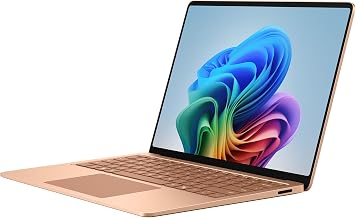
These machines lean into the thin, light, and quiet ethos that Snapdragon efficiency enables. The HP OmniBook 3 and OmniBook 5 pair understated Glacier Silver chassis with sharp 2K and OLED display options, and their fanless-leaning cooling keeps them silent during ordinary work. The Lenovo IdeaPad Slim 3X offers a large 15.3-inch WUXGA panel at a friendly price, while the Microsoft Surface Laptop remains the design benchmark with its premium build and touchscreen. Weight and thickness are consistently low across the group, making any of these easy to carry all day.
Performance
For everyday productivity, the Snapdragon X, X Plus, and X Elite chips feel fast and responsive, handling browsing, office apps, video calls, and light photo work without hesitation. The standout benefit is battery life, where these laptops routinely outlast comparable Intel and AMD machines. The OmniBook 5 with an OLED display and the Surface Laptop with the newer Snapdragon X2 Elite represent the premium end, offering more headroom and gorgeous screens. The main caveat is app compatibility: native Arm apps fly, but some older x86 software runs through emulation, and demanding games are not the target here. For NPU-accelerated AI features in Windows, these are among the best-equipped laptops available.
Pros & Cons
- Pro: Exceptional battery life that comfortably lasts a full workday and beyond.
- Pro: Quiet, cool operation thanks to the efficient Arm architecture.
- Pro: Strong NPUs unlock Copilot+ AI features in Windows 11.
- Pro: Thin, light designs with excellent display options including OLED.
- Con: Some legacy x86 apps run via emulation with reduced performance.
- Con: Not suited for serious gaming or heavy specialized software.
- Con: A few peripherals still lack native Arm drivers.
Alternatives to Consider
If your workflow depends on niche x86 software or you game seriously, a traditional Intel or AMD laptop remains the safer bet for now. Within the Snapdragon family, the Lenovo IdeaPad Slim 3X is the value champion for students and everyday users, while the OmniBook 5 with OLED and the Surface Laptop with Snapdragon X2 Elite are the premium picks for those wanting the best screens and longevity.
Frequently Asked Questions
Do my Windows apps work on Snapdragon?
Most do. Native Arm apps run natively and many x86 apps run through Windows emulation. Mainstream software like browsers, Office, and popular tools work well; check niche or older apps first.
How is the battery life really?
Excellent. Snapdragon X laptops are among the longest-lasting Windows machines, frequently exceeding a full workday of mixed use on a single charge.
Can I game on these laptops?
Only lightly. They handle casual and some cloud gaming, but they lack discrete gaming GPUs and are not designed for demanding AAA titles.
What are Copilot+ features?
These are Windows 11 AI capabilities accelerated by the laptop’s NPU, such as advanced image tools and on-device AI tasks, which Snapdragon X chips run efficiently.
Verdict
Snapdragon laptops are a superb choice for mobile professionals who prize battery life and quiet, efficient performance. The HP OmniBook 5 with OLED and the Surface Laptop with Snapdragon X2 Elite lead the premium pack, while the Lenovo IdeaPad Slim 3X delivers the best everyday value.






