Our Top Picks
 Kingston 256GB Canvas Select Plus microSDXC Card256GB0.43 x 0.04 x 0.59 inches0 poundsCheck on Amazon


Your Galaxy S8 internal storage is full, and deleting photos or apps every week is no longer a real solution. The decision now is which microSD card the phone can actually use well: the right physical format, a capacity inside the rated expansion limit, and speed ratings that match how you shoot video and run apps, rather than headline numbers the phone cannot reach.


This guide is for S8 owners who want one card that fills the phone to its rated maximum and then stays out of the way. All five cards below are 256GB, chosen from listing-stated microSD format, phone and Android compatibility wording, and speed classes, so the differences that matter here are video class, app rating, and intended use, not capacity.
Quick Picks
As an Amazon Associate we earn from qualifying purchases
| Product | Best for | Key spec from title |
|---|---|---|
| Samsung EVO Select microSDXC 256GB | Balanced 4K video and phone storage in one card | Up to 160 MB/s, U3, V30, A2 |
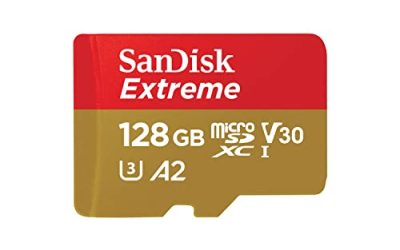
| SanDisk Extreme microSDXC 256GB | Frequent 4K recording and fast file transfers | Read up to 190MB/s, write up to 130MB/s, A2 |
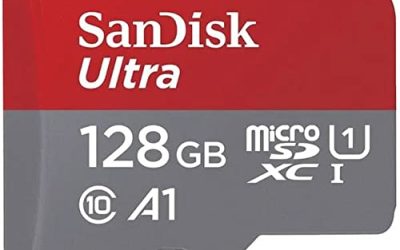
| SanDisk Ultra microSDXC 256GB | Everyday photos, music, and downloaded media | Up to 150MB/s, U1, A1 |
| Kingston Canvas Select Plus microSD 256GB | Android phone storage with V30 video support | Read up to 100MB/s, U3, V30, A1 |
| Kingston Canvas Go! Plus Gen 4 microSDXC 256GB | Mobile gaming and action camera crossover use | Read up to 200MB/s, A2, U3, V30 |
How to Choose
Capacity and the 256GB Expansion Limit
Capacity is the simplest decision for this phone because Samsung rated the Galaxy S8 expansion slot at 256GB. Every card in this guide sits exactly at that limit, so you gain the most room the phone is rated to accept without gambling on a larger card that sits outside the stated specification. That full capacity suits large photo libraries, offline music, downloaded video, and app data held on the card. If you rarely fill half that space, a smaller card could work, but this guide deliberately compares only the maximum size, since most buyers upgrading a full S8 want the biggest supported step, taken once.
Speed Class U1 vs U3 and V30 for Video
Speed class decides how reliably a card keeps up when the phone writes a continuous video stream. A U1 card carries a lower minimum write guarantee than a U3 card, and V30 adds a video-specific rating aimed at sustained recording. For still photos, messaging media, music, and Full HD clips, a U1 card like the SanDisk Ultra covers the job honestly. For regular 4K recording on the S8, choose U3 with V30, as four of the five cards here offer. Read speed in a listing headline is not the same figure, so check the class marks before you buy.
A1 vs A2 App Ratings
App ratings matter when you move apps or app data onto the card and expect them to open and respond without long pauses. A1 is the baseline application performance class, and listings for A1 cards such as the SanDisk Ultra state figures of 1500 read IOPS and 500 write IOPS. A2 is the higher application class, found on the Samsung EVO Select, the SanDisk Extreme, and the Kingston Canvas Go! Plus Gen 4 in this guide. If your card is mainly a home for photos and video files, A1 is usually enough. If apps will live on the card daily, A2 is the safer pick.
UHS-I Bus Limits and Adapter Inclusion
The Galaxy S8 is a UHS-I host, which sets a ceiling on what any card can do inside the phone. A UHS-II card may look faster on paper, but it cannot run at its full speed in a UHS-I slot, so paying extra for that bus brings no benefit here. All five cards in this guide use UHS-I where the listing states it, matching the phone instead of exceeding it pointlessly. Each card also includes an SD adapter in the listing, which helps when you later move files through a laptop or camera card reader at home.
The 5 Best Options
Samsung EVO Select microSDXC 256GB
This is the balanced pick for an S8 owner who wants one card for 4K video, photos, and app storage without sorting through trade-offs. Its U3 and V30 ratings cover sustained 4K recording, while the A2 rating suits apps held on the card. The listing names mobile phones and smartphones directly, and the stated read speed of up to 160 MB/s helps when you copy large folders to a computer through the included adapter. If you want the maximum 256GB capacity in a card whose ratings line up cleanly with everything the S8 asks a card to do, this is the straightforward choice.
Specs
- Capacity: 256GB
- Format: microSDXC
- Interface: UHS-I
- Ratings: Class 10, U3, V30, A2
- Read speed: up to 160 MB/s
- Adapter: SD adapter included
- Listing compatibility wording: for mobile phones and smartphones
Best for: A single maximum-capacity card covering 4K video, photos, and apps on the S8.
Watch out for: Confirm the listing shows the MB-ME256SA/AM model code and the adapter version before ordering.
ASIN: B0CWPMKX5Y
SanDisk Extreme microSDXC 256GB
Choose this card if your S8 doubles as your main video camera and you record 4K clips often enough that sustained write performance matters more than anything else. The listing pairs U3 and V30 ratings with a stated write speed of up to 130MB/s, the clearest video-focused figure among these five cards. Its A2 rating is described in the listing as giving faster app performance for a smartphone experience, which suits owners who also keep apps on the card. The stated read speed of up to 190MB/s, linked to SanDisk QuickFlow Technology, applies to transfers in supported readers rather than inside the phone itself.
Specs
- Capacity: 256GB
- Format: microSDXC
- Interface: UHS-I
- Ratings: Class 10, U3, V30, A2
- Read speed: up to 190MB/s, with SanDisk QuickFlow Technology
- Write speed: up to 130MB/s
- Adapter: included
- Listing wording: A2 described as faster app performance for a smartphone experience
Best for: Frequent 4K and 5K-capable recording workflows where stated write speed is the priority.
Watch out for: The highest read figure depends on QuickFlow conditions, so do not expect that number inside the UHS-I phone.
ASIN: B09X7CRKRZ
SanDisk Ultra microSDXC 256GB
This card fits the S8 owner whose storage problem is volume rather than video demands: years of photos, music, podcasts, messaging media, and downloaded shows that need somewhere to live. The listing calls it ideal for Android smartphones and tablets, and its A1 rating covers everyday app and file use. Be clear about its limit before buying, though. It is a U1 card with no V30 rating, so it is an everyday photo and media card, not the right choice for sustained 4K recording. If your camera use is casual stills and short Full HD clips, that trade-off is reasonable and deliberate.
Specs
- Capacity: 256GB
- Format: microSDXC
- Interface: UHS-I
- Ratings: Class 10, U1, A1
- A1 figures per listing: 1500 read IOPS and 500 write IOPS
- Transfer speeds: up to 150MB/s
- Adapter: included
- Listing wording: Ideal for Android smartphones and tablets
Best for: Large photo, music, and downloaded media libraries on an S8 used mainly for stills and Full HD video.
Watch out for: There is no V30 rating on this card, so skip it if regular 4K recording is part of your routine.
ASIN: B0B7NV73PJ
Kingston Canvas Select Plus microSD 256GB
This Kingston card suits an Android owner who wants V30 video support and the full 256GB capacity without chasing the highest headline read speeds in the group. For the 256GB tier, the listing gives U3 and V30 ratings alongside an A1 app rating, plus stated read speeds of up to 100MB/s and write speeds of up to 85MB/s for that tier. The listing wording says it is optimized for Android smartphones and tablets, which matches S8 use directly. Those figures are lower than the fastest cards here, yet the class ratings still cover 4K recording and daily phone storage without overbuying speed the phone cannot use.
Specs
- Capacity: 256GB
- Format: microSDXC
- Interface: Class 10, UHS-I
- Ratings: U3, V30 for the 256GB tier, A1
- Read speed: up to 100MB/s
- Write speed: up to 85MB/s for the 256GB tier, per listing
- Adapter: SD adapter included
- Listing wording: Optimized for Android smartphones and tablets
Best for: Android owners who want U3 and V30 coverage at the maximum capacity with moderate transfer speeds.
Watch out for: Check that the listing is the 256GB tier, since the U3, V30, and write figures given here apply to that tier.
ASIN: B07YGYQNNF
Kingston Canvas Go! Plus Gen 4 microSDXC 256GB
Pick this card if your S8 shares duties with mobile gaming and other devices, because the listing names mobile gaming, drones, action cams, and Android devices as its intended uses. It carries A2, U3, and V30 ratings, so it covers apps, sustained video, and game data in one card, and the stated read speed of up to 200MB/s is the highest headline figure in this group for transfers outside the phone. Inside the S8, the UHS-I ceiling still applies, so judge it on its ratings and flexibility across devices. This specific listing is the version supplied with an adapter included.
Specs
- Capacity: 256GB
- Format: microSDXC
- Ratings: A2, U3, V30
- Read speed: up to 200MB/s
- Adapter: included, this ASIN is the adapter version
- Listing wording: for mobile gaming, drones, action cams and Android devices
Best for: One maximum-capacity card shared between an S8, mobile gaming, and action camera style use.
Watch out for: No write speed is verified for this listing, so do not compare it on a write figure that is not stated.
ASIN: B0F29YZWSM
Which One Fits Your Situation
Your S8 Is Full of Photos and Downloads
If the warning you see most is about storage space, and your library is mainly photos, music, and downloaded shows, the SanDisk Ultra fits that pattern. Its A1 rating and 256GB capacity handle everyday media well, and its U1 class only becomes a problem if you record long 4K clips. For a mixed library with some 4K video, take the Samsung EVO Select instead, since its V30 rating covers recording the Ultra does not claim.
You Record 4K Video Every Week
Regular 4K recording calls for a U3 card with a V30 rating and a clearly stated write figure. The SanDisk Extreme is the pick here, because its listing states write speeds of up to 130MB/s alongside U3 and V30. The Kingston Canvas Select Plus is the alternative for the same job at the same capacity, with a stated write figure of up to 85MB/s for the 256GB tier and the same core video ratings.
Apps and Games Live on Your Card
When apps or game data sit on the card, the app rating matters as much as capacity. Choose an A2 card: the Samsung EVO Select for general phone use, the SanDisk Extreme if you also record often, or the Kingston Canvas Go! Plus Gen 4 if gaming is the main theme, since its listing names mobile gaming directly. An A1 card still works for media storage, but A2 better matches software you open daily.
You Move Files Between Phone and Computer Often
If you regularly pull the card out and copy folders through a reader, every card here includes an adapter, so the choice turns on stated read speed and ratings. The Kingston Canvas Go! Plus Gen 4 lists the highest read figure, followed by the SanDisk Extreme. Remember that those headline figures describe ideal transfer conditions outside the phone, while work inside the S8 remains bounded by its UHS-I slot either way.
Common Mistakes
- Buying a full-size SD card instead of a microSD card, since the S8 slot accepts only the smaller microSD format.
- Paying for a UHS-II card for a UHS-I phone, where the extra bus speed cannot be used by the S8 host slot.
- Buying a card above the rated 256GB expansion limit and assuming the phone will handle any capacity sold today.
- Confusing read speed with write speed, when sustained write performance and the U3 or V30 class are what video recording depends on.
- Choosing a U1 card for regular 4K recording, or judging a card only by its headline read number without checking its class marks.
Frequently Asked Questions
What size microSD card can the Galaxy S8 use?
Samsung rated the Galaxy S8 microSD expansion at up to 256GB, so a 256GB card is the largest size this guide recommends. All five cards compared here are 256GB microSDXC models, which fill the phone to its rated maximum. A larger card sits outside the stated specification for this phone, so buying beyond that limit is a gamble rather than an upgrade.
Can the Galaxy S8 record 4K video to a microSD card?
Yes, provided the card carries the right speed class for sustained writing. Look for U3 together with a V30 video rating, as on the Samsung EVO Select, SanDisk Extreme, and both Kingston cards in this guide. A U1 card such as the SanDisk Ultra is better kept for photos, media storage, and Full HD clips instead of regular 4K sessions.
Should I choose an A1 or A2 card for apps?
Choose A2 if apps or games will live on the card and you open them throughout the day, because A2 is the higher application performance class. A1 remains fine when the card mainly holds photos, music, and video files. The SanDisk Ultra listing states A1 figures of 1500 read IOPS and 500 write IOPS, which gives a concrete baseline for comparison.
Will a faster UHS-II card run quicker in the S8?
No. The Galaxy S8 is a UHS-I host, so a UHS-II card cannot run at its full speed in this phone and will operate within the UHS-I limits of the slot. That is why every card in this guide is a UHS-I model where the listing states the interface. Spend on the right speed class and app rating instead of a bus the phone cannot use.
FAQ
What size microSD card can the Galaxy S8 use?
Can the Galaxy S8 record 4K video to a microSD card?
Should I choose an A1 or A2 card for apps?
Will a faster UHS-II card run quicker in the S8?
More from Amazon
Programs that pair well with the guide above. Offers and eligibility are set by Amazon and may change.
Free shipping on eligible items, Prime Video and more. Eligible new members can start with a free trial.
Start a Prime free trialAd-free music streaming. Eligible new subscribers can start with a free trial.
Try Music Unlimited freeA Prime membership for ages 18-24 with a trial period. Eligibility is set by Amazon.
See Prime for Young AdultsAudiobooks and podcasts to listen to on the go. Eligible new members can start with a free trial.
Try Audible freeAs an Amazon Associate we earn from qualifying purchases.