Key takeaways
- Upgrade the Legion Go 2 with a faster 2242 or 2280 NVMe SSD. Compare five verified drives, form factors, speeds, and endurance before opening the handheld.
The Lenovo Legion Go 2 ships with a 2242 NVMe drive in its single M.2 bay, and that same bay also accepts a full-length 2280 drive. That one fact shapes every pick in this guide: two of the five drives below are 2242 units that drop into the factory mount, and three are 2280 units that use the longer mount point deeper in the bay. The 2230 drives from the original Legion Go do not carry over. The Go 2 bay is built around 2242 and 2280 lengths, so a 2230 drive has no mount point at 30 mm and cannot be secured.
Swapping the drive is not a quick job on this handheld. The bay sits under the battery and fan assembly, and the factory drive is held down with adhesive, so plan on a careful teardown and a fresh adhesive strip or thermal pad when you put the machine back together. Clone the factory drive to the new one with an external enclosure before you open the handheld, or do a clean Windows install from a USB stick and sign in again.
As an Amazon Associate, we earn from qualifying purchases.
How to Choose an SSD for the Legion Go 2
Form factor comes first. A 2242 drive drops into the factory mount with the least fuss. A 2280 drive fits the longer mount point, but reaching it means working around the battery and fan. Buy a single-sided drive in either length: the bay has no clearance for a double-sided board or a tall factory heatsink, so the bare drive is the one you want.
The bay runs PCIe Gen4, so a Gen4 drive is the natural match. A Gen3 drive works, but it gives up roughly half the sequential throughput. Check the listing before you buy: the interface should read PCIe Gen4 x4 NVMe.
Capacity is the next call. A 512GB drive is a tight fit once Windows and a few large games are installed. A 1TB drive is the sensible floor for most owners, and a 2TB drive suits a large library. The Go 2 has only one internal M.2 bay, so the drive you fit is the whole of your internal storage.
Endurance matters too. The TBW figure tells you how much writing the NAND is built to absorb across the warranty period, and a higher figure is the better sign at the same capacity. TLC NAND generally outlasts QLC NAND, and QLC drives lean on a fast SLC cache that slows once it fills during long writes. For a game library that is mostly read, QLC is fine. For heavy capture or constant large writes, TLC is the safer pick.
Warranty rounds out the shortlist. Five years is the norm for the drives below. Keep the invoice and the serial number, since warranty claims need both, and keep the factory drive in a drawer after the swap.
1. SABRENT Rocket 2242 1TB
The SABRENT Rocket 2242 is the fastest 2242 drive in this guide and the most direct upgrade for the Go 2. It is a 1TB Gen4 x4 drive at the factory length, so it drops into the existing mount with no change to the teardown. Sequential read runs up to 7,300 MB/s and sequential write up to 6,400 MB/s, which is the top of the Gen4 range and a clear step up from the factory drive. The NAND is TLC, and the drive carries a five-year warranty.
Because it matches the factory length, this is the pick for owners who want the biggest speed gain with the smallest amount of disassembly. There is no need to reach the deeper 2280 mount point. Fit the drive, clone or clean-install, and the handheld behaves exactly as before, with more room and faster loads.
One thing to watch is the model number. SABRENT sold an earlier 2242 drive, the SB-1342, which is Gen3 and much slower. The drive in this guide is the SB-2742, a Gen4 part. Match the SB-2742 model number and the 7,300 MB/s read figure on the listing before you buy, since the two generations look alike in a thumbnail.
Specs
- Capacity: 1TB
- Form factor: M.2 2242, single-sided
- Interface: PCIe Gen4 x4 NVMe
- Sequential read: up to 7,300 MB/s
- Sequential write: up to 6,400 MB/s
- NAND: TLC
- Model: SB-2742-1TB
- Warranty: 5 years
2. Western Digital SN740 512GB
The WD SN740 is an OEM drive that laptop makers fit as a factory part, and its 2242 variant is a neat match for the Go 2 bay. This is a 512GB Gen4 x4 drive with 3D TLC NAND and a DRAM-less design that keeps power draw low, which suits a handheld that lives on battery. The listing quotes sequential read up to 5,000 MB/s, a solid Gen4 figure that still beats the Gen3 drives many handhelds shipped with.
The honest limit here is capacity. A 512GB drive holds Windows and a handful of large games, and then it is full. That makes the SN740 the pick for a lighter library, or an owner who keeps most games on a microSD card. If your library is large, the 1TB drives in this guide are the better call.
Match the listing with care, because the SN740 family spans three lengths. The 2242 variant is the one you want, and the part number for the 512GB 2242 drive is SDDPMQD-512G. The same family also ships as a 2230 drive, which does not fit the Go 2 bay. Confirm the 2242 length and the 512GB capacity on the listing before you buy.
Specs
- Capacity: 512GB
- Form factor: M.2 2242, single-sided
- Interface: PCIe Gen4 x4 NVMe
- Sequential read: up to 5,000 MB/s
- NAND: 3D TLC
- Model: SDDPMQD-512G
3. WD_BLACK SN850X 1TB
The WD_BLACK SN850X is the fastest 2280 drive in this guide and the pick for owners who are willing to open the handheld fully to reach the longer mount point. It is a 1TB Gen4 x4 drive with sequential read up to 7,300 MB/s and sequential write up to 6,300 MB/s, backed by a 1GB DDR4 DRAM cache and a 600 TBW endurance figure. The drive is single-sided, which is what the Go 2 bay needs, and it carries a five-year warranty.
The DRAM cache is the detail that sets this drive apart from the DRAM-less units in the guide. It helps with random access and mixed workloads, so game loads stay quick even when the drive is busy. WD also ships a Game Mode 2.0 feature through its dashboard software, which tunes the drive for gaming workloads.
Buy the bare drive, model WDS100T2X0E. WD sells the same drive with a factory heatsink under a different model number, WDS100T2XHE, and that version will not fit the Go 2 bay. Match the bare model number and the ASIN below, and check that the listing shows the drive without a heatsink. This is the pick if you want the quickest 2280 drive that fits, and you accept the deeper teardown to reach the longer mount.
Specs
- Capacity: 1TB
- Form factor: M.2 2280, single-sided
- Interface: PCIe Gen4 x4 NVMe
- Sequential read: up to 7,300 MB/s
- Sequential write: up to 6,300 MB/s
- Endurance: 600 TBW
- DRAM cache: 1GB DDR4
- Model: WDS100T2X0E
- Warranty: 5 years
4. TEAMGROUP MP44 2TB
The TEAMGROUP MP44 is the capacity pick in this guide. This is the 2TB version, a 2280 Gen4 x4 drive with sequential read up to 7,000 MB/s and sequential write up to 6,000 MB/s. Endurance is rated at 1,000 TBW for the 2TB model, the highest figure in this guide, and the drive uses an SLC cache plus a graphene heat spreader label to keep thermals in check. The model number is TM8FPW002T0C101, and the warranty runs five years.
A 2TB drive changes how you use the Go 2. Instead of juggling installs and deleting games to make room, you can keep a large library on the handheld. That matters more on a handheld than on a desktop, since the Go 2 has one internal bay and no second slot. The MP44 uses a host memory buffer design, which borrows a slice of system memory for cache duties instead of carrying its own DRAM chip: fewer chips on the board, less heat, and speeds that still sit near the top of the Gen4 range.
The usual cautions apply. This is a 2280 drive, so it needs the longer mount point and the deeper teardown. Match the 2TB capacity and the TM8FPW002T0C101 model number on the listing, since the MP44 line runs from 512GB to 8TB and the smaller models carry lower endurance figures.
Specs
- Capacity: 2TB
- Form factor: M.2 2280, single-sided
- Interface: PCIe Gen4 x4 NVMe
- Sequential read: up to 7,000 MB/s
- Sequential write: up to 6,000 MB/s
- Endurance: 1,000 TBW
- NAND: TLC with SLC cache
- Model: TM8FPW002T0C101
- Warranty: 5 years
5. Crucial P3 Plus 2TB
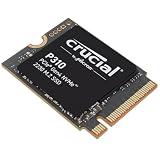
The Crucial P3 Plus 2TB is the second 2TB drive in this guide and the gentlest on the wallet in spirit, though it trades raw speed for capacity. It is a 2280 Gen4 x4 drive with sequential read up to 5,000 MB/s and sequential write up to 4,200 MB/s. The NAND is 176-layer Micron QLC, endurance is rated at 440 TBW, and the model number is CT2000P3PSSD8. The warranty runs five years.
The QLC NAND is the trade to understand before you buy. QLC holds more data per cell, but it writes more slowly once the SLC cache fills during a long transfer. For a game library that is mostly read, that rarely matters: games load from the drive far more often than they are written to it. For heavy video capture or constant large file writes, the TLC drives above are the better fit.
What this drive does well is simple: it doubles the storage of a 1TB drive at a modest step up, in the 2280 length the Go 2 bay accepts. Match the 2TB capacity and the CT2000P3PSSD8 model number on the listing, since the P3 Plus line also ships in 500GB, 1TB, and 4TB versions with different endurance figures.
Specs
- Capacity: 2TB
- Form factor: M.2 2280, single-sided
- Interface: PCIe Gen4 x4 NVMe
- Sequential read: up to 5,000 MB/s
- Sequential write: up to 4,200 MB/s
- Endurance: 440 TBW
- NAND: 176-layer Micron QLC
- Model: CT2000P3PSSD8
- Warranty: 5 years
What We Left Out
The 2230 drives from the original Legion Go did not make this guide. The TEAMGROUP MP44S 1TB, the WD SN740 2230, and the Corsair MP600 Mini are fine drives, but they are built for a 30 mm mount point that the Go 2 bay does not have. They belong in the original Go, the Steam Deck, and the ROG Ally, not in the Go 2.
Heatsink versions were left out for the same reason the bay demands a bare drive. The WD_BLACK SN850X with a factory heatsink, and every other heatsink bundle, will not fit under the battery and fan assembly. Buy the bare model and let the handheld’s own thermal pad do the work.
SATA M.2 drives were left out too. The Go 2 bay is NVMe only, and a SATA M.2 drive will not be detected at all. Check the interface on any listing before you buy: it must read NVMe, not SATA.
External USB SSDs are a different upgrade, covered in the portable SSDs article. They are handy for a game library you carry between machines, but they do not replace the internal drive.
Frequently Asked Questions
Can I use a 2280 SSD in the Legion Go 2?
Yes. The Go 2 ships with a 2242 drive, but the bay also accepts a full-length 2280 drive at the longer mount point. Reaching it means a deeper teardown around the battery and fan, so a 2242 drive is the simpler swap.
Can I reuse a 2230 SSD from the original Legion Go?
No. The Go 2 bay is built for 2242 and 2280 lengths, and a 2230 drive has no mount point at 30 mm. The 2230 drives from the original Go, the Steam Deck, and the ROG Ally stay in those machines.
Do I need a heatsink on the new SSD?
No. The Go 2 bay has no clearance for a tall factory heatsink, and every drive in this guide is a bare, single-sided board. Buy the bare version of the drive and keep the handheld’s own thermal pad in place.
How do I move my games to the new drive?
Clone the factory drive to the new one with an external M.2 enclosure before you open the handheld, then swap the drives and boot. If you would rather begin fresh, do a clean Windows install from a USB stick, sign in, and install your games again.
More from Amazon
Programs that pair well with the guide above. Offers and eligibility are set by Amazon and may change.
Free shipping on eligible items, Prime Video and more. Eligible new members can start with a free trial.
Start a Prime free trialAd-free music streaming. Eligible new subscribers can start with a free trial.
Try Music Unlimited freeA Prime membership for ages 18-24 with a trial period. Eligibility is set by Amazon.
See Prime for Young AdultsAudiobooks and podcasts to listen to on the go. Eligible new members can start with a free trial.
Try Audible freeAs an Amazon Associate we earn from qualifying purchases.