Key takeaways
- How to extend battery life on a handheld gaming PC: power limits, frame caps, brightness, resolution scaling and charging habits, with a priority checklist.
The fastest way to extend battery life on a handheld gaming PC is to reduce how much power the chip uses: lower the power limit, cap the frame rate, drop brightness and render fewer pixels. Together those changes can add a meaningful amount of playtime without making most games unplayable. The exact controls depend on the device and its software, so this guide sets out the changes in order of likely impact, with a simple way to check what each one saves. Always follow the maker’s manual for your model.
Know What You Are Trying to Save
Battery life is energy divided by power. A handheld with a battery of a given watt-hour capacity lasts longer only if its average draw in watts falls. That is why a bigger battery helps, but so does any setting that cuts the draw. On a typical handheld, the chip and the display account for most of the consumption, so those two deserve the most attention.
Before you change anything, play a normal session and note how much the battery percentage drops in thirty minutes. That baseline lets you judge each adjustment honestly instead of guessing.
Step One: Set the Power Limit
Most handheld gaming PCs let you set a limit on the processor’s power, often called TDP, through a control app or the system menu. Lower limits cut performance and heat, and for many games the loss in frame rate is small compared with the savings. Moving from a high limit to a moderate one on a game that does not need full speed is a good first experiment.
Avoid extremes. An excessively low limit can make a game stutter, which feels worse than a lower frame rate. Try one change at a time and give it a few minutes.
Step Two: Cap the Frame Rate
Letting a game run uncapped makes the chip work as hard as it can. A cap, such as 30, 40 or 60 frames per second depending on the screen and game, stops it from spending energy on frames you cannot see. Many handhelds have a frame limiter in their overlay or control software, and some games include their own.
Match the cap to the screen. A cap that divides evenly into the refresh rate, such as 40 on a 120 Hz panel or 30 on a 60 Hz one, tends to look smoother than an arbitrary number. If your display supports variable refresh rate, check whether enabling it helps.
Step Three: Brightness, Resolution and Graphics Settings
Screen brightness is one of the easiest wins. Indoors, a lower setting is usually comfortable, and some devices offer an automatic mode. Dropping from maximum to a moderate level can add noticeable time on most displays.
Resolution and detail settings come next. Lowering the render resolution reduces pixel work, and upscaling options in many games recover some sharpness. Reducing shadows, reflections and other heavy effects often saves power with little visual loss on a small screen.
Step Four: Trim Background Activity
Handheld PCs run desktop-style operating systems, and background tasks add up. Close launchers and chat apps you are not using, pause large game downloads, and turn off cloud sync during a long session. Disable Wi-Fi and Bluetooth for offline play if you do not need them, and turn off RGB lighting on controllers or the device if it has any. Each item saves a little, and together they can matter.
How Three Changes Add Up
The numbers below are invented to show the arithmetic and do not belong to any specific device.
Assume a handheld with a 50 Wh battery that averages 18 W in a demanding game. That gives about 2.8 hours, from 50 divided by 18. Now apply three changes: lower the power limit, cap the frame rate and trim the brightness. If those together bring the average to 12 W, runtime becomes about 4.2 hours, from 50 divided by 12, which is roughly a 50 percent improvement. Real results will vary, and real devices lose some energy to conversion, so use the example as a way to think, not as a promise.
Which Games Respond Best to Tuning
Not every title gives back the same savings. Older 3D games, 2D indie titles, turn-based strategy and visual novels often run happily at a low power limit and a modest frame cap, and these are where the biggest runtime gains appear. Fast competitive shooters and recent open-world games behave differently, because lowering the limit can cause visible drops in smoothness. For those, it can be better to lower resolution and detail settings first and leave the power limit alone.
It helps to keep a short note of the settings that work for each game you play often. Many handheld control apps can store a profile per game, which saves you from repeating the adjustments each time. Profiles also make it easier to switch back to a performance setup when you are plugged in at a desk.
Charging Habits and Battery Care
Charging habits do not change a single session, but they influence how much battery you have in a year. Heat is the main enemy, so avoid leaving the device on a soft surface that blocks vents or in a hot car. If your device offers a charge limit, consider using it when you spend most time docked. For more detail on long-term care, see maintaining battery health on handheld gaming PCs.
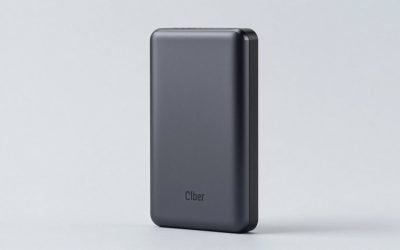
When you are away from outlets, a power bank can help if it meets the device’s power requirements. A separate piece on choosing a power bank for a handheld gaming PC covers what to look for, and the device’s own manual lists the supported charger ratings.
Docked and Desk Use
When the handheld sits on a dock or stand, the battery matters less, but heat and charging habits still do. Running at full power while docked is fine for most devices, provided the vents are clear and the charger is rated for the load. Some owners switch to a lower limit when docked simply to keep the fans quiet. If the device supports a charge cap, keeping it below full during long desk sessions reduces the time spent at a high charge, which many people prefer for long-term battery care.
Priority Checklist
- Record a baseline: percentage lost in thirty minutes of normal play.
- Lower the power limit one step.
- Set a frame cap matched to the screen refresh rate.
- Reduce brightness to a comfortable level.
- Lower the resolution or enable upscaling where the game supports it.
- Close background apps and pause downloads.
- Switch off unused wireless features.
- Check the result against your baseline, and keep only the changes that were worth it.
When to Stop and Get Help
If the battery drains far faster than before, the device gets unusually hot, the case swells or the unit shuts down unexpectedly, stop using it and contact the maker’s support. Do not open the case or attempt to replace a lithium battery unless the manufacturer’s instructions say it is safe, because damaged cells can be a fire hazard.
Related guides
- Portable Monitor For Nintendo Switch 2
- Lightweight Long Battery Life Laptop
- How Long Does A Steam Deck Battery Last
Frequently Asked Questions
What is the biggest single change for better handheld battery life?
Lowering the power the chip is allowed to draw usually has the largest effect, followed by capping the frame rate and reducing screen brightness. Each handheld exposes these controls differently, so look in the device’s own control app or the operating system’s power settings, and adjust one setting at a time to see its effect.
Does lowering the resolution save battery?
Often yes. Rendering fewer pixels gives the graphics chip less to do, which can lower power draw and heat. Upscaling features, where the game supports them, let you render at a lower resolution while keeping a reasonable picture. The saving depends on the game, so compare the battery percentage over a short session before and after the change.
Is it bad to leave a handheld plugged in all the time?
Most modern devices stop charging when full, so staying plugged in is not immediately harmful, but warm conditions at a high charge level can speed up battery wear. If your device offers a charge limit, using it can help. Check the manual for the maker’s recommendations on long-term docked use.
Do wireless features really matter?
They matter a little. Wi-Fi, Bluetooth and background syncing draw some power, and active downloads keep the chip and radios busy. Turning them off for offline play, or pausing downloads, can add a modest amount of runtime. The effect is smaller than power limits or frame caps, so treat it as a finishing touch.
Can a power bank replace the charger?
Sometimes. A power bank must supply the voltage and wattage the handheld expects, usually through USB Power Delivery, and a weak one may charge slowly or not keep up during gaming. Check the handheld’s rated charger specifications and the bank’s output ratings, and use a cable rated for the wattage.