Our Top Picks
 SanDisk 256GB Extreme microSDXC UHS-I Memory Card with256GB0.04 x 0.59 x 0.43 inches0.01 poundsCheck on Amazon


A Raspberry Pi 3 boots and runs from its microSD card, so your card decides how the board feels: how quickly it starts, how responsively the desktop reacts, and how much room your system gets. The catch is that the Pi 3’s card bus is UHS-I, which caps what any card can deliver in the board. Headline read speeds describe the card in a fast reader, not the pace your Pi 3 will see, so the decision turns on speed class, application rating and capacity rather than the biggest number on the packet.


Every pick below is a microSD card in microSDHC or microSDXC form, the only format the Pi 3 takes, chosen from the specifications on its own Amazon listing. Two brands here sell successive generations under nearly identical names, kept as separate picks with their model codes, because mixing them up is how buyers end up with the older, slower card. Where a listing states no write speed, the entry says so instead of filling the gap.
Quick Picks
As an Amazon Associate we earn from qualifying purchases
| Product | Best for | Key spec from title |
|---|---|---|
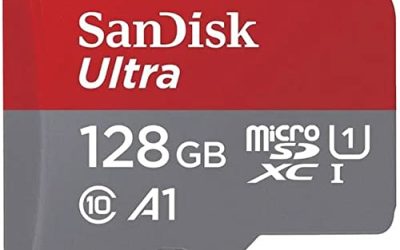
| SanDisk Ultra 128GB microSDXC UHS-I with Adapter (SDSQUAR-128G-GN6MA) | A proven 128GB starting point | Up to 100MB/s read, A1 |
| SanDisk Ultra 128GB microSDXC UHS-I (SDSQUAB-128G-GN6MN) | The newer Ultra generation | Up to 140MB/s read, A1 |
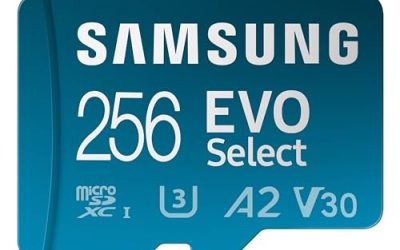
| Samsung EVO Select 128GB microSDXC (MB-ME128KA/AM) | A2 performance at 128GB | 130MB/s as listed, U3, A2, V30 |
| Samsung EVO Select 128GB microSDXC (MB-ME128SA/AM) | The newer EVO Select generation | Up to 160MB/s, U3, A2, V30 |
| SanDisk Extreme 256GB microSDXC UHS-I (SDSQXA1-256G-GN6MA) | The most room and a stated write speed | Up to 160MB/s read, up to 90MB/s write |
How to Choose
Match the Card to the Pi 3’s UHS-I Bus
The Pi 3 reads its card over a UHS-I bus, and every card in this guide is a UHS-I card, so none of them is held back by a bus mismatch. What the bus does cap is the benefit of headline speed: a card listed at up to 160MB/s read will not move data at that pace inside a Pi 3. That is not a reason to avoid faster cards, since they still help when you image the card in a computer reader, but it is a reason to judge cards for this board on their class ratings and consistency rather than on the largest read figure in the title.
Read the A-Rating for Everyday Responsiveness
An operating system does not read its card in long, tidy streams; it fetches many small files at once, which is exactly what the Application Performance Class measures. A1 cards state minimum random performance, and the SanDisk Ultra listings spell that out as 1500 read IOPS and 500 write IOPS. A2 raises those minimums and appears on the Samsung EVO Select cards and the SanDisk Extreme here. For a Pi 3 running a desktop, a media centre or a small server, the A-rating is a more useful guide to how responsive the board feels than the sequential read headline, so weigh it heavily.
Check the Speed Class and Any Stated Write Speed
Class 10, U1, U3 and V30 markings describe guaranteed minimum write performance, which matters when the Pi logs data, records video or writes updates. The Samsung cards and the SanDisk Extreme carry U3 and V30; the SanDisk Ultra cards carry U1. Write figures are where listings go quiet: neither SanDisk Ultra listing states a write speed, and the Samsung listings do not state one either, so this guide prints none for them. Only the SanDisk Extreme states a write figure, up to 90MB/s. If sustained writing is your workload, that stated figure and the U3 rating are the honest evidence to compare.
Buy Capacity for the Job, and the Exact Model Code
A Pi 3 system image is small, but media libraries, game images and logs grow quickly, which is why most picks here are 128GB and one reaches 256GB. Whatever size you choose, order by the full model code, not the family name. SanDisk sells two Ultra 128GB generations, SDSQUAR and SDSQUAB, and Samsung sells two EVO Select 128GB generations, MB-ME128KA/AM and MB-ME128SA/AM, each under its own ASIN. The codes look alike at a glance and differ in listed speed, so read the code on the listing carefully before you pay.
The 5 Best Options
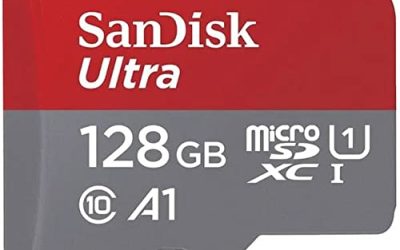
SanDisk Ultra 128GB microSDXC UHS-I with Adapter (SDSQUAR-128G-GN6MA)
This is the established Ultra generation and the straightforward starting point for a Pi 3. The listing states up to 100MB/s read with Class 10, U1 and an A1 rating, and it spells the A1 figure out as 1500 read IOPS and 500 write IOPS, which is the part that shapes how briskly the board loads its system. The card ships with an adapter, handy when your computer’s reader takes full-size cards for imaging. One honest gap: the listing states no write-speed figure, so sustained-write performance rests on the U1 class minimum rather than a printed number.
Specs
- Model code: SDSQUAR-128G-GN6MA
- Capacity and format: 128GB, microSDXC, UHS-I
- Read speed as listed: up to 100MB/s
- Ratings as listed: Class 10 (C10), U1, A1, with A1 stated as 1500 read IOPS / 500 write IOPS
- Write speed: no figure stated in the listing content
- Includes adapter
Best for: A first 128GB card for a Pi 3 desktop, media centre or retro build.
Watch out for: Do not confuse it with the newer SDSQUAB generation below; check the model code on the listing matches SDSQUAR-128G-GN6MA if this is the one you intend to buy.
ASIN: B073JYC4XM
SanDisk Ultra 128GB microSDXC UHS-I (SDSQUAB-128G-GN6MN)
The SDSQUAB card is the newer Ultra 128GB generation, registered here as its own product because it is one: a different model code, a different ASIN and a higher listed read speed of up to 140MB/s. Its ratings match the older card at C10, U1 and A1, so on a Pi 3 the day-to-day difference is modest, and the faster headline mainly helps when the card sits in a quick reader on your computer. Like its sibling, it states no write-speed figure. Buyers choosing between the two Ultras should decide by the exact code and listing in front of them, not by the shared Ultra name.
Specs
- Model code: SDSQUAB-128G-GN6MN
- Capacity and format: 128GB, microSDXC, UHS-I
- Read speed as listed: up to 140MB/s
- Ratings as listed: C10, U1, A1
- Write speed: no figure captured from the listing
Best for: Buyers who want the current Ultra generation and faster transfers in a computer reader.
Watch out for: This ASIN was tied through a tagged listing link rather than full listing content, so spot-check the live listing’s code and specs before publishing or buying; never merge it with the SDSQUAR card.
ASIN: B0BDYVC5TD
Samsung EVO Select 128GB microSDXC (MB-ME128KA/AM)
Samsung’s EVO Select in this generation steps up the ratings that matter for an operating system card: U3 and V30 write classes plus an A2 application rating, above the Ultra cards’ U1 and A1. The listing states its speed as 130MB/s. On the Pi 3’s UHS-I bus you will not see that full figure, but the A2 rating speaks to the small, random reads a running system performs all day, and the U3 minimum gives more guaranteed write headroom for updates and logs. No write-speed figure is stated in the listing content, so the class markings carry that side of the story.
Specs
- Model code: MB-ME128KA/AM
- Capacity and format: 128GB, microSDXC, UHS-I
- Speed as listed: 130MB/s
- Ratings as listed: U3, A2, V30
- Write speed: no figure stated in the listing content
Best for: Pi 3 owners who want A2 responsiveness and U3 write assurance at 128GB.
Watch out for: A newer EVO Select generation, MB-ME128SA/AM, sits directly below this entry under a different ASIN; confirm which generation the listing in front of you actually sells.
ASIN: B09B1JFY24
Samsung EVO Select 128GB microSDXC (MB-ME128SA/AM)
This is the newer EVO Select 128GB generation, and it keeps its own entry for the same reason the two Ultras do: the name is nearly identical to the MB-ME128KA/AM card above, while the model code, ASIN and listed speed differ. Samsung lists this one at up to 160MB/s with C10, U3, V30 and A2 ratings, the strongest set of markings among the 128GB picks here. In the Pi 3, the bus still caps real throughput, so treat the headline as reader speed and the A2 and U3 ratings as the figures that describe life inside the board.
Specs
- Model code: MB-ME128SA/AM
- Capacity and format: 128GB, microSDXC, UHS-I
- Read speed as listed: up to 160MB/s
- Ratings as listed: C10, U3, V30, A2
- Write speed: no figure stated in the listing content
Best for: Buyers who want the newest EVO Select generation and the highest listed ratings at 128GB.
Watch out for: Listings and marketplaces mix the two EVO Select generations freely; verify the MB-ME128SA/AM code on the card and listing before assuming you received this generation.
ASIN: B0CWPN662Q
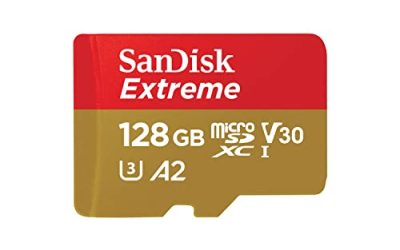
SanDisk Extreme 256GB microSDXC UHS-I (SDSQXA1-256G-GN6MA)
The Extreme is the step-up pick on two counts: it doubles capacity to 256GB, and it is the only card here whose listing states a write speed, up to 90MB/s alongside up to 160MB/s read. Its ratings, C10, U3, V30 and A2, match the strongest Samsung card, so it suits Pi 3 builds that store a lot locally, such as large media libraries, camera recordings or bulky game collections. The Pi 3 bus still limits in-board throughput, yet the stated write figure and extra room are real, listing-backed advantages for heavy imaging and storage work.
Specs
- Model code: SDSQXA1-256G-GN6MA
- Capacity and format: 256GB, microSDXC, UHS-I
- Read speed as listed: up to 160MB/s
- Write speed as listed: up to 90MB/s
- Ratings as listed: C10, U3, V30, A2
Best for: Pi 3 builds that need 256GB and a stated write speed for recording or large libraries.
Watch out for: This ASIN was tied through a tracker quoting the listing rather than the listing itself, so confirm the code, capacity and specs on the live listing before relying on them.
ASIN: B07FCR3316
Which One Fits Your Situation
A First Card for a Standard Pi 3 Setup
Start with either 128GB Ultra. The SDSQUAR generation is the established card with its A1 performance spelled out in IOPS, and the SDSQUAB generation lists a faster read speed for reader work. Both carry U1 rather than U3, which is fine for a desktop, media centre or learning project. Decide by the model code you can verify on the listing, and image the card before it goes near the board.
A Pi 3 That Runs All Day as a Server or Media Centre
Look at the Samsung pair or the SanDisk Extreme. Their A2 ratings address the random reads a busy system performs, and their U3 and V30 classes guarantee more write headroom for logs, downloads and recordings. Choose between the two EVO Select generations by exact code, or take the Extreme when the extra capacity and stated write speed matter more than staying at 128GB.
A Big Retro or Media Library on One Card
The SanDisk Extreme 256GB is the only pick that doubles your room, and its listing also states the write speed that helps when you copy a large library onto the card from a computer. The Pi 3 will not use its full read headline in-board, but capacity is capacity: if your collection already strains 128GB, this is the card in the guide built for it.
You Keep Receiving the Wrong Generation
You are not imagining it: two pairs in this guide share a family name across generations. The fix is boring and reliable. Order from the ASIN for the exact model code you chose, SDSQUAB rather than SDSQUAR, or MB-ME128SA/AM rather than MB-ME128KA/AM, then check the code printed on the card itself when it arrives, before you image it.
Common Mistakes
- Buying a full-size SD card for a Pi 3, which only boots from microSD.
- Judging cards by headline read speed when the Pi 3’s UHS-I bus caps in-board throughput.
- Ordering an Ultra or EVO Select by family name and receiving the other generation.
- Assuming a write speed that the listing never states, instead of comparing class ratings.
- Filling a card with a media library before testing it in the Pi it was bought for.
Frequently Asked Questions
What size microSD card does a Raspberry Pi 3 need?
Any of the capacities here will boot the board; 128GB is the comfortable middle ground for a desktop, media centre or retro build, while 256GB suits large local libraries. The format matters more than the size: the Pi 3 takes microSD, microSDHC or microSDXC, and every pick in this guide is one of those, never a full-size SD card.
Will a 160MB/s card actually run at that speed in a Pi 3?
No. Those figures are the card’s listed speeds in a suitable reader, while the Pi 3’s UHS-I bus limits what passes through the board itself. Faster cards still earn their place through A2 ratings, stronger write classes and quicker imaging on a computer, but the headline number alone should not drive the choice for this board.
What is the difference between the two SanDisk Ultra 128GB cards?
They are separate generations sold under one family name. The SDSQUAR-128G-GN6MA card lists up to 100MB/s read and spells out its A1 IOPS figures; the SDSQUAB-128G-GN6MN card lists up to 140MB/s read with the same C10, U1 and A1 ratings. Each has its own ASIN, so order by model code to get the generation you intended.
What separates the two Samsung EVO Select 128GB cards?
Again, two generations under one name. The MB-ME128KA/AM listing states 130MB/s with U3, A2 and V30 ratings, while the newer MB-ME128SA/AM listing states up to 160MB/s and adds C10 to the same U3, A2 and V30 set. The codes differ by two letters, so check the printed model code on the listing and on the card when it arrives.
FAQ
What size microSD card does a Raspberry Pi 3 need?
Will a 160MB/s card actually run at that speed in a Pi 3?
What is the difference between the two SanDisk Ultra 128GB cards?
What separates the two Samsung EVO Select 128GB cards?
More from Amazon
Programs that pair well with the guide above. Offers and eligibility are set by Amazon and may change.
Free shipping on eligible items, Prime Video and more. Eligible new members can start with a free trial.
Start a Prime free trialAd-free music streaming. Eligible new subscribers can start with a free trial.
Try Music Unlimited freeA Prime membership for ages 18-24 with a trial period. Eligibility is set by Amazon.
See Prime for Young AdultsAudiobooks and podcasts to listen to on the go. Eligible new members can start with a free trial.
Try Audible freeAs an Amazon Associate we earn from qualifying purchases.