Our Top Picks
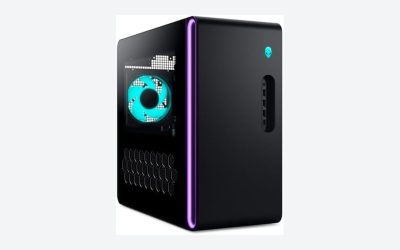
 Dell Gaming OptiPlex Desktop RGB Computer PCi7-16GB-512GB+GT1030+24 inch20 x 16 x 8 inches25.3 poundsCheck on Amazon
Buying a gaming PC for a child is a different problem from buying one for yourself. The games on the screen are usually Roblox, Minecraft, Fortnite, and whatever a classmate talked about on Monday, none of which demand a flagship graphics card. What they do demand is a machine that boots fast, does not fall over when a browser, a voice chat app, and a game run together, and still handles homework on Tuesday. The real question for a parent is how much hardware is enough today, and how much headroom keeps the machine useful when the child’s tastes get more demanding.
This guide is built for parents, grandparents, and older siblings picking a first rig, so it leans on the specs a listing actually states: processor family, graphics card, memory, storage, power supply, and whether a monitor or keyboard comes in the box. Six prebuilt towers are compared below, ranging from older refurbished-style parts with a dedicated graphics card to newer six-core Ryzen builds with large memory and a fast drive. In 2026 the gap between a sensible kid-friendly build and an overbuilt one is mostly about avoiding two extremes: a machine so weak it frustrates, and one so costly you worry about a spilled drink.
Quick Picks

STGAubron Gaming PC Desktop,Core I5,RX 550 4G,16G RAM,512G SSD | Gaming Computer Tower for Streaming,Video Editing,Home,School,I5 up to 3.6G,ARGB Fan,WiFi 6,BT 5.0,4K DP,HDMI,Win11 Home
One of the consumer electronics options compared in this guide.
View on Amazon
YAWYORE Gaming PC Desktop Computer AMD R5 5600GT 16GB 1TB NVMe Towers WiFi | 16GB DDR4 3200MHz, 1TB M.2 NVMe PCIe, 550W 80PLUS PSU, WiFi BT, Game Design Office Console
One of the consumer electronics options compared in this guide.
View on Amazon
Olialia Gaming PC, Ryzen 5 5600GT 6-Core High Performance Processor | 32GB RAM, 1TB SSD, Prebuilt Gaming Desktop Computer, 600W Power, ARGB Fans, WiFi 6, Ideal for Gaming, Windows 11 Home
One of the consumer electronics options compared in this guide.
View on Amazon
VRA Gaming PC Desktop Computer Bundle - Intel Core i7-4790 AMD RX 580 8GB | Optimized for Fortnite 150 fps and Roblox. Includes 16GB RAM, 512GB SSD, RGB keyboard, mouse, soundbar. No monitor.
One of the consumer electronics options compared in this guide.
View on AmazonDell Gaming OptiPlex Desktop RGB Computer PC, Intel Core i7, GeForce GT 1030 2GB GDDR5, 16GB RAM, 512GB SSD, 24 Inch HDMI Monitor, Keyboard Mouse and Headset, WiFi, Windows 11 Pro (Renewed)
One of the consumer electronics options compared in this guide.
View on Amazon
STGAubron Gaming PC Desktop,intel i7 Xeon E5,RX 560 4G,16G RAM,512G SSD | Gaming Computer Tower for Streaming,Video Editing,Home,School,E5 up to 3.0GHz,ARGB Fan,WiFi,BT 5.0,4K DP,HDMI,Win11 Home
One of the consumer electronics options compared in this guide.
View on Amazon| Product | Best for | Key spec from the title |
|---|---|---|
| STGAubron Core i5 / RX 550 | Lowest-pressure first PC for Roblox and Minecraft | Core i5, RX 550 4G, 16G RAM, 512G SSD |
| YAWYORE Ryzen 5 5600GT | Balanced all-rounder with a roomy drive | R5 5600GT, 16GB DDR4 3200MHz, 1TB NVMe, 550W PSU |
| Olialia Ryzen 5 5600GT | Kids who juggle many apps and downloads | 6-core Ryzen 5 5600GT, 32GB RAM, 1TB SSD, 600W |
| VRA Core i7-4790 / RX 580 | Fortnite and Roblox on a tighter outlay | Core i7-4790, RX 580 8GB, 16GB RAM, 512GB SSD |
| Dell Gaming OptiPlex | Families who want a monitor and peripherals bundled | Core i7, GT 1030 2GB, 16GB RAM, 512GB SSD, 24 inch monitor |
| STGAubron Xeon E5 / RX 560 | Older-platform build for light games and school | Xeon E5, RX 560 4G, 16G RAM, 512G SSD |
The 6 Best Options
STGAubron Core i5 with RX 550
This is the entry-level pick for a young child whose library is mostly block games and free-to-play titles. The title lists an Intel Core i5 described as running up to 3.6G, an RX 550 with 4G of video memory, 16G of RAM, and a 512G SSD, all inside a tower with an ARGB fan. The listing also mentions streaming, video editing, home, and school use, which tells you the seller is positioning it as a general family machine as well as a gaming one.
- Sixteen gigabytes of RAM is a comfortable amount for a child who keeps a browser, a launcher, and a game open at once.
- A 512G SSD means quick boots and short load screens, which matter more to a ten-year-old’s patience than raw frame rates.
- The ARGB fan gives the case a bit of color, which for many kids is half the appeal.
- The RX 550 is an entry-class graphics card, so expect to lower settings in newer shooters.
- The title shows no wireless details, so confirm Wi-Fi or plan on a cable run before it ships.
Skip it if the child already plays current action games at high settings, or if you want a platform with years of upgrade room. Compared with the next pick, it trades a newer Ryzen processor and a larger drive for a gentler entry point.
One practical note: a card in this class works best when the child is happy to run games at modest settings. If a seven-year-old is the main user, that is rarely a problem, but a twelve-year-old watching friends stream newer titles may feel the limits within a year.
YAWYORE Ryzen 5 5600GT Gaming PC
YAWYORE pairs an AMD R5 5600GT with 16GB of DDR4 running at 3200MHz and a 1TB M.2 NVMe drive over PCIe. The title also lists a 550W power supply with 80PLUS certification, Wi-Fi and Bluetooth, and a gaming-styled case. For parents, that combination reads as the most balanced configuration in this group: a current-generation processor, fast storage with plenty of room, and wireless built in.
- The 1TB NVMe drive holds a long list of installed games without constant uninstalling.
- Wi-Fi and Bluetooth are listed, so a wireless headset or controller should connect without extra adapters.
- A named 80PLUS power supply is a good sign that the builder did not skimp on the part that protects everything else.
- The title names no separate graphics card, so check how graphics are handled before assuming it runs demanding titles.
- Sixteen gigabytes of memory is fine today but is the first thing a growing gamer outgrows.
Skip it if your child’s wish list includes recent open-world games that expect a strong discrete card. Against the Olialia build that follows, it gives up half the memory in exchange for a similar processor and storage size.
Olialia Ryzen 5 5600GT Gaming PC
Olialia lists a Ryzen 5 5600GT described as a six-core processor, 32GB of RAM, a 1TB SSD, a 600W power supply, ARGB fans, and Wi-Fi. The memory figure is the standout. Thirty-two gigabytes is generous for a child, and it makes sense for a family where the same computer is used for gaming, video calls, school projects, and a pile of browser tabs left open overnight.
- The 32GB of RAM leaves a lot of breathing room for multitasking.
- A 1TB SSD is large enough that games, homework files, and creative projects can live together.
- The 600W power supply gives more headroom than the 550W unit on the previous pick if a graphics card is added later.
- Like the YAWYORE, the title does not name a dedicated graphics card.
- Extra memory costs more, and a younger child will not use it for a while.
Skip it if the budget is tight and the child only plays light games, because the extra memory will sit idle. Compared with the VRA build next, it offers a newer processor family but no named graphics card, which is the central trade of this whole list.
Parents who like the idea of a large memory pool should also think about the child’s habits. A kid who closes everything after play will not feel the difference between 16GB and 32GB, while one who leaves a browser, a music app, and a game launcher open for days will.
VRA Core i7-4790 with RX 580 8GB
VRA is the most game-focused listing here. The title names an Intel Core i7-4790 and an AMD RX 580 with 8GB of video memory, plus 16GB of RAM and a 512GB SSD, and the seller states it is optimized for Fortnite at 150 fps and Roblox. That frame-rate figure is the seller’s own claim in the listing, not something a buyer should treat as guaranteed, but the hardware named does point at a card built for 1080p play.
- An 8GB graphics card is the largest video memory figure among the budget towers in this group.
- The listing targets exactly the games most kids play, which makes the match easy to judge.
- Sixteen gigabytes of RAM and a 512GB SSD cover everyday needs.
- The Core i7-4790 belongs to an older processor generation, so the platform has less upgrade life than the Ryzen builds.
- The title is cut off mid-sentence, so confirm what peripherals and Wi-Fi come with it.
Skip it if you want the newest platform or low power draw. Against the Dell bundle next, it puts money into the graphics card rather than into a monitor and accessories.
Dell Gaming OptiPlex with Monitor
The Dell listing is the only bundle in this group that clearly includes a display. The title names an Intel Core i7, a GeForce GT 1030 with 2GB of GDDR5, 16GB of RAM, a 512GB SSD, a 24 inch HDMI monitor, and a keyboard and mouse. For a parent starting from nothing, one box that covers the screen and input devices removes several purchasing decisions at once.
- The monitor, keyboard, and mouse mean a child can start playing as soon as it is set up.
- OptiPlex-style business towers are generally built for steady daily use, which suits homework hours.
- Sixteen gigabytes of RAM and a 512GB SSD match the other mid-sized builds.
- The GT 1030 is a very light graphics card, so it fits simple games better than current action titles.
- The title does not state the processor generation, so look for it in the full listing.
Skip it if you already own a monitor, since you would be paying for a screen you do not need, or if the child wants smoother frame rates in Fortnite. It is a calmer, more office-like machine than the VRA, and the next pick is another budget tower with a similar graphics tier.
A bundle also simplifies one thing parents often overlook: the first-day experience. When the screen, keyboard, and mouse arrive with the tower, a child is playing within an hour, and a parent is not hunting for an HDMI cable at nine at night.
STGAubron Xeon E5 with RX 560
The second STGAubron listing uses an Intel Xeon E5 described as running up to 3.0GH (the title cuts off), an RX 560 with 4G of video memory, 16G of RAM, and a 512G SSD. Xeon-based towers show up in this price tier because older server-class processors have many cores and cost little, but the platform is aging and the title is clear about its modest clock speed.
- Sixteen gigabytes of RAM and an SSD give it a snappy feel in everyday use.
- The RX 560 sits a step above the RX 550 in the first pick, per the model numbers in the titles.
- The listing names streaming, video editing, home, and school, so it can double as a family computer.
- The Xeon E5 platform is older, so replacement parts and upgrades are harder to plan.
- Its stated clock speed is lower than the other processors in this list.
Skip it if long-term upgrades matter to you. If you are weighing it against the first STGAubron, the choice is Core i5 with an RX 550 versus Xeon E5 with an RX 560, and the answer depends on whether single-core speed or the slightly better graphics card matters more for your child’s games. Because both listings share the same 16G of RAM and 512G SSD, the processor and graphics card are the only real differences to weigh.
Who Needs a Gaming PC for a Child, and Who Does Not
A dedicated gaming tower makes sense when the child’s current device cannot keep up, such as a shared family laptop that stutters in Roblox or a tablet that cannot run the games friends play. It also makes sense for the child who has moved from playing to making: modding Minecraft, building worlds, editing short videos, or learning to code on the same machine.
The child who has outgrown the family laptop
A school laptop is built to last a day on a battery, not to run a 3D game for hours. A tower with a real graphics card and 16GB of RAM costs more than a basic desktop, but it solves the stutter problem and keeps the family laptop free for homework.
The household that wants one shared machine
A single tower in a living room or study lets a parent see the screen, set time limits, and manage accounts in one place. Compared with a gaming laptop that travels to the bedroom, a desktop is easier to supervise.
The family that wants to learn together
Parents who sit beside a child to set up a modded Minecraft server, install a coding tool, or learn how to build a world often find a PC far more flexible than a console. The keyboard, the file system, and the open software ecosystem turn a game machine into a small workshop, and that is a better argument for a tower than any frame-rate chart.
When a console is the better answer
If the child only plays a handful of console-style games with friends and never touches mods, creative tools, or a keyboard, a console may serve better. A PC earns its place when the interests go beyond the games themselves.
How to Choose
Processor: aim for four to six solid cores
For the games kids play, a modern six-core chip such as the Ryzen 5 5600GT named in two listings is more than enough. Older quad-core Intel chips like the Core i7-4790 still run light games well, but they have the least headroom. Be cautious with listings that mention many cores on an old server platform, because core count does not make up for slow clock speeds in games.
Graphics: match the card to the games, not the box art
Roblox and Minecraft run on entry cards such as the RX 550 or RX 560. Fortnite at smoother settings looks better with something in the RX 580 class, which carries 8GB of video memory. A GT 1030 with 2GB suits only the lightest play. If a listing names no graphics card at all, ask the seller or read the full specification before buying.
What to ignore: marketing words such as gamer, beast, or ultimate tell you nothing about the parts. Judge a tower by the processor model, the graphics card model, the memory amount, and the drive size, and treat everything else as decoration.
Memory: 16GB is the floor, 32GB is the cushion
Eight gigabytes is no longer enough once a launcher, a browser, and a game are open together. Sixteen gigabytes covers most children’s use. Thirty-two gigabytes helps if the child streams, edits video, or keeps dozens of tabs open, and it delays the first upgrade for years.
Storage: a 512GB SSD works, 1TB is easier to live with
Modern games are large, and a 512GB drive can fill after a handful of installs plus the operating system. A 1TB NVMe drive, as listed on the YAWYORE and Olialia, reduces the weekly cleanup argument. Prefer an SSD over a hard drive, since the speed difference is obvious in boot times and loading screens.
Power supply and cooling: look for a named wattage
Listings that state 550W or 600W and mention 80PLUS certification are giving you something to verify. A vague power supply is where budget builders cut corners. Cooling matters too, since a quiet case with decent fans is easier to live with in a child’s bedroom than a loud one.
Where budget towers cut corners: unnamed power supplies, a single memory stick instead of two, and hard drives paired with a tiny boot SSD. Ask whether memory is installed as one stick or two, since two sticks usually perform better, and whether the case has dust filters that can be cleaned without tools.
Extras: Wi-Fi, ports, and a monitor
Built-in Wi-Fi and Bluetooth save a headset adapter and a cable. Count front USB ports so a child can plug in a headset without reaching behind the case. If you need a monitor, keyboard, and mouse, a bundle such as the Dell can be worth it; if you already own them, skip the bundle and put the money into a better graphics card or more storage.
Newer Ryzen Platform vs Older Intel Tower With a Dedicated Card
The choice most parents face in this price tier is between a newer processor platform with little stated graphics hardware and an older platform paired with a named graphics card. The table puts the two approaches side by side using only what the listings above state.
| Factor | Newer Ryzen builds | Older Intel or Xeon builds |
|---|---|---|
| Processor | Ryzen 5 5600GT, six cores named | Core i5, Core i7-4790, Xeon E5 |
| Graphics named in title | None listed | RX 550, RX 560, RX 580 8GB, GT 1030 |
| Memory | 16GB DDR4 or 32GB | 16GB across the group |
| Storage | 1TB | 512GB |
| Upgrade life | Longer | Shorter |
Why the newer platform wins on longevity
A newer processor and a larger drive age slowly. If a graphics card can be added later, the Ryzen towers offer the longest useful life, and the 600W power supply on the Olialia makes that path easier. The cost is that today’s gaming performance depends on what handles graphics, which the titles do not spell out.
Why a named graphics card wins on day one
If the child will play Fortnite this weekend, a tower with an RX 580 8GB is the safer bet because the listing names the part that matters most for frame rates. The price of that certainty is an older platform with fewer upgrade options.
A middle path exists for families willing to wait: buy a newer Ryzen tower now and plan to add a graphics card within a year. That spreads the outlay and keeps the platform current, as long as the power supply and case can take the card.
Setup, Compatibility and Upgrade Tips
What to check before buying
Confirm the operating system is included and activated, and that Wi-Fi is built in if the router is far from the desk. Check the number of video outputs, since the monitor must connect with HDMI or DisplayPort. Look at the return window, because prebuilt towers sometimes arrive with a loose component after shipping. Finally, read the warranty terms, as small sellers vary widely. Photograph the tower and its ports when it arrives, so any shipping damage can be documented within the return period.
What to upgrade first
If a tower ships with 16GB, a second memory kit is usually the cheapest improvement, followed by a larger SSD. A better graphics card comes next, but only after confirming the power supply has the connectors and wattage the card needs. On a 550W unit, a very large card may not fit the power budget.
It also helps to keep the original packaging and a note of the model name for the first few weeks. If a fan rattles or a port fails, a clear record of the exact configuration speeds up any support request, and a child who sees a parent handle the problem calmly learns how to look after the machine too. Teach cleaning early: a quick monthly wipe of the vents and a glance at cable tidiness extends the life of any tower in this list.
Common compatibility traps
Memory generations are not interchangeable, so a DDR4 machine cannot take DDR5 sticks. Small business-style cases like the Dell tower may use compact power supplies that limit graphics card choices. Keyboards and mice sold as bundles may be basic, so plan a better set if the child will be typing for hours. Finally, check the physical size of the case against the desk or shelf, since a full tower can be taller than expected and some compact cases trap heat when pushed into a cabinet.
Noise and heat deserve a short mention too. A tower that sits in a bedroom runs for hours, so fans that ramp up loudly under light load become an irritation quickly. Listings with ARGB fans and a gaming-styled case look appealing, but they say little about sound. Reading buyer comments about fan noise before committing is a cheap way to avoid a return, and leaving a few inches of space behind and beside the case keeps temperatures in check.
Finally, think about the desk itself. A child’s desk is often small, so measure the space and cable reach. A tower on the floor collects dust and is easy to kick, while one on a shelf can overheat. A modest stand that lifts the case a few inches off the carpet and keeps drinks well away from the vents is worth more than any accessory with a glowing logo.
Which One Fits Your Situation
A first PC for a young Roblox and Minecraft player
The STGAubron Core i5 with RX 550 is enough for block games, schoolwork, and video calls, and it keeps the outlay modest. Pair it with basic headphones and a time-limit app and the family has a complete setup.
A child who plays Fortnite with friends
The VRA Core i7-4790 with RX 580 8GB names the strongest graphics card among the budget towers and is aimed at exactly this use. Expect to adjust graphics settings to find a smooth balance, as with any card of this class.
A family that needs everything in one box
The Dell Gaming OptiPlex includes a 24 inch monitor, keyboard, and mouse, so there is nothing else to buy before play starts.
A teenager who creates as much as they play
The Olialia Ryzen 5 5600GT with 32GB of RAM and a 1TB SSD gives the most room for video editing, modding, and a crowded desktop. It is also the pick most likely to still feel current when the child starts high school.
Common Mistakes
- Buying the most powerful card available for a child who plays simple block games, then never using the extra capacity.
- Ignoring storage size and discovering that three big games fill a 512GB drive.
- Assuming a bundled monitor is good enough without checking its size and connectors.
- Skipping the power supply details, which is where budget builders cut corners.
- Forgetting that a tower needs Wi-Fi or a cable run to the router.
- Skipping parental controls and screen-time settings, which matter more than any spec.
Related guides
- How To Extend Battery Life On A Handheld Gaming Pc
- Gen4 Nvme M2 Ssds For High Performance Pc
- Portable Monitor For Nintendo Switch 2
Frequently Asked Questions
How much RAM does a child’s gaming PC need?
Sixteen gigabytes is the practical minimum for current games alongside a browser and chat app. Thirty-two gigabytes adds comfort for streaming, video editing, or heavy multitasking, but most children will not use it for a few years.
Is an older Core i7-4790 still usable?
For Roblox, Minecraft, and Fortnite at moderate settings it can still do the job, especially paired with a graphics card like the RX 580. It is an older platform, however, so it has less upgrade life than a current Ryzen build.
Do I need a separate graphics card?
For smooth gameplay in titles like Fortnite, a named graphics card helps. For light games and school use, an entry card or the processor’s own graphics may be enough, but you should verify what the listing includes.
Should I buy a bundle with a monitor?
A bundle is worth it if you have no screen, keyboard, or mouse. If you already own them, put the savings toward more storage or a stronger graphics card.
Is a gaming PC too much for a young child?
Not necessarily, because the same machine handles homework, drawing, and coding. The key is to set up user accounts, content filters, and time limits before the first game launches.
How long will these towers last?
Newer Ryzen builds with large drives and memory should stay useful longer than older Intel or Xeon towers. Any of them can last several years for light games if the power supply and cooling are sound.
Final Words
The right gaming PC for a child is the one that matches what they play now and leaves a little room for what they want next. For simple games and school, the STGAubron towers and the Dell bundle are enough. For Fortnite, the VRA’s named RX 580 stands out. For a longer lifespan and room to grow, the YAWYORE and Olialia Ryzen builds offer newer processors and bigger drives. Verify the graphics hardware, confirm Wi-Fi, and set up parental controls before the first game launches.