Key takeaways
- A listing promotes mAh but does not state USB-C PD output in watts.
- The maximum output is 18W, 20W, or 22.5W; these are phone-oriented ratings.
- The stated total output is high, but no single-port rating is provided.
- The pack claims more than 27,000mAh while omitting a watt-hour rating and physical dimensions.
- No warranty length, manufacturer address, or customer-support contact is listed.
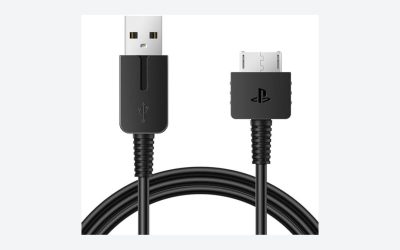
- The included cable is USB-A-to-USB-C and the seller implies it is ideal for 65W handheld charging.
- A mounting strap or adhesive pad would cover vents, rear buttons, or the handheld’s kickstand.
- The product is described as a controller battery, case accessory, or phone gamepad rather than a USB-C PD power bank.
Buying a power bank for a handheld gaming PC is easy to get wrong because the category is full of phone-focused battery packs with impressive-looking capacity numbers but inadequate USB-C output. A 20,000mAh pack that tops out at 18W may charge a phone quickly yet still allow a Steam Deck, ASUS ROG Ally, Lenovo Legion Go, or similar device to lose battery while playing.
The other common mistakes are buying by mAh alone, overlooking the power bank’s own recharge time, using a weak cable, and choosing a bulky pack that is awkward to carry or impossible to position comfortably. In 2026, the useful baseline is simple: choose a USB-C PD power bank that can provide at least 45W continuously, then match its capacity, size, and port layout to the way you actually play.
Our top picks
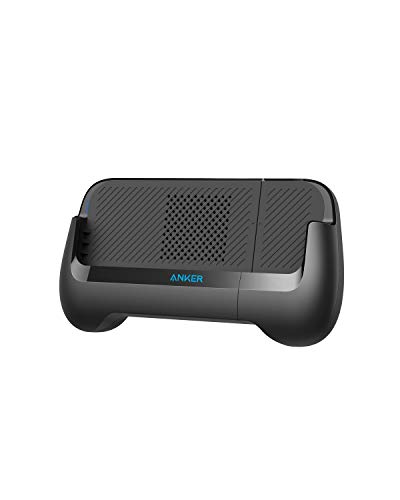 Anker PowerCore Play 6K Mobile Game Controller
- The Anker Advantage: Join the 55 million+ powered…
- Made For Gaming: Combines a portable charger with…
- Play for Longer: A 6,700mAh capacity provides more…
 casmilee Case for BACKBONE One Mobile Gaming
- Protection for Backbone One Controller 2nd Gen/1st Gen:…
- Sturdy and Splash-Resistant Construction: Constructed from hard-shell EVA…
- Organized Storage with Mesh Pocket: Equipped with a…
 JUST MIXER Audio/DJ Mixer
- Versatile and compact
- Stereo configuration 3 inputs / 1 output
- Signal level
As an Amazon Associate we earn from qualifying purchases at no extra cost to you.
Decide These 3 Things First
- How much power does your handheld need? A Steam Deck generally works well with a 45W USB-C PD source. Higher-performance Windows handhelds can benefit from 65W output, particularly when using performance or turbo modes. Check your handheld’s charger label or manufacturer specifications before buying.
- Do you need a top-up or a full extra session? A slim 10,000mAh bank is useful for commuting and can extend play substantially, but a 20,000mAh model is the practical sweet spot for most travelers. A 24,000mAh to 27,000mAh pack is better for long flights, hotels, and shared charging.
- Will you charge only the handheld? If you also charge a phone, earbuds, controller, or tablet, buy a model with at least two USB-C ports and enough total output to support more than one device. Do not assume that a three-port power bank can deliver its maximum wattage from every port at once.
Size and Capacity: Buy for Usable Playing Time, Not the Biggest Number
Power-bank capacity is usually advertised in milliamp-hours, but watt-hours are more useful for gaming. A 10,000mAh pack typically stores around 36Wh, a 20,000mAh pack around 72Wh, and a 26,800mAh pack roughly 96Wh. Some energy is lost during voltage conversion and charging, so the energy delivered to your handheld will be lower than the number printed on the package.
For most people, a 20,000mAh / 72Wh-class battery is the best balance. Expect dimensions around 5.5 to 6.5 inches long, 2.5 to 3.2 inches wide, and 0.9 to 1.2 inches thick. Weight commonly falls between 12 and 18 ounces. This is large enough for a meaningful extension of play without turning a carry case into a brick.
A 10,000mAh model often weighs 6 to 9 ounces and measures about 4.5 by 2.5 by 0.7 inches. It suits a short train ride or daily bag, but it may not provide enough reserve for an all-day outing. At the other end, 24,000mAh to 27,000mAh packs can weigh 20 to 25 ounces and may exceed 6 inches in length. They are useful, but they are best carried in a backpack rather than attached to or balanced on the handheld itself.
If you fly, stay at or below 100Wh. Most common airline rules permit power banks up to 100Wh in carry-on luggage, while checked baggage is generally not appropriate for loose lithium-ion power banks. A 26,800mAh pack is usually just under this threshold, but verify the watt-hour label, not merely the mAh figure.
Materials and Battery Chemistry: Prioritize Heat Management and Clear Labeling
Most dependable handheld-gaming power banks use lithium-polymer or lithium-ion cells inside a plastic or aluminum enclosure. Neither enclosure material automatically makes one model safer, but construction affects durability and heat dissipation.
Polycarbonate or ABS plastic housings are lighter and usually less likely to scratch your handheld if both items share a bag pocket. A well-made plastic power bank should have a rigid shell, flush seams, and no creaking when gently squeezed. For a 20,000mAh unit, a plastic housing can keep weight nearer 13 to 16 ounces.
Aluminum-shell models often feel more premium and can spread warmth across the case, but they may weigh 1 to 3 ounces more than similarly sized plastic units. Metal edges can also mark a console or screen protector if carried loose. Use a sleeve, separate pocket, or cable pouch rather than letting the battery rub against the handheld.
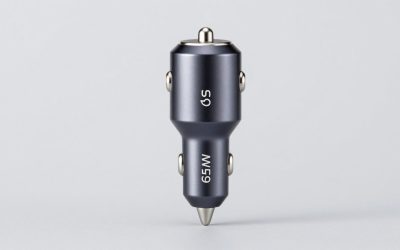
Look for a clearly printed watt-hour rating, input/output information, and recognizable safety markings appropriate to your market. Avoid unbranded packs with vague claims such as “super fast charge” but no USB-C PD voltage profiles. A legitimate 65W model should state outputs such as 5V, 9V, 12V, 15V, and 20V, with amperage that supports its advertised maximum wattage.
Construction and Ports: The USB-C PD Rating Is the Make-or-Break Detail
For handheld gaming PCs, USB-C Power Delivery output matters more than total capacity. A bank with a 45W USB-C PD port is the minimum sensible choice for Steam Deck-class use. For Windows handhelds that ship with 65W chargers, choose a bank with 65W USB-C PD output. A 100W unit adds flexibility for laptops and faster recharging, but it will not force a handheld to accept more power than it is designed to use.
Read the single-port rating and the shared-output rating. A power bank may advertise “100W” but provide 65W from USB-C port 1 and only 18W when a second device is plugged in. Others can supply 65W plus 20W simultaneously. The fine print matters if you want to charge a phone while gaming.
A good layout includes two USB-C ports: one for charging the handheld and one for recharging the bank or powering another device. USB-A remains convenient for older accessories, but it should not be the deciding feature. Avoid relying on USB-A-to-USB-C cables for a handheld PC; use a full USB-C-to-USB-C cable rated for at least 60W. For a 100W bank, choose a cable marked for 100W or 5A operation.
Also inspect the port placement. End-mounted ports work well when the power bank sits beside the console in a case or on a table. Side-mounted ports can create an awkward cable bend in a compact bag. A short 6- to 12-inch right-angle USB-C cable is often neater than the 3-foot cable included with a phone charger.
Comfort and Performance: Keep the Battery Off the Handheld When Possible
A power bank should improve portability, not make a handheld uncomfortable. Attaching a 12- to 18-ounce battery directly to the back of a console usually creates poor balance, blocks vents, and adds wrist strain. Even if a mount is available, use it only for short periods and make sure it does not cover intake or exhaust areas.
For seated play, place the pack in a pocket, on a tray table, or beside you with a flexible cable. For bed or couch gaming, a 1-foot cable is usually enough; for a backpack or sling bag, 2 to 3 feet gives more freedom. Avoid sharply bending a cable at the handheld’s USB-C port, especially if the console is resting on a stand.
Performance depends on both wattage and thermal conditions. A 45W bank can be entirely adequate for a handheld configured for modest power draw, while a 65W source gives more headroom for demanding games and charging at the same time. If the handheld displays a “slow charger” notice or limits high-performance modes, confirm that the bank, cable, and connected-port configuration all support the required wattage.
Pass-through charging is convenient but should not be a priority. Some banks allow you to recharge the battery while it charges the handheld, but this can generate extra heat and may reduce long-term battery health. It is better treated as an occasional hotel-room convenience than a daily operating mode.
Price Tiers: Spend on Wattage, Not Novelty Accessories
Budget: $25 to $45. Expect 10,000mAh to 20,000mAh capacity and 30W to 45W USB-C PD output. This tier works for Steam Deck owners and light travel, provided the unit has a clearly specified 45W single-port rating. Do not expect a premium display, multiple high-wattage ports, or fast recharge times.
Midrange: $45 to $80. This is the strongest value range for handheld gaming PCs. Look for 20,000mAh to 25,000mAh capacity, 65W output, two USB-C ports, and 45W to 65W input charging. A digital percentage display is useful, though not essential.
Premium: $80 to $150. Premium models commonly offer 24,000mAh to 27,000mAh capacity, 100W to 140W maximum output, better port-sharing information, and stronger support for laptops alongside gaming hardware. Buy here if you want one travel battery for a handheld, phone, tablet, and USB-C laptop—not because a handheld alone needs 140W.
Be cautious with gaming-themed accessories. A low-cost phone controller with a built-in 6,700mAh battery is not a substitute for a 45W USB-C PD power bank. Likewise, controller cases, storage boxes, and portable audio mixers may be useful accessories, but they do not address handheld-PC charging needs.
Warranty and Support: Favor Brands That State the Terms Clearly
Look for at least a 12-month warranty; 18- to 24-month coverage is better. The warranty should identify what is covered, how to make a claim, and whether the seller requires a receipt or order number. Keep proof of purchase and photograph the power bank’s serial number when it arrives.
Support quality matters because USB-C charging problems can involve compatibility, cable ratings, and firmware behavior. A reputable manufacturer should provide a support contact and publish full electrical specifications. Skip listings with no stated warranty, no company contact details, or a brand name that changes from listing to listing.
Delivery, Setup, and First Use: Test It Before Your Trip
A power bank needs no assembly, but it does need a basic compatibility check. When it arrives, inspect it for cracks, loose ports, swollen panels, or missing output labels. Fully charge it with a USB-C charger rated for its supported input—typically 30W, 45W, or 65W. Using a 20W phone charger on a 20,000mAh bank can mean a recharge time of 5 to 8 hours; a 65W input can reduce that to roughly 2 to 3 hours, depending on the model.
Then connect the handheld using the cable you plan to travel with. Test it while playing a demanding game for 15 to 30 minutes. Confirm that the handheld recognizes external power, does not show a low-wattage warning, and maintains or increases its battery percentage under your normal settings. Pack the battery in a separate pouch and keep it in carry-on luggage for air travel.
Spec Checklist
| Spec | Budget | Mid | Premium |
|---|---|---|---|
| Capacity | 10,000–20,000mAh / 36–72Wh | 20,000–25,000mAh / 72–90Wh | 24,000–27,000mAh / 86–99Wh |
| USB-C single-port output | 30–45W | 65W | 100–140W |
| Best use | Short trips; Steam Deck top-ups | Most handheld-PC owners | Travel plus laptop charging |
| Typical weight | 7–16 oz. | 13–19 oz. | 18–25 oz. |
| USB-C ports | 1–2 | 2 | 2–3 |
| Typical price | $25–$45 | $45–$80 | $80–$150 |
Red Flags
- A listing promotes mAh but does not state USB-C PD output in watts.
- The maximum output is 18W, 20W, or 22.5W; these are phone-oriented ratings.
- The stated total output is high, but no single-port rating is provided.
- The pack claims more than 27,000mAh while omitting a watt-hour rating and physical dimensions.
- No warranty length, manufacturer address, or customer-support contact is listed.
- The included cable is USB-A-to-USB-C and the seller implies it is ideal for 65W handheld charging.
- A mounting strap or adhesive pad would cover vents, rear buttons, or the handheld’s kickstand.
- The product is described as a controller battery, case accessory, or phone gamepad rather than a USB-C PD power bank.
FAQ
Is 20,000mAh enough for a handheld gaming PC?
Yes, for most buyers. A 20,000mAh pack stores about 72Wh and is large enough to provide a meaningful extra gaming session while remaining manageable in a bag. Choose 45W output for Steam Deck-class use and 65W for higher-power Windows handhelds.
Can I use a 100W power bank with a 45W handheld?
Yes. USB-C Power Delivery devices negotiate power, so the handheld draws only what it supports. A 100W power bank is useful if you also want to charge a laptop or multiple devices, but it is not required solely for a 45W handheld.
Why does my handheld say the charger is slow when the power bank is full?
The battery percentage is not the issue. The most likely causes are insufficient USB-C output, using the wrong port, shared-output limitations when another device is connected, or a cable rated below the required wattage. Test with one USB-C device connected and a 60W- or 100W-rated USB-C-to-USB-C cable.
Should I mount the power bank to the back of my handheld?
Only if the mount leaves every vent and control accessible and the added weight is comfortable. For extended sessions, carrying the power bank in a pocket, pouch, or nearby surface is usually safer for airflow and easier on your wrists.