Our Top Picks
 Valve Steam Deck OLED 1TB Handheld Gaming Console7 inches16.77 x 6.26 x 3.39 inches3.7 poundsCheck on Amazon
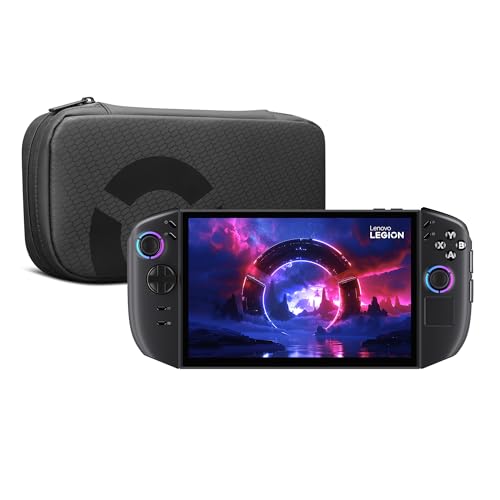
 Lenovo Legion Go S Gaming Handheld Consoles16GB RAM | 1TB SSD10.33 x 5.02 x 0.89 inchesCheck on Amazon
 msi Claw A8 PC Gaming Handheld: AMD Ryzen0.9" x 11.8" x 5"11.79 x 0.94 x 4.99 inches1.69 poundsCheck on Amazon
Your gear shapes every session, and getting the right handheld gaming PC is the difference between a setup that helps you play and create at your best and one that quietly holds you back. This guide skips the hype and focuses on real performance, build quality and value. Below are the buying essentials followed by picks that earn their place for different budgets and needs.
Verdict at a glance
- Best overall: Steam Deck OLED. It runs SteamOS smoothly, has an excellent HDR OLED screen and is the easiest handheld to live with.
- Best Windows handheld: ASUS ROG Xbox Ally X, with the Ryzen AI Z2 Extreme, an 80Wh battery and Xbox’s full-screen interface on Windows 11.
- Best big-screen handheld: Lenovo Legion Go 2, with an 8.8-inch 144Hz OLED and detachable controllers.
- Best value Windows handheld: ASUS ROG Xbox Ally (Ryzen Z2 A). It has the same ergonomics as the Ally X at a lower tier.
The 2025-2026 generation changed this category. AMD’s Ryzen Z2 family arrived in ASUS’s Xbox-branded ROG Ally models and Lenovo’s Legion Go 2 and Legion Go S, and Microsoft’s Xbox full-screen experience made Windows handhelds feel more like consoles. The new models are covered below, along with a spec table and a SteamOS vs Windows comparison.
How we compared: manufacturer specifications and independent reviews and battery tests from Windows Central, TechTimes and other outlets, plus owner reports. We did not bench-test these devices ourselves.
What to Look for Before You Buy
Performance and Platform
Handhelds range from SteamOS (Steam Deck) to full Windows (ROG Ally, Legion Go). Windows plays any storefront but needs more management; SteamOS is simpler and well-optimised. Match the platform and performance level to the games you play and how much tinkering you enjoy.
Battery Life and Power
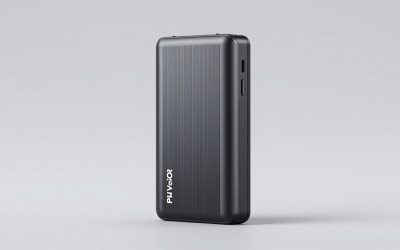
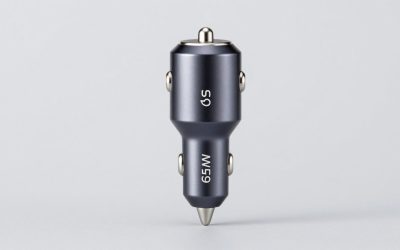
Handheld battery life varies widely with the game’s demands, so a high-capacity USB-C power bank with enough wattage (100W+) is essential for long sessions away from an outlet. Check that a power bank’s output matches your device’s fast-charging spec.
Display Quality
Screen size, resolution, refresh rate and panel type shape the experience. OLED delivers vivid color and contrast, higher refresh rates smooth motion, and larger screens improve immersion at the cost of portability. Balance these against battery drain and how you carry the device.
Storage and Expansion
Modern games are huge, so expandable storage via a fast microSD card or larger internal SSD is important. Choose a reputable high-speed card to keep load times short, and factor storage into the total cost of owning a handheld.
Quick Comparison
| Model | Best For | Price tier |
|---|---|---|
| Steam Deck OLED | Best handheld overall | Mid-range |
| ASUS ROG Xbox Ally X | Best Windows handheld | Premium |
| Lenovo Legion Go S | Best 8-inch Windows handheld | Mid-range |
| UGREEN USB-C Docking Station | Best handheld dock | Budget |
| Anker 737 Power Bank | Best power bank for handhelds | Budget to mid-range |
Price tiers are approximate and change frequently.
Top Picks Reviewed
Steam Deck OLED — Best handheld overall
Valve Steam Deck OLED 1TB Handheld Gaming Console
One of the home product options compared in this guide.
View on AmazonThe Steam Deck OLED refines Valve’s handheld with a vivid OLED screen, better battery life and a huge compatible library through SteamOS. Its comfortable grips and trackpads suit many genres, making it the benchmark PC handheld for most players.
Check price and availability on Amazon →
ASUS ROG Xbox Ally X — Best Windows handheld
The ROG Xbox Ally X runs full Windows on AMD’s Ryzen AI Z2 Extreme, with 24GB of memory, a 1TB SSD, a 7-inch 1080p 120Hz screen, an 80Wh battery and Xbox’s full-screen interface. It plays any PC storefront and suits players who want maximum power and flexibility in a handheld.
Check price and availability on Amazon →
Lenovo Legion Go S (Windows) — Best 8-inch Windows handheld
The Windows version of the Legion Go S pairs AMD’s Ryzen Z2 Go with an 8-inch 1920×1200 120Hz IPS screen with VRR, in a one-piece body with fixed controllers. It suits players who want a bigger, sharper screen than the Steam Deck and access to every PC storefront, without paying for a Z2 Extreme handheld.
Check price and availability on Amazon →
Lenovo Legion Go 2 — Best big-screen OLED handheld
Lenovo Legion Go 2 – Mobile Gaming Console – AMD Ryzen Z2 CPU – 8.8" WQXGA PureSight OLED Display – 144Hz – Integrated AMD Radeon™ Graphics – 16GB Memory – 1TB Storage – Fingerprint Reader
One of the home product options compared in this guide.
View on AmazonThe Legion Go 2 is the successor to the original Legion Go and fixes its biggest weaknesses. It keeps the 8.8-inch screen and detachable controllers, but the panel is now a 1920×1200 OLED at 144Hz with variable refresh rate, replacing the original’s IPS display. The battery grows to 74Wh, up from 49.2Wh. Configurations use AMD’s Ryzen Z2 Extreme or Z1 Extreme with up to 32GB of LPDDR5X. This listing is the Ryzen Z2 configuration. Lenovo also sells a SteamOS version.
In Windows Central’s battery tests, the Windows Legion Go 2 lasted 2 hours 17 minutes in Cyberpunk 2077 at its maximum power setting. That beat the ROG Xbox Ally X’s 1 hour 53 minutes, while the Ally X lasted longer in office work. The detachable controllers, kickstand and FPS mode (the right controller works like a mouse on a desk) are still unique among mainstream handhelds.
Strengths: the biggest and best screen here, strong Z2 Extreme performance, a large battery and versatile detachable controllers.
Drawbacks: it’s heavy and bulky for travel, and it sits firmly in the premium tier. Windows still needs more tinkering than SteamOS.
Compared with the original Legion Go, the Go 2 is the better buy unless you find the older model heavily discounted.
ASUS ROG Xbox Ally — Best value Windows handheld

ASUS ROG Xbox Ally – 7” 1080p 120Hz Touchscreen Gaming Handheld, 3-month Xbox Game Pass Premium included, AMD Ryzen Z2 A, 16GB RAM, 512GB SSD, White
One of the home product options compared in this guide.
View on AmazonASUS and Microsoft’s ROG Xbox Ally range launched in October 2025 in two versions. The flagship ROG Xbox Ally X uses the Ryzen AI Z2 Extreme with 24GB of memory, a 1TB SSD and an 80Wh battery. The standard ROG Xbox Ally here uses the Ryzen Z2 A chip, 16GB of LPDDR5X, a 512GB SSD and a 60Wh battery. Both share a 7-inch 1080p 120Hz IPS touchscreen, Xbox-style grips and the Xbox full-screen experience, which boots straight into a console-style launcher with access to Steam, Game Pass and other stores.
The Z2 A is a modest chip: four Zen 2 cores and RDNA 2 graphics, similar in class to the Steam Deck’s processor. It’s best for indie games, older titles and lighter AAA games at reduced settings. The Ally X is clearly faster in modern games. For many players, though, the cheaper Ally’s comfortable grips and Windows flexibility at a lower tier are what count.
Strengths: excellent ergonomics, a console-like Xbox interface, a sharp 120Hz screen and broad storefront support.
Drawbacks: the Z2 A is not much faster than a Steam Deck. The 512GB SSD fills quickly, and Windows overhead affects battery life.
Choose the Ally X if you play new AAA games. Choose this model if you want an Xbox-flavoured Windows handheld at a budget-to-mid-range tier.
Lenovo Legion Go S (SteamOS) — Best SteamOS alternative to the Steam Deck
Lenovo Legion Go S Gaming Handheld Consoles, Steam OS, 16GB RAM, 1TB SSD, 8" 120Hz IPS LCD Touch Screen, AMD Ryzen Z2 Go, with GSF Kit
One of the home product options compared in this guide.
View on AmazonThe Legion Go S was the first handheld from another manufacturer to ship with Valve’s SteamOS officially licensed. This SteamOS version pairs AMD’s Ryzen Z2 Go with 16GB of memory, a 1TB SSD and an 8-inch 1920×1200 IPS touchscreen at 120Hz with VRR. Unlike the Legion Go 2, its controllers don’t detach, so it’s a slimmer, one-piece design.
On SteamOS you get the same Steam Deck interface, suspend-and-resume and per-game performance controls, plus a bigger and sharper screen than the Deck. The Z2 Go has four Zen 3+ cores and 12 RDNA 2 compute units, roughly Steam Deck-class to slightly faster depending on the game. The higher-resolution screen means you’ll often play below native resolution or use upscaling in demanding titles.
Strengths: SteamOS out of the box, a large 120Hz VRR screen, and 1TB of storage in this configuration.
Drawbacks: an LCD rather than OLED, a smaller battery than the premium Windows handhelds, and no trackpads as large as the Steam Deck’s.
Pick it over the Steam Deck OLED if you want a bigger screen and more storage and prefer Lenovo’s grips. Pick the Deck for its OLED panel and Valve’s own hardware support.
MSI Claw A8 — Best long-battery Windows handheld
msi Claw A8 PC Gaming Handheld: AMD Ryzen Z2 Extreme, 8" FHD+ 120Hz Display, 24GB LPDDR5x, 1TB NVMe SSD, SD Card Reader, Thunderbolt 4, Win 11 Home: White BZ2EM-070US
One of the home product options compared in this guide.
View on AmazonMSI’s Claw A8 moves the Claw line to AMD. It uses the same Ryzen Z2 Extreme as the ROG Xbox Ally X, with 24GB of LPDDR5X, a 1TB NVMe SSD, a microSD reader and an 8-inch 1920×1200 120Hz display. Its 80Wh battery is the joint-largest among mainstream handhelds, and the 8-inch screen is a middle ground between the Ally’s 7 inches and the Legion Go 2’s 8.8 inches.
Because it shares the Ally X’s processor, gaming performance at the same power level is similar. The differences come down to ergonomics, screen size, software and price. MSI’s Center M software has improved but is still less polished than ASUS’s Armoury Crate integration with the Xbox interface.
Strengths: Z2 Extreme performance, an 80Wh battery, an 8-inch screen and generous memory and storage.
Drawbacks: premium pricing, heavier than the Ally X, and software that’s a step behind ASUS’s.
MSI Claw 8 AI+ — Best Intel handheld

msi Claw PC Gaming Handheld: Intel Ultra 7-258V, 8" FHD 120Hz Display, 32GB LPDDR5, 1TB NVMe SSD, MicroSD Card Reader, Thunderbolt 4, Win 11 Home: Black 8 AI+ A2VM-001US
One of the home product options compared in this guide.
View on AmazonThe Claw 8 AI+ uses Intel’s Core Ultra 7 258V (Lunar Lake) with integrated Arc 140V graphics, 32GB of LPDDR5X and a 1TB SSD, plus an 8-inch 1920×1200 120Hz screen and an 80Wh battery. Lunar Lake is very efficient at low power, so the Claw 8 AI+ does especially well in battery-limited play at 15 to 20W. Intel’s XeSS upscaling is widely supported.
The Claw 8 AI+ is a mature, well-reviewed option and a good alternative if you can find it for less than the Z2 Extreme handhelds. Intel’s driver support for older games has improved but can still be less consistent than AMD’s.
Strengths: 32GB of memory, efficient low-power performance, a large battery and an 8-inch screen.
Drawbacks: Intel graphics drivers are less consistent in older titles, and there’s no official SteamOS support.
UGREEN USB-C Docking Station — Best handheld dock
A USB-C dock turns a Steam Deck or ROG Ally into a desktop, adding HDMI output, USB ports and pass-through charging. UGREEN’s docks are a cost-effective way to play handhelds on a TV or monitor with peripherals attached.
Check price and availability on Amazon →
Anker 737 Power Bank — Best power bank for handhelds
The Anker 737 packs a high-capacity 24,000mAh battery with fast 140W USB-C output, enough to recharge a Steam Deck or ROG Ally on the go. It is a reliable choice for extending handheld sessions away from an outlet.
Check price and availability on Amazon →
Handheld gaming PC spec table
Here are the main 2026 handhelds side by side. Battery capacity is the manufacturer figure. Battery-life results are from the named sources and depend heavily on the game and power setting.
| Handheld | Processor (APU) | Screen | Battery | Reported battery life | OS | Price tier |
|---|---|---|---|---|---|---|
| Steam Deck OLED | Custom AMD (Zen 2, RDNA 2) | 7.4″ 1280×800 90Hz HDR OLED | 50Wh | About 2.5 hrs in Baldur’s Gate 3 with matched settings (TechTimes) | SteamOS | Mid-range |
| ASUS ROG Xbox Ally X | Ryzen AI Z2 Extreme | 7″ 1080p 120Hz IPS | 80Wh | 1 hr 53 min Cyberpunk 2077 at max power; 14 hrs 24 min office work (Windows Central) | Windows 11 + Xbox full-screen experience | Premium |
| ASUS ROG Xbox Ally | Ryzen Z2 A | 7″ 1080p 120Hz IPS | 60Wh | See listing | Windows 11 + Xbox full-screen experience | Mid-range |
| Lenovo Legion Go 2 | Ryzen Z2 Extreme or Z1 Extreme | 8.8″ 1920×1200 144Hz OLED | 74Wh | 2 hrs 17 min Cyberpunk 2077 at max power; 11 hrs 30 min office work (Windows Central) | Windows 11 or SteamOS | Premium |
| Lenovo Legion Go S | Ryzen Z2 Go (4-core Zen 3+, 12 CU RDNA 2) | 8″ 1920×1200 120Hz IPS | 55.5Wh | See listing | SteamOS or Windows 11 | Mid-range |
| MSI Claw A8 | Ryzen Z2 Extreme | 8″ 1920×1200 120Hz IPS | 80Wh | About 2 hrs 45 min in PCMark 10 Gaming; nearly 10 hrs office (Trusted Reviews) | Windows 11 | Premium |
| MSI Claw 8 AI+ | Core Ultra 7 258V (Arc 140V) | 8″ 1920×1200 120Hz IPS | 80Wh | See listing | Windows 11 | Mid-range to premium |
| Lenovo Legion Go (original) | Ryzen Z1 Extreme | 8.8″ 2560×1600 144Hz IPS | 49.2Wh | Shorter than Legion Go 2 | Windows 11 | Mid-range |
SteamOS vs Windows: which platform suits you?
| SteamOS (Steam Deck, Legion Go S, Legion Go 2 SteamOS) | Windows 11 (ROG Xbox Ally, Legion Go 2, MSI Claw) | |
|---|---|---|
| Game library | Steam library via Proton; most games work, some anti-cheat titles don’t | Every PC storefront: Steam, Xbox and Game Pass, Epic, Battle.net, EA |
| Ease of use | Console-like; suspend and resume work reliably | Much improved with the Xbox full-screen experience, but still more updates and settings |
| Battery efficiency | Generally better at the same power level, thanks to lower OS overhead | More background overhead |
| Multiplayer anti-cheat | Some popular competitive games (e.g. titles using kernel anti-cheat) are blocked | Full support |
| Best for | Steam players who want pick-up-and-play simplicity | Game Pass subscribers and multi-store players |
A rule of thumb: if almost all your games are on Steam and you don’t play anti-cheat-heavy multiplayer games, SteamOS gives the smoothest experience. If you subscribe to Game Pass or play games like Fortnite, Valorant or Call of Duty, choose Windows. The ROG Xbox Ally models are the most console-like Windows option.
How the new chips compare
- Ryzen AI Z2 Extreme (ROG Xbox Ally X, Legion Go 2, MSI Claw A8): eight cores mixing Zen 5 and Zen 5c, plus Radeon 890M graphics with 16 RDNA 3.5 compute units. The fastest mainstream handheld chip, and a clear step up for modern AAA games.
- Ryzen Z1 Extreme (original Legion Go, original ROG Ally X): the previous flagship. Still capable, and often discounted.
- Intel Core Ultra 7 258V (MSI Claw 8 AI+): very efficient at low wattages, with XeSS upscaling.
- Ryzen Z2 Go (Legion Go S): four Zen 3+ cores and 12 RDNA 2 compute units. Steam Deck-class to slightly faster.
- Ryzen Z2 A (ROG Xbox Ally): four Zen 2 cores and RDNA 2 graphics, in the same class as the Steam Deck’s chip.
Tips for better handheld battery life and performance
- Cap the frame rate at 40 or 45 fps in demanding games. On a 120Hz or 144Hz VRR screen it still feels smooth and can add an hour or more of play.
- Use the device’s power presets: around 15W for indies, 20 to 25W for AAA. Maximum power drains the battery fastest for small gains.
- Turn on upscaling (FSR or XeSS) and run games below native resolution on 1200p screens.
- Lower screen brightness. It’s one of the biggest power draws on OLED and IPS handhelds alike.
- Use a fast UHS-I or larger microSD card for overflow storage, and keep your most played games on the internal SSD.
How we compared
We compared these handhelds on manufacturer specifications (processor, screen, battery capacity, memory and storage) and independent reviews and battery tests. Our sources were Windows Central’s Legion Go 2 vs ROG Xbox Ally X tests, Trusted Reviews’ MSI Claw A8 review, TechTimes’ matched-settings comparison and processor details from Tom’s Hardware and Notebookcheck. We also used owner reports on ergonomics and software. We did not bench-test these devices ourselves. Battery figures vary a lot by game, settings and power limit, so use them to compare devices rather than as guarantees.
How to Choose the Right Option
Start with your setup and how you actually play or create, then spend where it counts rather than chasing a spec sheet. Confirm compatibility with your platform, prioritise the features you will use most, and favour reputable brands for anything you rely on daily. Read reviews for long-term reliability, and always check return terms so a poor fit is easy to remedy.
The Bottom Line
There is no single best choice for every buyer when it comes to handheld & portable gaming power — the right pick depends on your budget, how you will use it, and the features you value most. The models above were selected because they balance real-world performance, build quality and value rather than winning on spec sheets alone. If you are unsure, start with the option we highlight as the best overall or best value; both are safe choices that suit the majority of buyers, and you can step up to a premium pick if a specific feature matters to you. Whatever you choose, buy from a listing with clear return terms so you can confirm the fit works for your needs, and always check the current price before ordering, since deals and stock change frequently.
Frequently Asked Questions
Which handheld gaming PC is best?
The Steam Deck OLED is the best all-round choice for most players thanks to its polished SteamOS experience, great screen and value. Windows handhelds like the ROG Xbox Ally X and Legion Go 2 offer more raw power and play any storefront, but require more setup and management.
What size power bank do I need for a Steam Deck?
Look for a USB-C power bank of at least 20,000mAh with 45W or higher output to meaningfully extend Steam Deck sessions; higher wattage (100W+) charges faster and can power the device while you play. Confirm the output matches your handheld’s fast-charge spec for best results.
Do I need a dock for my handheld?
A dock is optional but useful if you want to play on a TV or monitor with a controller and peripherals. A USB-C dock adds HDMI output, extra USB ports and pass-through charging affordably, turning a handheld into a compact desktop or console-style setup.
How much storage do I need for a handheld?
Modern games can exceed 100GB each, so most players benefit from a fast, high-capacity microSD card (256GB or more) on top of internal storage. Choosing a reputable high-speed card keeps load times short and lets you keep a larger library installed at once.
Related Guides
- Best Power Banks for the Steam Deck and Handhelds in 2026
- Best Portable Chargers for Nintendo Switch in 2026
- Best Gaming Laptops with the Longest Battery Life in 2026
- Best Portable Monitors for Handheld Gaming in 2026
- Best Docks for Steam Deck and ROG Ally in 2026
- Best Cooling Fans for Gaming Handhelds in 2026
As an Amazon Associate we earn from qualifying purchases. This guide is informational; verify specifications and pricing on the product listing before buying.
What is the difference between the ROG Xbox Ally and the ROG Xbox Ally X?
The Ally X is the flagship. It has the Ryzen AI Z2 Extreme, 24GB of memory, a 1TB SSD and an 80Wh battery. The standard Ally uses the slower Ryzen Z2 A, 16GB of memory, a 512GB SSD and a 60Wh battery. Both share the 7-inch 1080p 120Hz screen and the Xbox full-screen interface. Choose the Ally X for modern AAA games.
Is the Legion Go 2 worth it over the original Legion Go?
For most buyers, yes. The Legion Go 2 adds an OLED screen with VRR, a much larger 74Wh battery (up from 49.2Wh) and the faster Ryzen Z2 Extreme option. The original is only worth it at a steep discount.
Can I install SteamOS on a Windows handheld?
Valve officially supports SteamOS on the Legion Go S and offers a SteamOS version of the Legion Go 2. On other Windows handhelds, community options exist, but driver and feature support varies. Buying a device that ships with SteamOS is the simplest route.
Which handheld has the best battery life?
It depends on the workload. In Windows Central’s tests, the Legion Go 2 lasted longer in Cyberpunk 2077 at maximum power, while the ROG Xbox Ally X lasted longer for office tasks. The Steam Deck OLED’s smaller 50Wh battery runs out first in demanding games, but SteamOS efficiency keeps it competitive in lighter titles.