Key takeaways
- The complete device name, including generation or revision.
- Screen diagonal, such as 8.8 inches, only as a secondary confirmation.
- Aspect ratio and corner shape.
- Whether the protector has openings for cameras, sensors, or front-facing components.
- Whether it is labeled case-friendly.
The easiest mistake to make when buying a handheld gaming PC screen protector is treating every listing as interchangeable. A protector can be inexpensive and still be the right purchase—but only if it matches the exact device, leaves room for a case, and does not compromise the touch screen, glare control, or display clarity you bought the handheld for.
Buyers also tend to overvalue the “9H” label, confuse flexible film with tempered glass, or order according to screen diagonal alone. Those shortcuts lead to protectors that cover camera or sensor cutouts, lift at the edges, collect dust, or make a glossy display look hazy. In 2026, the best approach is still simple: start with fit, select the material for your actual use, then pay for better installation hardware only when it solves a real problem.
Our top picks
![P/N Screen Protector for Square Handheld, [2 Pack] [NOT Glass] Film [ Anti-Fingerprints ] 9H Protective Film Screen Protector for Square Handheld (Clear Glass)](https://m.media-amazon.com/images/I/41EDDwj+kiL._SL500_.jpg) P/N Screen Protector for Square Handheld
P/N Screen Protector for Square Handheld- 【Scratch/Impact Resistant】: Chemically strengthened tempered glass at the…
- 【HD Retina Clarity】: High Definition, 99.99% transparency to…
- 【Touch Sensitive】: Ultra-thin with 0.3mm thickness, it could…
 Suttkue for Lenovo Legion Go 2 Screen
- [Applicable phone models]For Lenovo Legion Go 2
- This kind of screen protector is 99% High…
- [Perfect Protection]9H hardness tempered glass screen protector, stronger…
![8Wireless Square Handheld Screen Protector, [2 Pack] [NOT Glass] Film [ Touch Sensitive ] [ Case Friendly ] 9H Hardness Protective Film Screen Protector for Square Handheld](https://m.media-amazon.com/images/I/41vxBwpmuSL._SL500_.jpg) 8Wireless Square Handheld Screen Protector
8Wireless Square Handheld Screen Protector- ❤【Scratch/Impact Resistant】: Chemically strengthened tempered glass at the…
- ❤【HD Retina Clarity】: High Definition, 99.99% transparency to…
- ❤【Touch Sensitive】: Ultra-thin with 0.3mm thickness, it could…
| Product | Key specs | |
|---|---|---|
| P/N Screen Protector for Square Handheld | 【Scratch/Impact Resistant】: Chemically strengthened tempered glass at the… 【HD Retina Clarity】: High Definition, 99.99% transparency to… 【Touch Sensitive】: Ultra-thin with 0.3mm thickness, it could… | Check price |
| Suttkue for Lenovo Legion Go 2 Screen | [Applicable phone models]For Lenovo Legion Go 2 This kind of screen protector is 99% High… [Perfect Protection]9H hardness tempered glass screen protector, stronger… | Check price |
| 8Wireless Square Handheld Screen Protector | ❤【Scratch/Impact Resistant】: Chemically strengthened tempered glass at the… ❤【HD Retina Clarity】: High Definition, 99.99% transparency to… ❤【Touch Sensitive】: Ultra-thin with 0.3mm thickness, it could… | Check price |
 ZBAGUG 2 Pack for MSI Claw 8 ZBAGUG 2 Pack for MSI Claw 8 | Compatibility - This product is designed specifically for… Flexible Soft Film - Made with upgraded TPU… Daily Protection - The ultra-clear material keeps the… | Check price |
As an Amazon Associate we earn from qualifying purchases at no extra cost to you.
Decide These 3 Things First
- Confirm the exact handheld model and generation. “For Lenovo Legion Go” and “for Legion Go 2” are not automatically the same thing. The same applies to variants with different screen sizes, front sensors, speaker placement, or bezel shapes. Match the protector to the full model name, not just the brand.
- Choose glossy clarity or matte glare reduction. Clear tempered glass usually preserves the original sharp, vibrant look. Matte film reduces reflections and fingerprints but can make fine text and bright image details look slightly softer. For indoor play, clear is usually the safer default. For frequent travel, outdoor use, or rooms with strong overhead lighting, matte can be worthwhile.
- Decide whether you use a case. A case-friendly protector stops 1 to 2 mm short of the display edge so a fitted shell does not press against it. Full-coverage protectors can look more seamless without a case, but their edges are more likely to lift once a tight case is installed.
Size and Model Fit Come Before Everything Else
A screen protector is not universal just because the listed diagonal matches your display. Diagonal measurements do not account for aspect ratio, rounded corners, black borders, camera windows, ambient-light sensors, or the location of speakers and microphones.
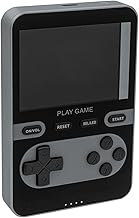
For example, a protector made specifically for an 8.8-inch Lenovo Legion Go 2 display should state that model clearly and should be cut for its particular front layout. A square handheld protector should likewise be sold for that square model rather than described only as “for 3.5-inch” or “for retro handheld.” Two screens can share a nominal size while having different usable widths and heights.
Before ordering, compare these details on the listing and your device:
- The complete device name, including generation or revision.
- Screen diagonal, such as 8.8 inches, only as a secondary confirmation.
- Aspect ratio and corner shape.
- Whether the protector has openings for cameras, sensors, or front-facing components.
- Whether it is labeled case-friendly.
If you can measure, use the visible glass area rather than the illuminated image alone. A flexible film can sometimes tolerate a 0.5 to 1 mm mismatch near an edge, but tempered glass generally cannot. Do not trim tempered glass: it can crack, splinter, and leave a rough edge. Flexible film can be trimmed in unusual applications, but doing so should be a last resort because a rough cut can begin lifting.
Material: Tempered Glass vs. Flexible Film
Tempered glass is the familiar choice for larger Windows gaming handhelds. It typically feels closer to bare glass, resists everyday scratches well, and gives a smooth surface for swipes and virtual keyboard use. Most tempered-glass protectors are roughly 0.25 to 0.33 mm thick. That is thin enough for normal touch input while providing a more substantial barrier against keys, grit, and minor bag damage.
Flexible film is usually made from PET or TPU-style plastic. It is thinner and lighter—often under 0.15 mm—and can suit small square handhelds, curved-edge screens, or devices where a glass protector is not available. Film is also less likely to shatter if dropped. Its tradeoff is lower rigidity: it can show marks sooner, feel less slick, and be harder to apply without dust or alignment issues.
Use these practical rules:
- Choose clear tempered glass for the closest bare-screen feel, easy cleaning, and maximum visual clarity.
- Choose matte tempered glass if reflection control matters more than absolute crispness.
- Choose clear flexible film for uncommon square displays, edge-to-edge shapes, or a very thin layer of protection.
- Choose matte flexible film for glare reduction on a low-cost handheld, provided you accept a slightly softer image.
Be careful with hardness claims. “9H” commonly refers to a pencil-hardness scale used in marketing, not a guarantee that the protector cannot scratch or crack. Glass can still break on impact, and film can still mark from sand or abrasive debris. The label is less useful than the correct fit, reputable cutouts, and a clean installation.
Construction Details That Separate a Good Protector From a Frustrating One
Look beyond the main material. The best listings clearly identify whether the protector is full adhesive, has a silicone adhesive layer, includes an alignment frame, and supplies cleaning tools. Full-surface adhesive is generally preferable to edge-only adhesive because it avoids a hollow-looking gap and supports touch input evenly across the display.
For glass, rounded 2.5D edges are a practical feature. They slightly soften the exposed edge, making it less noticeable under a thumb and less prone to catching on a cleaning cloth. A true edge-to-edge design may look elegant, but it is not automatically better: on handhelds used with hard cases, a slightly smaller case-friendly cut is often more durable.
A two-pack is especially valuable. It gives you a second attempt if the first installation traps dust or lands crooked. The reference options priced around $6.99 to $11.99 are commonly sold as two-packs, including clear glass for the Legion Go 2 and flexible film options for MSI Claw 8 EX AI+ and square handhelds. For most buyers, a two-pack provides better value than a single protector with no installation frame.
Included tools should ideally include two alcohol wipes, a microfiber cloth, dust-removal stickers, and a positioning guide or alignment tray. Those tiny extras matter more than elaborate packaging. A protector itself usually weighs only a few grams; the installation system is what determines whether it goes on straight.
Comfort and Gaming Performance
A good protector should disappear during play. On a touchscreen handheld, that means reliable taps at the corners, smooth swipes through game launchers, and no distracting glare or rainbow-like adhesive effects. Do not assume a thick protector improves impact protection enough to justify reduced responsiveness. For standard handheld use, a 0.25 to 0.33 mm glass protector is typically the sensible thickness range.
Clear glass is usually best for games with small UI text, strategy titles, desktop mode, and streaming interfaces. Matte surfaces can help when a ceiling light or window reflects directly into the display, but the texture may add visible grain against white menus and colorful artwork. If your device has a high-resolution panel and you primarily play inside, clear is normally the better match.
Fingerprint resistance is useful but should not be a deciding factor on its own. Oleophobic coatings reduce smudges initially, yet they wear with repeated wiping. Clean with a dry microfiber cloth first; use a lightly dampened cloth only when needed. Avoid household glass cleaners, abrasive paper towels, and strong solvents, which can damage coatings or creep under a lifted edge.
For touch-sensitive film listings, verify that the product is specifically designed for capacitive touch screens. Do not use generic protective vinyl, tablet packaging film, or a cut-to-fit furniture-protection sheet. These can distort the display, reduce touch accuracy, or leave adhesive residue.
Price Tiers and What You Actually Get
Screen protectors are one of the few handheld accessories where a higher price does not always mean better protection. Fit and installation quality matter more than branding.
- Budget: $6 to $10. Expect a basic one- or two-pack of clear tempered glass or flexible film, cleaning wipes, and perhaps dust stickers. The $6.99 Legion Go 2 two-pack and $8.99 square-handheld film two-packs fall into this category. Buy here when the listing is model-specific and the return policy is clear.
- Midrange: $11 to $18. This range should add an alignment frame, better cutout precision, a case-friendly design, or a matte option. The $11.99 two-pack flexible film for MSI Claw 8 EX AI+ is an example of the upper budget-to-midrange range.
- Premium: $19 to $35. Expect more polished installation hardware, stronger packaging, specialized anti-glare finishes, or a replacement policy. Premium can make sense for a large, expensive handheld display, but only if the exact model fit is documented.
Do not pay a premium solely for “HD,” “crystal clear,” “military-grade,” or “9H” wording. Those terms are often used broadly. Spend more for a tray, confirmed compatibility, useful replacement support, and a finish you genuinely prefer.
Warranty, Returns, Delivery, and Installation
For a low-cost accessory, a long warranty matters less than a usable return process. Check whether the seller replaces protectors damaged in transit or allows a return when the listed model fit is wrong. Installation mistakes are not always covered, which is another reason to favor a two-pack.
When the package arrives, inspect the glass before removing any backing film. Look for chipped corners, bent edges, dust inside the sealed sleeve, or a cutout layout that does not match the device. If the protector appears wrong, do not attempt installation; an unused item is easier to return.
Installation is the “assembly” step, and it should take about 5 to 10 minutes. Work in a low-dust room, turn off ceiling fans, wash and dry your hands, and power the handheld down. Clean the display with the included alcohol wipe, dry it with microfiber, then use dust stickers immediately before application. Align the protector from the camera, sensor, or top edge—not from the outer shell. Once it is resting in the correct position, let the adhesive settle from the center outward and press remaining bubbles toward the nearest edge with a wrapped card or microfiber cloth.
Small bubbles often clear within 24 to 48 hours. A visible dust speck will not disappear, and repeatedly lifting glass to remove it increases the chance of more debris. If you have a second protector, it is usually better to start over.
Spec Checklist
| Spec | Budget | Mid | Premium |
|---|---|---|---|
| Typical price | $6–$10 | $11–$18 | $19–$35 |
| Material | Clear film or basic 0.25–0.33 mm glass | Model-specific glass or upgraded flexible film | Specialized matte or high-clarity glass |
| Pack count | 1–2 protectors | Usually 2 protectors | 1–2 protectors with enhanced kit |
| Installation tools | Wipes and dust stickers | Complete cleaning kit; possible guide frame | Alignment tray or frame expected |
| Fit style | Standard cut | Case-friendly or precise cutouts | Highly model-specific, refined edge treatment |
| Best for | Basic scratch protection | Most daily players | Glare-sensitive or meticulous buyers |
Red Flags
- A listing names several unrelated handhelds with different screen sizes as compatible.
- The seller provides no device photos showing cutouts, corners, or edge coverage.
- “9H” is the only meaningful specification.
- The product is described as both tempered glass and flexible film without explaining which one it is.
- The protector claims universal compatibility based only on diagonal size.
- A full-coverage protector is recommended for use with a tight case but is not labeled case-friendly.
- The package lacks basic cleaning supplies or dust-removal stickers.
- The listing promises that glass is unbreakable, permanently fingerprint-proof, or guaranteed bubble-free under every installation condition.
FAQ
Is tempered glass better than film for a handheld gaming PC?
For most larger handheld gaming PCs, yes. Tempered glass generally feels smoother, stays clearer, and handles routine scratches better than flexible film. Film remains a good choice for square handhelds, unusual screen shapes, and devices with limited glass-protector options.
Will a screen protector affect touch controls?
A correctly fitted protector designed for capacitive touch should not noticeably affect normal taps or swipes. Problems are more likely with poor adhesive coverage, an incorrect model fit, a very thick protector, or generic film not intended for touch screens.
Should I buy matte or clear?
Choose clear for the sharpest image and best color appearance indoors. Choose matte if reflected windows, lamps, or outdoor light regularly interfere with play. Matte finishes trade some visual crispness for lower glare and fewer visible fingerprints.
Do I need a two-pack?
It is strongly recommended, especially if this is your first installation on a large handheld. A second protector covers dust, misalignment, or accidental breakage during application and usually costs only a few dollars more than a single-pack option.