Our Top Picks
The best metaverse headset for most people in 2026 is the Meta Quest 3, while the Quest 3S is the better low-cost entry point, PlayStation VR2 is the strongest choice for PS5 owners, and Apple Vision Pro is the premium pick for spatial computing rather than everyday gaming.
Best metaverse headsets at a glance
| Headset | Typical market price | Tracking and display | Battery or connection | Best for |
|---|---|---|---|---|
| Meta Quest 3 | Usually $500–$650 | Inside-out tracking; 4K+ combined resolution; 90/120Hz modes | About 2–2.5 hours standalone | Best overall balance of gaming, mixed reality, and apps |
| Meta Quest 3S | Usually $300–$400 | Inside-out tracking; Fresnel lenses; 90/120Hz modes | About 2.5 hours standalone | First headset and family-friendly value |
| PlayStation VR2 | Usually $350–$600, depending on bundle | Inside-out tracking; OLED HDR; eye tracking; 90/120Hz | Wired to PS5; no headset battery | High-quality console VR |
| Apple Vision Pro | Usually $3,500 and up | Inside-out tracking; high-resolution micro-OLED; eye and hand tracking | Roughly 2 hours with external battery | Premium spatial computing and media |
| Pico 4 Ultra | Usually $600–$900 where officially sold | Inside-out tracking; pancake lenses; high-resolution displays | Roughly 2.5–3 hours | Media, fitness, and mixed reality where supported |
1. Meta Quest 3: the best metaverse headset overall
Quest 3 is the easiest recommendation because it combines strong standalone performance, convincing mixed reality, good controller tracking, and the broadest mainstream VR app ecosystem. Its color passthrough cameras are useful for room-scale experiences, desk interaction, and seeing furniture or people without removing the headset.

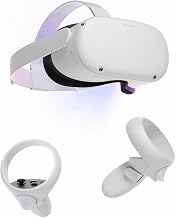
Meta Quest 2 — Advanced All-In-One Virtual Reality Headset — 128 GB
Picked as a relevant option in this category.
View on Amazon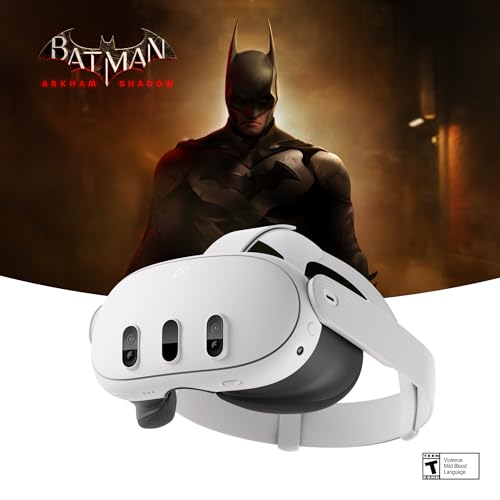
Meta Quest 3 512GB | VR Headset — Get Batman: Arkham Shadow Included
Chosen because it specifies VR Headset — Get Batman: Arkham Shadow Included.
View on Amazon
TechKen VR Charging Dock for Meta Quest 3S/Quest 3/Quest 2, Vertical VR Stand & Charging Station, Fast Charge Headset with Type-C Cable, Supports Controllers with Grip Covers & Elite Straps
Chosen because it specifies Vertical VR Stand & Charging Station and Fast Charge Headset with Type-C Cable.
View on Amazon
VIRTUAL REALITY SIMPLIFIED: A Step-by-Step Beginner’s Guide to VR Headsets, the Metaverse, and Immersive Worlds
Chosen because it specifies the Metaverse and and Immersive Worlds.
View on AmazonThe pancake lenses are a major practical advantage over the Quest 3S. They provide a larger clear viewing area, so you do not need to keep your eyes perfectly centered on the image. That matters when reading menus, using virtual monitors, or switching between a game and a browser.
- Tracking: Reliable inside-out six-degrees-of-freedom tracking without external base stations. It performs best in a reasonably lit room with visible edges and furniture.
- Comfort: The stock strap is serviceable but not ideal for long sessions. Budget for an aftermarket counterbalanced strap if you play for more than an hour at a time.
- Mixed reality: Better suited than the Quest 3S to spatial games and productivity because its depth sensor helps with room setup and environmental understanding.
- Ecosystem: Access to the Meta Quest Store, social platforms, fitness apps, PC VR through Quest Link or wireless streaming, and a large library of games.
- Cost of ownership: Add a comfort strap, protective case, and possibly a battery strap. A realistic complete setup is often $600–$800 rather than the headset price alone.
2. Meta Quest 3S: best budget headset
Quest 3S runs the same current-generation standalone software as Quest 3 and uses the same general tracking approach, making it a strong value for newcomers. Its main compromises are the older Fresnel lenses, lower optical clarity, and narrower sweet spot.
Choose the 3S when the priority is playing popular VR games, watching immersive video, or letting several family members try VR at the lowest reasonable cost. Choose Quest 3 instead if you read text, use virtual screens, or are sensitive to lens blur.
The 3S also includes a useful passthrough shortcut that makes checking your surroundings quick. However, its mixed-reality experience is less refined than Quest 3’s because the optical system and environmental sensing are more limited.
3. PlayStation VR2: best for PS5 owners
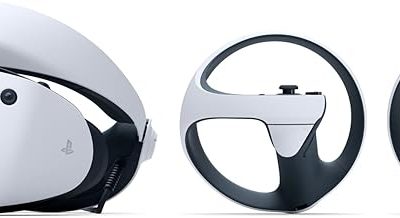
PlayStation VR2 remains the best metaverse headset for someone who already owns a PS5 and values console-exclusive VR games. Its OLED panels deliver deep blacks and HDR, while eye tracking enables features such as foveated rendering and gaze-based interaction.
Its biggest weakness is the cable. The headset does not need a battery, but the USB connection can snag during room-scale play and limits where you can use it. Tracking is generally simple to configure, although dark rooms, reflective surfaces, or insufficient visual detail can reduce inside-out tracking reliability.
- Choose it for: PS5 gaming, OLED contrast, headset rumble, eye tracking, and plug-and-play console setup.
- Do not choose it for: wireless social spaces, portable use, or a broad standalone app ecosystem.
- Total cost: Include the PS5 if you do not already own one. The complete platform can cost substantially more than a standalone Quest system.
PC compatibility is possible through Sony’s PC adapter, but some PS VR2 features and game compatibility vary. Treat PC support as an additional use case, not a replacement for a native PC VR headset.
4. Apple Vision Pro: best premium spatial computer
Apple Vision Pro is not the sensible choice for most VR gaming, but it is the most advanced option here for high-resolution virtual displays, eye-and-hand interaction, spatial video, and premium media viewing. Its operating system is designed around floating windows and spatial content rather than traditional game-first VR.
Eye tracking is exceptionally important to the interface: look at an item, pinch to select it, and move windows with hand gestures. This can feel more natural than constantly reaching for controllers, but it is not ideal for fast action games that depend on physical buttons, haptics, or tracked controllers.
The external battery improves headset weight distribution but introduces a cable and limits untethered sessions to around two hours. Comfort varies considerably with facial shape and fit. Since storage tiers, optical inserts, cases, and replacement accessories can raise the final price, calculate the complete setup before treating the headset price as the total.
Tracking, comfort, and mixed reality: what matters in practice
Tracking quality
Inside-out tracking is now the default for mainstream standalone headsets. It is convenient because cameras on the headset map the room, but it depends on lighting and visual features. Use even overhead lighting, avoid a completely dark room, and do not point the headset at a blank wall for long periods.
For controllers, optical tracking usually works best when your hands remain within the headset cameras’ field of view. If you frequently play with your hands behind your body or close to your face, a system with better occlusion handling or tracked accessories may be preferable.
Comfort
Weight is only part of comfort. Balance, facial pressure, ventilation, glasses clearance, and the ability to adjust lens spacing matter just as much. A front-heavy headset can feel tiring after 30 minutes even if its specification sheet looks light.
For long sessions, prioritize a replaceable strap, a facial interface that can be cleaned, and a battery positioned toward the back. Avoid adding a large battery to a poorly balanced strap: extra runtime is not useful if neck fatigue ends the session first.
Mixed reality
Mixed reality quality depends on more than color passthrough. Look for low-latency camera views, accurate room boundaries, depth sensing or effective scene understanding, and software that uses the environment meaningfully. A headset can have color cameras yet still produce distracting warping or unreliable virtual objects.
Battery life and the hidden power budget
Standalone VR headsets commonly last about two to three hours because they power high-resolution displays, cameras, wireless radios, and a mobile processor continuously. A battery strap can extend a session, but its advertised capacity is not the same as usable headset runtime.
For example, suppose a headset battery is rated at 5,000 mAh and 3.85 volts:
5,000 mAh × 3.85 V = 19.25 Wh
If the headset averages 7 watts while playing, the theoretical runtime extension is:
19.25 Wh ÷ 7 W = 2.75 hours
Allowing for conversion losses, heat, cable losses, and the fact that battery packs do not deliver their full rated capacity at every load, a practical extension may be closer to two hours. When comparing battery accessories, compare watt-hours, output compatibility, weight, and balance—not only milliamp-hours.
Which headset fits your situation?
| Your situation | Best choice | Why |
|---|---|---|
| You want one headset for games, social apps, and mixed reality | Meta Quest 3 | Strong all-round hardware and the broadest standalone ecosystem |
| You want the lowest sensible entry price | Meta Quest 3S | Current-generation software at a lower price, with optical compromises |
| You already have a PS5 | PlayStation VR2 | Excellent console VR visuals and exclusive software |
| You want virtual monitors, spatial video, and premium media | Apple Vision Pro | Superior display clarity and eye-and-hand interaction, at a very high cost |
| You want wireless use and dislike cables | Meta Quest 3 or Quest 3S | Both are self-contained and can also connect to a computer wirelessly |
| You need long sessions | Quest 3 with a balanced battery strap | Replaceable comfort and power accessories make extended play practical |
How to reduce blur, tracking problems, and short battery life
If the image looks blurry
- Clean the lenses with a dry microfiber cloth; skin oil can create broad haze.
- Adjust the headset vertically before changing lens spacing. The display should sit level with your eyes.
- Move the headset slightly closer or farther from your face. Facial interfaces and glasses can change the correct position.
- On headsets with pancake lenses, keep text-heavy windows near the central viewing area even though the lenses have a large sweet spot.
If tracking drifts
- Turn on more even room lighting, avoiding direct glare into the cameras.
- Remove highly reflective or moving objects from the play area.
- Redraw the boundary after changing furniture or room lighting.
- Restart the headset if drift begins suddenly; persistent drift after that may indicate a sensor or software problem.
If the battery drains too quickly
- Lower display refresh rate when playing slower games or watching video.
- Reduce brightness and disable features you are not using, such as wireless streaming.
- Use a short, high-quality USB-C cable and a battery pack that supports the headset’s required power profile.
- Keep ventilation clear. Heat can increase power use and shorten the useful life of the battery.
Final verdict
Quest 3 is the best metaverse headset for the widest range of people because it balances tracking, comfort potential, mixed reality, battery accessories, and software access. Quest 3S is the value alternative when price matters more than optical clarity. PS VR2 wins for PS5-focused gaming, while Apple Vision Pro earns its place only when premium spatial computing and media justify its much higher total cost.