Key takeaways
- Memory capacity: The 5070 ships with 12GB of GDDR7, while every 5070 Ti — ASUS Prime, GIGABYTE Gaming OC, MSI Ventus 3X — carries 16GB. That buffer is the single biggest long-term differentiator at 4K and with heavy texture mods.
- Memory bandwidth: A 192-bit bus on the 5070 versus 256-bit on the Ti gives the bigger card roughly a third more bandwidth, which is exactly what ray tracing and high-resolution frame buffers are hungry for.
- Raw performance: Expect the Ti to lead by around 20–25% at 1440p and closer to 30% at 4K, where the 5070’s narrower bus starts to bite.
- Power and PSU: The 5070 sits near 250W and is comfortable on a quality 650W unit; the Ti pushes closer to 300W and pairs best with 750W or more.
- Cooler size: The 5070 Ti generally needs more radiator volume, though SFF-ready designs like the ASUS Prime 2.5-slot and GIGABYTE Eagle OC ICE SFF have made small-form-factor builds far easier than in previous generations.
- Feature parity: Both support PCIe 5.0, HDMI 2.1b, DisplayPort 2.1, the ninth-gen NVENC encoder and the full DLSS 4 stack — no features are locked behind the Ti.
Nvidia’s Blackwell mid-range has settled into a clear two-tier structure, and in 2026 the decision most 1440p and 4K builders face comes down to a single step on the ladder: the GeForce RTX 5070 or the GeForce RTX 5070 Ti. On paper they sound like siblings — same architecture, same GDDR7 memory, same DLSS 4 feature set with Multi Frame Generation. In practice, the Ti is a meaningfully larger GPU with a wider memory bus and 16GB of VRAM, and that gap has only become more relevant as UE5 titles, path-traced modes and 4K texture packs have become the norm rather than the exception.
The right answer depends on your monitor, your case, your power supply and how long you intend to keep the card. Below we break down the real-world differences, then point to the specific board-partner models worth shortlisting — from the compact ASUS Prime SFF-Ready 5070 Ti and GIGABYTE Eagle OC ICE SFF to the ASUS TUF Gaming RTX 5070 OC for value-focused builds.
Our top picks

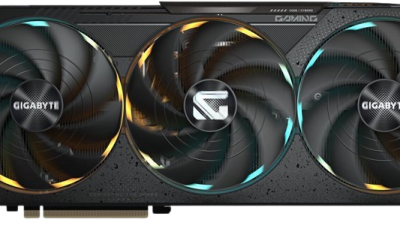
 GIGABYTE GeForce RTX 5070 Ti Gaming OC
- Product Group: Personal Computer
- Binding: Personal Computers


 ASUS ROG Strix NVIDIA GeForce RTX 5070
- Product Group: Personal Computer
- Binding: Personal Computers


As an Amazon Associate we earn from qualifying purchases at no extra cost to you. Ratings are shown as listed on Amazon.
⚡ Save on Your Next PC — Amazon Prime
Prime members get fast free shipping on the systems above, plus early access to Prime Day & Black Friday PC deals. New members get a 30-day free trial.
Watch: RTX 5070 vs 5070 Ti: Which to Buy in 2026? — Video Review
Quick Verdict
Buy the RTX 5070 if you game at 1080p or 1440p, want the lowest entry price into Blackwell, and are happy leaning on DLSS 4 upscaling in the heaviest titles. Buy the RTX 5070 Ti if you play at 4K, run demanding ray-traced or path-traced games, use local AI tools, or simply want the extra 4GB of VRAM and roughly 20–25% more raw performance to keep the card relevant for several more years.
Key Differences
- Memory capacity: The 5070 ships with 12GB of GDDR7, while every 5070 Ti — ASUS Prime, GIGABYTE Gaming OC, MSI Ventus 3X — carries 16GB. That buffer is the single biggest long-term differentiator at 4K and with heavy texture mods.
- Memory bandwidth: A 192-bit bus on the 5070 versus 256-bit on the Ti gives the bigger card roughly a third more bandwidth, which is exactly what ray tracing and high-resolution frame buffers are hungry for.
- Raw performance: Expect the Ti to lead by around 20–25% at 1440p and closer to 30% at 4K, where the 5070’s narrower bus starts to bite.
- Power and PSU: The 5070 sits near 250W and is comfortable on a quality 650W unit; the Ti pushes closer to 300W and pairs best with 750W or more.
- Cooler size: The 5070 Ti generally needs more radiator volume, though SFF-ready designs like the ASUS Prime 2.5-slot and GIGABYTE Eagle OC ICE SFF have made small-form-factor builds far easier than in previous generations.
- Feature parity: Both support PCIe 5.0, HDMI 2.1b, DisplayPort 2.1, the ninth-gen NVENC encoder and the full DLSS 4 stack — no features are locked behind the Ti.
GeForce RTX 5070: The Value 1440p Choice
The RTX 5070 remains an excellent 1440p card. In the vast majority of current titles it clears 100fps at high settings natively, and with DLSS 4 quality upscaling plus Frame Generation it handles even path-traced showcases at playable frame rates. The ASUS TUF Gaming RTX 5070 12GB OC Edition is the pick if you want the most robust version of it — military-grade componentry, a protective PCB coating, Axial-tech fans and a three-year warranty make it one of the better-built cards in its bracket.
The caveat is that 3.125-slot thickness and the 12GB frame buffer. The former rules it out of some slim cases; the latter is fine today at 1440p but is the first thing you’ll notice hitting a wall in 4K texture-heavy games or when experimenting with local LLMs and image generation. If your monitor is 1080p or 1440p and you upgrade GPUs every few years, that trade is entirely reasonable.
GeForce RTX 5070 Ti: Headroom That Lasts
The 5070 Ti is the card most people should stretch for if the budget allows. It is genuinely a 4K-capable GPU with DLSS enabled, comfortably drives high-refresh 1440p without compromise, and the 16GB buffer removes the main anxiety about longevity. Board partners have also given it real variety: the GIGABYTE Gaming OC 16G with its WINDFORCE cooler is the safe high-airflow default, the MSI Ventus 3X OC 16G offers a clean triple-fan design with strong factory clocks, and the ASUS Prime SFF-Ready OC squeezes it into 2.5 slots with a dual-BIOS switch for quiet or performance modes.
There are compact and portable options too. The GIGABYTE Eagle OC ICE SFF is aimed squarely at small builds in white-themed systems, while the ASUS ROG XG Mobile (2025) puts 5070 Ti silicon in a Thunderbolt 5 external enclosure for laptop owners who want desktop-class graphics without a desktop. Just budget for the extra heat and wattage in any of these configurations.
Which Should You Buy?
- For 1080p high-refresh esports: pick the RTX 5070 — the Ti’s extra grunt is largely wasted here.
- For 1440p at maximum settings: either works, but the 5070 Ti gives you more consistent 1% lows in ray-traced titles.
- For 4K gaming: pick the RTX 5070 Ti. The 16GB buffer and wider bus aren’t optional at this resolution.
- For small-form-factor builds: the ASUS Prime SFF-Ready or GIGABYTE Eagle OC ICE SFF 5070 Ti fit where the thicker 5070 TUF may not.
- For laptop users: the ROG XG Mobile with 5070 Ti is the only realistic route to this performance tier over Thunderbolt 5.
Frequently Asked Questions
Is 12GB of VRAM enough in 2026?
At 1080p and 1440p, yes, in almost all cases. At 4K with ultra textures or path tracing, several current titles will exceed it, forcing you to drop settings or rely more heavily on upscaling.
What power supply do I need?
A quality 650W unit is the sensible minimum for the RTX 5070 and 750W for the 5070 Ti. Both use the 12V-2×6 connector, so seat it fully and avoid tight cable bends.
Does the 5070 Ti support anything the 5070 doesn’t?
No. DLSS 4, Multi Frame Generation, Reflex 2, PCIe 5.0 and the same encode/decode blocks are present on both. The Ti simply has more of the same hardware.
Is the price gap worth it?
If you game at 4K or plan to keep the card four or more years, yes. For 1080p and mainstream 1440p play, the 5070 delivers the better performance-per-dollar.
Final Verdict
The RTX 5070 is the smarter buy for 1080p and 1440p gamers on a defined budget, particularly in the well-built ASUS TUF Gaming trim. But the RTX 5070 Ti — whether the GIGABYTE Gaming OC, MSI Ventus 3X or a compact SFF-ready ASUS Prime — is the card that will still feel comfortable in three or four years, and for 4K players it’s the only one of the two we’d genuinely recommend.