Key takeaways
- Core layout: The Ultra 9 285K uses 8 P-cores plus 16 E-cores for 24 cores and 24 threads. Ryzen 9 tops out at 16 full cores with SMT, giving 32 threads.
- Gaming approach: AMD’s X3D models stack extra L3 cache under the die, which disproportionately helps simulation, strategy and esports titles. Intel counters with higher clocks and faster memory support.
- Platform longevity: AM5 has hosted multiple CPU generations. LGA 1851 is newer and, so far, shorter-lived — worth weighing if you plan a drop-in upgrade.
- Power behaviour: Arrow Lake runs noticeably cooler and quieter than the old i9-14900K under mixed loads, while Ryzen 9 remains very efficient in sustained all-core work.
- AI acceleration: The Core Ultra 9 includes an on-package NPU for local AI features; current Ryzen 9 desktop parts generally do not.
- Bundle value: Intel buyers can shortcut the platform cost with combos such as the Micro Center Ultra 9 285K and TUF Gaming Z890-Plus WiFi bundle.
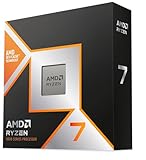
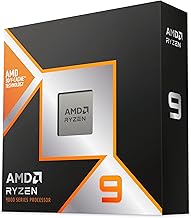
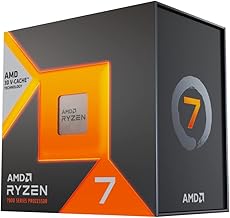
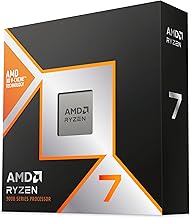
The high-end desktop CPU fight has rarely been this interesting. On one side sits Intel’s Arrow Lake flagship, the Core Ultra 9 285K, with a 24-core hybrid layout, a new LGA 1851 socket and a built-in NPU. On the other, AMD’s Ryzen 9 family — the 9950X3D, 9950X and 9900X — continues to lean on the long-lived AM5 platform and, crucially, on 3D V-Cache for gaming.
In 2026 the choice matters more than it did a generation ago, because the two brands now optimise for genuinely different things. Intel has pushed hard on multithreaded efficiency, memory speed and platform features; AMD has pushed hard on cache and frame rates. If you are spending £400–£650 on a chip that will anchor a build for four or five years, the tie-breaker is what you actually do with the machine.
Our top picks
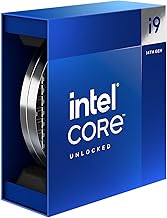
 Intel Core™ Ultra 9 Processor 285K 24
- Product Group: Personal Computer
- Binding: Personal Computers




As an Amazon Associate we earn from qualifying purchases at no extra cost to you. Ratings are shown as listed on Amazon.
⚡ Save on Your Next PC — Amazon Prime
Prime members get fast free shipping on the systems above, plus early access to Prime Day & Black Friday PC deals. New members get a 30-day free trial.
Watch: Intel Core Ultra 9 vs Ryzen 9: 2026 Battle — Video Review
Quick Verdict
If gaming performance is your first priority — especially at 1080p or 1440p with a fast GPU — a Ryzen 9 X3D part is still the safer buy, and AM5’s upgrade runway is a real advantage. If you split your time between gaming and heavy content work, or you want the strongest all-round productivity chip with modern I/O and low idle power, the Core Ultra 9 285K is the more complete package. Neither choice is a mistake; they simply reward different workloads.
Key Differences
- Core layout: The Ultra 9 285K uses 8 P-cores plus 16 E-cores for 24 cores and 24 threads. Ryzen 9 tops out at 16 full cores with SMT, giving 32 threads.
- Gaming approach: AMD’s X3D models stack extra L3 cache under the die, which disproportionately helps simulation, strategy and esports titles. Intel counters with higher clocks and faster memory support.
- Platform longevity: AM5 has hosted multiple CPU generations. LGA 1851 is newer and, so far, shorter-lived — worth weighing if you plan a drop-in upgrade.
- Power behaviour: Arrow Lake runs noticeably cooler and quieter than the old i9-14900K under mixed loads, while Ryzen 9 remains very efficient in sustained all-core work.
- AI acceleration: The Core Ultra 9 includes an on-package NPU for local AI features; current Ryzen 9 desktop parts generally do not.
- Bundle value: Intel buyers can shortcut the platform cost with combos such as the Micro Center Ultra 9 285K and TUF Gaming Z890-Plus WiFi bundle.
Intel Core Ultra 9 285K
The Ultra 9 285K is the most versatile chip Intel has shipped in years. Twenty-four cores boosting to 5.7 GHz make short work of Blender renders, DaVinci Resolve timelines, code compilation and streaming while you play. Dropping Hyper-Threading cost it some synthetic ground, but real-world responsiveness is excellent, and thermals are far more civilised than the previous flagship — a meaningful upgrade if you have ever fought an i9-14900K in a small-form-factor case.
For gaming, the 285K is strong rather than dominant. Paired with a fast GPU at 1440p or 4K it will rarely be the bottleneck, and DDR5-6400 support plus a modern chipset keeps loading and shader compilation snappy. If you want the same architecture with lower power draw, the 65W Core Ultra 9 285 is an outstanding quiet-build option; the Core Ultra 7 270K Plus covers the same territory for less money.
AMD Ryzen 9
Ryzen 9 remains the enthusiast gamer’s default, and the reason is cache. The 9950X3D’s stacked L3 delivers standout frame rates and, more importantly, better 1% lows in CPU-bound titles — open-world games, flight sims, MMOs and competitive shooters at high refresh rates. Because that advantage comes from cache rather than clock speed, it holds up well without exotic cooling or aggressive memory tuning.
The non-X3D 9950X is the value play for creators who care more about render throughput than frame pacing, and 32 threads still count in professional applications. AM5 is the other half of the argument: a mature socket with broad board availability, easy DDR5 support and a credible chance of one more CPU upgrade before a full rebuild. That matters if you buy incrementally rather than all at once.
Which Should You Buy?
- For competitive gaming at 1080p/1440p: pick a Ryzen 9 X3D — the frame-time consistency is worth it.
- For mixed gaming and content creation: pick the Core Ultra 9 285K; it is the better all-rounder.
- For a quiet or compact build: pick the 65W Core Ultra 9 285, which delivers most of the performance with far less heat.
- For the simplest upgrade path: pick AM5 and Ryzen 9, or grab an Intel CPU-and-motherboard bundle to save a step.
- For the best value flagship: consider the Core Ultra 7 270K Plus before stretching to a full Ultra 9.
Frequently Asked Questions
Is the Core Ultra 9 285K better than the i9-14900K?
For efficiency, thermals and platform features, comfortably yes. In raw gaming frame rates the two are closer than the generational gap suggests, but the 285K is far easier to cool and live with.
Do I need a Ryzen 9 X3D chip for gaming?
Only if you are CPU-limited. At 4K with a high-end GPU the gap narrows sharply; at 1080p or 240 Hz it is clearly visible.
Will my old cooler fit LGA 1851?
Most LGA 1700 coolers are compatible, though some require a bracket. Check with the manufacturer before you buy.
Is 24 threads enough for streaming?
Yes. With modern GPU encoders, the 285K handles gameplay and a 1080p60 stream simultaneously without meaningful frame loss.
Final Verdict
Buy a Ryzen 9 X3D if games are the point of the build and you want the longest upgrade runway from a single socket. Buy the Intel Core Ultra 9 285K if your PC earns its keep between gaming sessions — rendering, editing, compiling or streaming — and you value cooler, quieter operation. Both are excellent in 2026; match the chip to the workload and you will not regret either.