Key takeaways
- A “100W” claim with no amp rating, voltage information, or USB-C PD reference.
- “Fast charging” language that does not state whether the cable supports data transfer.
- Photos showing a USB-C plug but text describing a different connector.
- No length measurement, or a length given only as an unclear metric conversion.
- Rigid strain relief, visible molding gaps, or a connector that is unusually loose.
- Promises of overcharge protection from the cable alone. Charging safety is primarily managed by the device, charger, and USB-C power-delivery system.
- A display or LED used as the main selling point while essential electrical specifications are missing.
- A cable that becomes hot, disconnects when moved, or charges only when held at an angle.
What's inside
Buying a charging cable for a handheld PC sounds simple until the wrong cord causes slow charging, loose connections, excessive heat, or an awkward setup on the couch. A common mistake is choosing by connector shape alone. Nearly every modern handheld PC uses USB-C, but USB-C cables can differ dramatically in power capacity, data support, flexibility, length, and build quality.
Another mistake is assuming that a cable rated for a phone will automatically suit a gaming handheld. A compact handheld may accept 30W to 65W, while a more demanding model can benefit from a 100W USB-C power supply. The cable must be able to carry the required power, and the charger must provide it. A cable cannot turn a low-output adapter into a high-output charger.
As an Amazon Associate we earn from qualifying purchases at no extra cost to you. Product prices and availability are accurate as of the date shown and are subject to change.
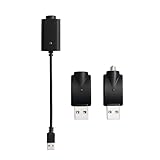


Shoppers also overpay for features they do not need, such as a digital wattage display, while overlooking strain relief and connector fit. The best choice depends on how you play, where the charging port sits, and whether you need charging only or charging plus high-speed data transfer.
Decide These 3 Things First
- How much power does your handheld need? Check the handheld’s included adapter or technical specifications. Many devices charge at 30W to 45W, while higher-performance models commonly use 65W. A 100W cable provides useful headroom, but it does not force the handheld to draw 100W.
- How will you use the cable? A 3.3-foot cable works at a desk or bedside table. A 6-foot cable is more practical for a couch or hotel room. If the cable will run across a lap, look for a soft jacket and a connector that does not stick straight out under your hands.
- Do you need data as well as power? A charge-only cable can be fine for topping up from a wall adapter. For docking, file transfers, external storage, or connecting accessories, choose a USB-C cable with a stated data rate, such as USB 3.2 at 5Gbps or 10Gbps. “Fast charging” alone does not guarantee fast data.
Size and Length
Cable length affects convenience more than most buyers expect. For a desk, 3 to 4 feet is usually enough and creates less slack around the handheld. For a nightstand or couch, 6 feet gives considerably more freedom. A 10-foot cord can be useful in a large room, but the extra length adds weight and tangling, and very long cables may be less comfortable during play.
Look beyond the advertised length. A cable listed as 3.3 feet may measure roughly 39.6 inches from end to end, but the usable reach is shorter once the charger and handheld ports are considered. If the charging brick sits on the floor, 6 feet is a safer choice.
Connector size matters, too. Thick metal housings can interfere with a protective case or sit against the handheld’s edge. If the port is recessed, seek a slim connector housing. A right-angle USB-C plug can reduce the bend at the handheld, but verify its orientation: a plug that points down on one device may point sideways on another.
Material and Jacket
PVC-jacketed cables are generally the least expensive and can be perfectly adequate for occasional use. They are often lighter and more flexible than heavily braided models. Their weakness is that the jacket may show kinks or splitting sooner when repeatedly coiled.
Nylon-braided cables usually resist surface abrasion and feel more substantial. They are a sensible choice for a cable that travels in a backpack or gets unplugged several times a day. The tradeoff is added stiffness and weight. A thick braided cable can pull on a handheld’s USB-C port when the device is held in both hands.
For most handheld setups, prioritize flexibility over maximum thickness. A cable around 3.5 to 5 millimeters in diameter is typically easier to manage than an extra-heavy cable designed for permanent desk use. Aluminum or zinc-alloy housings may improve durability, but a metal shell is not proof of better electrical performance.
Construction and Connector Quality
Examine the transition between the cable and each plug. This is the area that bends most and should have a long, flexible strain-relief boot rather than a sharp, rigid joint. A reinforced boot extending about 1 to 2 inches from the connector can help distribute bending, although its appearance alone does not guarantee longevity.
For cables intended to deliver more than 60W, check whether the listing identifies a 5A rating or an electronic marker, often called an e-marker. USB-C power delivery at 100W commonly uses 20 volts and 5 amps, while many 60W cables are limited to 3 amps. A vague claim such as “100W compatible” is less useful if the listing does not state the current rating.
Connector fit should be snug without requiring force. A plug that wobbles, disconnects when the handheld moves, or needs to be held at an angle is a poor choice. Avoid repeatedly twisting the connector to make contact; that can damage both the cable and the device port.
Comfort and Charging Performance
A handheld cable should disappear during play rather than tug at the device. For portable use, a lighter 3- to 6-foot cable is usually more comfortable than a rigid 10-foot model. The cable should bend naturally near the port, with no sharp kink when the handheld is held in landscape orientation.
For charging performance, match the cable to the charger and handheld. A 45W handheld generally needs a power source that can deliver at least 45W through USB-C Power Delivery. A 65W charger paired with a 60W, 3A cable may work below its maximum, but it cannot provide the full 100W capability claimed by a 5A cable.
LED indicators and wattage displays can be convenient, especially when troubleshooting. However, an indicator light does not prove that power delivery is working at the expected level. Treat displays as a convenience feature, not a substitute for stated USB-C PD specifications. Also avoid bright LEDs if you charge beside your bed.
Price Tiers
Budget: $6 to $12. This range covers basic 3- to 6-foot cables, including simple USB-C charging cords and some older-device cables. Expect a PVC or lightweight braided jacket and limited or unspecified data performance. Budget cables can be suitable as spares, provided the listing clearly states the needed wattage.
Midrange: $12 to $25. These cables more often include braided jackets, reinforced connectors, 60W or 100W ratings, and better length choices. A midrange cable is the practical sweet spot for daily handheld use. Look for a specific current rating, USB-C PD support, and a stated data speed if you use a dock.
Premium: $25 to $45. Premium pricing can make sense for a tested 100W or 240W cable, a particularly flexible design, a long warranty, or a specialized right-angle connector. It is not automatically worthwhile for a handheld that draws 45W. A digital display or decorative metal housing alone should not justify a premium.
Example listings show why comparison matters. A low-cost three-pack may provide useful spares for under $10, while an $11 to $12 cable with a braided jacket and display may offer more visible charging information. A purpose-built cable for an older handheld can cost around $9 but may not meet the requirements of a modern USB-C gaming PC.
Warranty and Return Terms
For a cable costing less than $10, a short replacement period may be acceptable. For a daily-use cable priced from $15 to $40, look for at least a 12-month warranty or a clearly stated return window. Keep the receipt and packaging until the cable has completed several charging sessions.
Warranty language should specify what is covered. “Lifetime warranty” may cover manufacturing defects but exclude damage from bending, liquid, or normal wear. A return policy is especially important when buying a cable with an unusual connector shape or a right-angle plug that may not fit through a case.
Do not use a cable that becomes hot at the connector, smells like overheated plastic, shows exposed shielding, or repeatedly interrupts charging. A warranty is useful, but it is not a reason to continue using a visibly damaged cord.
Delivery and Setup
There is normally no assembly required: connect the USB-C end to the handheld and the other end to a compatible charger. Before ordering, confirm whether the package includes one cable or a multipack, and check the listed length in feet or meters. A three-pack can be economical for a desk, travel bag, and bedside table, but quality may vary between sellers and batches.
When the cable arrives, inspect both connectors and test charging before routing it behind furniture. If you use a dock, test the cable with the handheld in its case. Leave enough slack for the device to be lifted without pulling the charger or bending the connector. For a permanent setup, secure excess cable with a loose hook-and-loop tie rather than a tight knot.
Spec Checklist
| Spec | Budget | Mid | Premium |
|---|---|---|---|
| Typical price | $6–$12 | $12–$25 | $25–$45 |
| Useful length | 3–6 feet | 3–6 feet | 6–10 feet or specialized short cable |
| Power rating | 60W stated preferred | 60W–100W | 100W–240W, with current clearly stated |
| Current rating | 3A common | 3A or 5A | 5A with e-marker when required |
| Data support | USB 2.0 or unspecified | USB 3.2 at 5Gbps or 10Gbps | 10Gbps or higher, explicitly listed |
| Jacket | PVC or light braid | Reinforced braid | Flexible braid with premium strain relief |
| Warranty goal | 30–90 days | At least 12 months | 12–24 months or longer |
Red Flags
- A “100W” claim with no amp rating, voltage information, or USB-C PD reference.
- “Fast charging” language that does not state whether the cable supports data transfer.
- Photos showing a USB-C plug but text describing a different connector.
- No length measurement, or a length given only as an unclear metric conversion.
- Rigid strain relief, visible molding gaps, or a connector that is unusually loose.
- Promises of overcharge protection from the cable alone. Charging safety is primarily managed by the device, charger, and USB-C power-delivery system.
- A display or LED used as the main selling point while essential electrical specifications are missing.
- A cable that becomes hot, disconnects when moved, or charges only when held at an angle.
FAQ
What wattage cable should I buy for a handheld PC?
For most handheld PCs, a quality 60W cable is a reasonable minimum, while a 100W, 5A cable offers extra headroom for higher-power models and future devices. The charger must also support the handheld’s required wattage through USB-C Power Delivery.
Is a USB-C cable automatically suitable for fast charging?
No. USB-C describes the connector and interface, not one guaranteed performance level. Check the cable’s wattage, current rating, and USB-C PD support. A cable can fit perfectly while charging slowly.
Do I need a special cable for a handheld dock?
Usually, you need more than a charge-only cable. Choose one with a stated data rate, preferably USB 3.2 at 5Gbps or 10Gbps, if the dock handles displays, storage, or accessories. Confirm that the dock and handheld support the same features.
Is a braided cable always better?
Not always. Braiding can improve abrasion resistance, but it can also make a cable stiff and heavy. For handheld play, a flexible cable with strong strain relief and a secure connector is more important than a thick outer jacket.