Key takeaways
- Excellent 1440p performance: Smooth high-refresh gaming out of the box.
- DLSS 4 support: Big frame-rate gains and viable 4K in many titles.
- Fast GDDR7 and PCIe 5.0: Modern memory and interface with no bottlenecks.
- SFF options available: Compact versions fit small-form-factor builds.
NVIDIA’s RTX 5070 has quickly become the go-to graphics card for gamers who want strong 1440p performance without stepping into flagship pricing. Built on the Blackwell architecture with fast GDDR7 memory and full DLSS 4 support, it delivers a meaningful generational leap that makes it one of the smartest GPU buys of the year. But with so many board partner versions available, choosing the right one matters.
This review looks at the RTX 5070 as a whole and compares the leading GIGABYTE, ASUS, and PNY variants, examining cooling, size, and features. If you are building or upgrading a gaming PC and eyeing the 5070, here is everything you need to weigh before you buy.
Our top picks
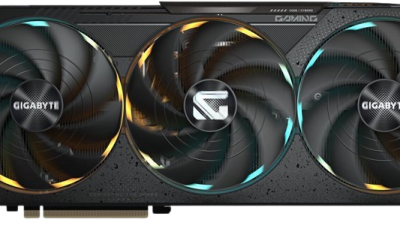
 GIGABYTE GeForce RTX 5070 Gaming OC 12G
- Powered by the NVIDIA Blackwell architecture and DLSS…
- Powered by GeForce RTX 5070
- Integrated with 12GB GDDR7 192bit memory interface
 ASUS SFF-Ready Prime NVIDIA GeForce RTX 5070
- Powered by the NVIDIA Blackwell architecture and DLSS…
- SFF-Ready enthusiast GeForce card compatible with small-form-factor builds
- Axial-tech fans feature a smaller fan hub that…
| Product | Key specs | |
|---|---|---|
| GIGABYTE GeForce RTX 5070 Gaming OC 12G | Powered by the NVIDIA Blackwell architecture and DLSS… Powered by GeForce RTX 5070 Integrated with 12GB GDDR7 192bit memory interface | Check price |
| ASUS SFF-Ready Prime NVIDIA GeForce RTX 5070 | Powered by the NVIDIA Blackwell architecture and DLSS… SFF-Ready enthusiast GeForce card compatible with small-form-factor builds Axial-tech fans feature a smaller fan hub that… | Check price |
 NVIDIA NVIDIA | * NVIDIA Blackwell Architecture * NVIDIA DLSS 4 … | Check price |
 GIGABYTE GeForce RTX 5070 Ti Gaming OC GIGABYTE GeForce RTX 5070 Ti Gaming OC | Check price | |
 ASUS SFF-Ready Prime NVIDIA GeForce RTX™ 5070 ASUS SFF-Ready Prime NVIDIA GeForce RTX™ 5070 | AI Performance: 1005 AI TOPS OC mode boosts clock 2587 MHz (OC mode)… Powered by the NVIDIA Blackwell architecture and DLSS… | Check price |
 Gaming RTX 5070 12G Ventus 3X OC Gaming RTX 5070 12G Ventus 3X OC | Check price | |
 msi Gaming RTX 5070 TI 16G FRIEREN msi Gaming RTX 5070 TI 16G FRIEREN | Powered by the NVIDIA Blackwell architecture and DLSS… TRI FROZR 4 Thermal Design: Upgraded fans, airflow… STORMFORCE Fan: Seven fan blades, claw texturing, and… | Check price |
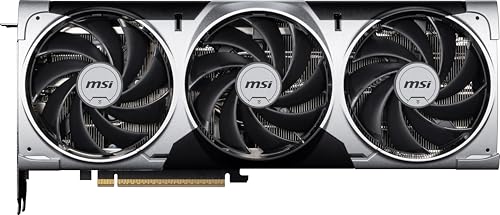 msi Gaming RTX 5070 12G Ventus 3X msi Gaming RTX 5070 12G Ventus 3X | Powered by the NVIDIA Blackwell architecture and DLSS… TORX Fan 5.0: Fan blades linked by ring… Nickel-plated Copper Baseplate: Heat from the GPU and… | Check price |
As an Amazon Associate we earn from qualifying purchases at no extra cost to you.
🎮 Get More From Your Setup — Free
Prime Gaming gives you free PC games every month, in-game loot, and a free Twitch channel sub — plus fast free shipping on all the gear above. New members get a 30-day free trial.
Watch: 5070 Graphics Card: Review & Buyer’s Guide — Video Review
Design & Build
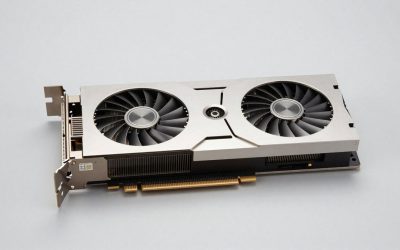
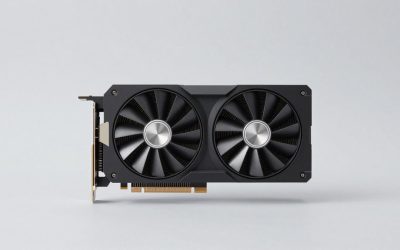
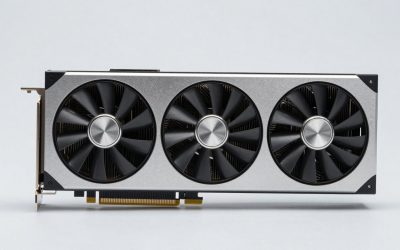
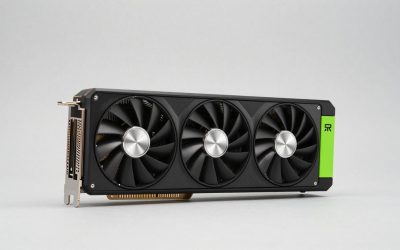
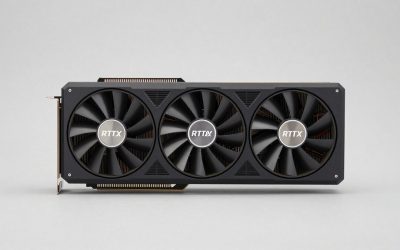
All RTX 5070 cards share the same core: 12GB of GDDR7 on a 192-bit bus with PCIe 5.0. Where they differ is cooling and form factor. The GIGABYTE Gaming OC and AERO OC use the triple-fan WINDFORCE cooler for strong thermals in standard cases, while the GIGABYTE Eagle OC ICE SFF and ASUS Prime OC are designed to fit small-form-factor builds, a big plus for compact rigs. The ASUS TUF Gaming version is the heavy-duty option, with a beefy 3.125-slot cooler, military-grade components, and protective PCB coating for maximum durability and quiet operation. The PNY OC Triple Fan rounds things out as a solid, SFF-ready mainstream pick.
Fit and Cooling
Card size is the key practical consideration. If you have a compact case, the SFF-ready GIGABYTE Eagle ICE or ASUS Prime are the safe choices, while the larger TUF Gaming rewards spacious cases with excellent cooling.
Performance
The RTX 5070 is a 1440p powerhouse. Across every board partner version, performance is essentially identical at stock, since they share the same GPU, and it delivers smooth high-refresh gaming at 1440p with plenty of settings headroom. DLSS 4 is the secret weapon, boosting frame rates dramatically in supported titles and even making 4K gaming viable in many games. The 12GB of GDDR7 handles modern textures well, and the PCIe 5.0 interface ensures no bandwidth bottleneck. Factory overclocks on the OC models offer a tiny bump, but the real differentiators are cooling quality and noise: the TUF Gaming and triple-fan WINDFORCE cards run cooler and quieter under sustained load, while the SFF versions trade a little thermal headroom for compatibility with small builds.
Pros & Cons
- Excellent 1440p performance: Smooth high-refresh gaming out of the box.
- DLSS 4 support: Big frame-rate gains and viable 4K in many titles.
- Fast GDDR7 and PCIe 5.0: Modern memory and interface with no bottlenecks.
- SFF options available: Compact versions fit small-form-factor builds.
- 12GB VRAM ceiling: Ample for 1440p, but less future headroom than higher-tier cards.
- Cooler quality varies: Budget versions run warmer and louder than premium ones.
- Not a 4K flagship: Native 4K in the heaviest titles needs a stronger card.
Alternatives to Consider
If you want more headroom for 4K, the RTX 5070 Ti or RTX 5080 step up performance at a higher price. Budget-focused builders can look at the RTX 5060 Ti for solid 1080p and entry 1440p gaming. And AMD’s Radeon RX 9070 series offers a competitive alternative, often with more VRAM, if you prefer Team Red.
Frequently Asked Questions
Is the RTX 5070 good for 1440p gaming?
Yes, it is one of the best cards for the resolution, delivering smooth high-refresh performance with plenty of headroom, especially with DLSS 4 enabled.
Which RTX 5070 version should I buy?
For standard cases, the GIGABYTE WINDFORCE or ASUS TUF Gaming offer the best cooling. For small builds, choose an SFF-ready model like the GIGABYTE Eagle ICE or ASUS Prime.
Can the RTX 5070 do 4K?
With DLSS 4, many titles run well at 4K. For native 4K in the most demanding games, a higher-tier card is a better fit.
Is 12GB of VRAM enough?
For 1440p gaming, yes. It handles modern textures comfortably, though heavier future titles at higher resolutions may eventually want more.
Verdict
The RTX 5070 is a superb 1440p graphics card that hits an ideal balance of price and performance, elevated further by DLSS 4. Since all versions perform the same at stock, choose based on your case: the ASUS TUF Gaming or GIGABYTE WINDFORCE for cooling in standard builds, or an SFF model for compact rigs. It is one of the most sensible GPU upgrades you can make this generation.