Key takeaways
- Interface and bandwidth: SATA III is hard-capped at 6Gb/s, or roughly 550–560MB/s in practice. NVMe rides PCIe lanes — around 3,500MB/s on Gen3, 7,000MB/s on Gen4, and up to 14,000MB/s on Gen5.
- Form factor: SATA SSDs are 2.5-inch drives needing a data cable and a power cable. NVMe drives are gumstick-sized M.2 2280 sticks that screw directly to the board with no cabling at all.
- Latency and queue depth: The NVMe protocol was designed for flash from the ground up, with far deeper command queues than AHCI. That shows up as lower random-read latency — the metric that actually affects texture streaming and level loads.
- Compatibility: Almost any PC or laptop built in the last 15 years accepts a SATA SSD. NVMe requires an M.2 slot with PCIe wiring, and boot support on genuinely old boards can be hit-or-miss.
- Thermals: SATA drives run cool and need no heatsink. High-end Gen4 and Gen5 NVMe drives can throttle under sustained writes without airflow or a heatspreader.
- Price per gigabyte: The gap has narrowed to single-digit percentages at 1TB, but budget SATA drives still undercut entry NVMe — and SATA scales cheaply to 4TB for archival storage.
Storage is the one upgrade that changes how a gaming PC feels from the moment you press the power button. In 2026, the decision almost always comes down to two interfaces: NVMe drives that plug straight into the motherboard’s PCIe lanes, and SATA SSDs that use the same 2.5-inch, 6Gb/s connection hard drives have used for two decades. Both are solid state, both are dramatically faster than spinning rust, and both will run every game in your library — but they are not interchangeable.
The gap matters more now than it did a few years ago. Direct-to-GPU asset streaming, uncompressed 4K texture packs, and 150GB+ installs have made sequential throughput and random read latency genuinely relevant to gameplay, not just to benchmark charts. At the same time, SATA prices have fallen far enough that a 1TB drive is close to an impulse purchase. Below we break down where each interface wins, and which one deserves your money.
Our top picks


As an Amazon Associate we earn from qualifying purchases at no extra cost to you. Ratings are shown as listed on Amazon.
⚡ Save on Your Next PC — Amazon Prime
Prime members get fast free shipping on the systems above, plus early access to Prime Day & Black Friday PC deals. New members get a 30-day free trial.
Watch: NVMe vs SATA SSD: 2026 Speed Comparison — Video Review
Quick Verdict
Buy NVMe if your motherboard or laptop has a free M.2 slot and you want the fastest possible boot, load, and asset-streaming performance — it is the correct default for a primary Windows and games drive in 2026. Buy SATA if you’re upgrading an older system, adding bulk capacity alongside an existing NVMe boot drive, or you simply want the most gigabytes per dollar. Drives like the Samsung 870 EVO and Crucial BX500 remain excellent value for exactly that job.
Key Differences
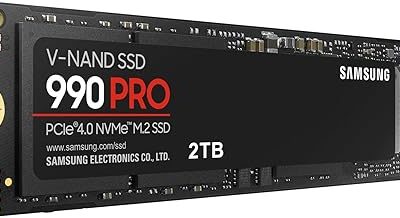
- Interface and bandwidth: SATA III is hard-capped at 6Gb/s, or roughly 550–560MB/s in practice. NVMe rides PCIe lanes — around 3,500MB/s on Gen3, 7,000MB/s on Gen4, and up to 14,000MB/s on Gen5.
- Form factor: SATA SSDs are 2.5-inch drives needing a data cable and a power cable. NVMe drives are gumstick-sized M.2 2280 sticks that screw directly to the board with no cabling at all.
- Latency and queue depth: The NVMe protocol was designed for flash from the ground up, with far deeper command queues than AHCI. That shows up as lower random-read latency — the metric that actually affects texture streaming and level loads.
- Compatibility: Almost any PC or laptop built in the last 15 years accepts a SATA SSD. NVMe requires an M.2 slot with PCIe wiring, and boot support on genuinely old boards can be hit-or-miss.
- Thermals: SATA drives run cool and need no heatsink. High-end Gen4 and Gen5 NVMe drives can throttle under sustained writes without airflow or a heatspreader.
- Price per gigabyte: The gap has narrowed to single-digit percentages at 1TB, but budget SATA drives still undercut entry NVMe — and SATA scales cheaply to 4TB for archival storage.
NVMe SSDs: The Default Choice for a Gaming Drive
An NVMe drive is the right answer for your boot volume and your active game library. Windows starts faster, shader compilation finishes sooner, and open-world titles that stream assets continuously — the kind that stutter when a drive can’t keep up — behave noticeably better. With Microsoft’s DirectStorage now supported in a meaningful number of releases, the GPU can pull compressed assets directly from an NVMe drive, and that pipeline was never designed with SATA bandwidth in mind.
The practical caveats are installation and platform. You need a free M.2 slot, and on many mid-range boards, populating a second or third slot steals lanes from a SATA port or the secondary GPU slot — check your manual before buying. If you’re adding storage to a PS5, an NVMe Gen4 drive with a heatsink is the only supported option. And be honest about tier: for gaming specifically, a good Gen4 drive is the sweet spot, and paying a premium for Gen5 buys benchmark numbers more than frames.
SATA SSDs: Still the Smart Value Play
SATA is not obsolete — it’s specialised. The jump from a hard drive to any SATA SSD is enormous, while the jump from SATA to NVMe is meaningful but far less dramatic in real gameplay. Load-time comparisons in most non-DirectStorage titles land within a second or two of each other. For a secondary library drive holding games you’re not actively grinding, that difference is academic, and the cost saving is real.
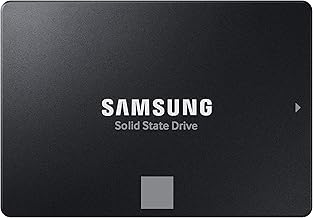
The category is also where the best budget options live. The Samsung 870 EVO is the reliability benchmark, with strong sustained write behaviour and a long warranty. The Crucial BX500 and PNY CS900 are the safe, no-drama value picks for a straightforward laptop or desktop upgrade. The TEAMGROUP T-Force Vulcan Z, fanxiang S101, and Fikwot FX815 all push 520–560MB/s with SLC caching at aggressive prices — ideal for reviving an older machine or filling every drive bay on a budget.
Which Should You Buy?
- For a new gaming build: pick a 1–2TB Gen4 NVMe as your boot and primary games drive.
- For a laptop or PC older than roughly 2016: pick SATA — the PNY CS900 or Crucial BX500 will almost certainly just work.
- For bulk library storage: pick SATA and buy capacity, using the Vulcan Z, fanxiang S101, or Fikwot FX815 alongside an existing NVMe drive.
- For long-term reliability: pick the Samsung 870 EVO if you’re staying on SATA, or a DRAM-equipped NVMe if you’re not.
- For PS5 expansion: pick NVMe Gen4 with a heatsink — SATA is not supported.
Frequently Asked Questions
Will NVMe actually give me more FPS?
Not directly. Frame rate is bound by your CPU and GPU. What NVMe improves is load times, shader caching, and traversal stutter in streaming-heavy open-world games.
Can I use both in the same PC?
Yes, and it’s the ideal setup: a fast NVMe drive for Windows and current games, plus a large SATA SSD for your back catalogue and captures.
Do SATA SSDs wear out faster?
No. Endurance depends on NAND type and controller, not interface. Modern 3D TLC drives from either camp comfortably outlast typical gaming workloads.
Is my motherboard NVMe-compatible?
Look for an M.2 slot keyed M with PCIe support. Some older laptop M.2 slots are SATA-only, so verify the spec sheet before ordering.
Final Verdict
If your system supports it, make NVMe your primary drive — the responsiveness gains in modern, streaming-heavy games justify the small premium. But don’t dismiss SATA: for older hardware, secondary storage, and the lowest cost per gigabyte, drives like the Samsung 870 EVO and Crucial BX500 remain genuinely smart buys in 2026.