Key takeaways
- Buying 8GB because the screen is small. Screen size does not reduce Windows memory needs. A five- or seven-inch device can still run the same browser, productivity apps, and background services as a laptop.
- Ignoring shared graphics memory. Integrated graphics use system RAM. This matters most in games, 3D applications, and higher-resolution external-display setups.
- Comparing SSD capacity and RAM as if they do the same job. A 1TB SSD stores more files; it does not replace 24GB of RAM for active multitasking or gaming.
- Measuring only the handheld body. Include a charging cable, power brick, dock, case, and ventilation clearance in your shelf, drawer, or bag measurement.
- Assuming the cheapest configuration is the best value. When an 8GB/256GB model is only slightly less expensive than a 16GB/512GB version, the higher-memory model is usually the more usable long-term purchase.
What's inside
The Short Answer
For most Windows handheld PCs, 16GB of RAM is the practical minimum to buy in 2026. It is enough for web browsing, Office work, streaming, light photo editing, older games, and many indie titles. Choose 24GB if you want a premium gaming handheld that uses integrated graphics, plays newer AAA games, or will stay useful for several years. An 8GB handheld can still work for basic email, documents, remote desktop, and media playback, but it has less breathing room once Windows, browser tabs, and background apps are open.
The key detail is that most handheld PCs use integrated graphics, which borrow part of the system memory as video memory. That means a 16GB device may have only about 12GB to 14GB readily available for Windows and apps after graphics memory is reserved. A 24GB model gives the system more room to run a game, Windows, chat software, and a web browser without as much swapping to the SSD.
As an Amazon Associate we earn from qualifying purchases at no extra cost to you. Product prices and availability are accurate as of the date shown and are subject to change.


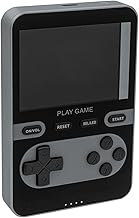
For the examples listed, the 16GB/512GB Tylvx handheld is the better everyday choice than the 8GB/256GB version, especially since their listed prices are close: about $540 to $550. The ASUS ROG Xbox Ally X with 24GB RAM and a 1TB SSD is a much more capable gaming-focused option at about $1,000, but it is also physically larger and requires more room in a bag, on a desk, and around its charger.
Standard Sizes
RAM is measured in gigabytes rather than inches, but the physical size of a handheld affects where and how comfortably you can use it. Small keyboard-equipped mini PCs are best treated like compact work devices. Seven-inch gaming handhelds need roughly the same clear space as a small paperback book, plus room for charging cables and ventilation.
| Handheld type | Typical RAM choice | Example physical dimensions | Approximate weight | Recommended clear storage space |
|---|---|---|---|---|
| Compact 5.7-inch Windows mini PC with keyboard | 8GB for basic work; 16GB preferred | About 7.9 x 4.3 x 0.8 inches (20.1 x 10.9 x 2.0 cm) | 0.7 to 1.0 pound (0.3 to 0.5 kg) | 9 x 6 x 2 inches (22.9 x 15.2 x 5.1 cm) |
| 7-inch gaming handheld | 16GB minimum; 24GB ideal | ASUS ROG Xbox Ally X: about 11.3 x 4.8 x 1.5 inches (28.7 x 12.2 x 3.8 cm) | About 1.6 pounds (0.7 kg) | 13 x 7 x 3 inches (33.0 x 17.8 x 7.6 cm) |
| Docked handheld workstation setup | 16GB for office use; 24GB for gaming and multitasking | Handheld plus dock footprint: about 12 x 8 inches (30.5 x 20.3 cm) | Varies by dock and power adapter | 18 x 12 inches (45.7 x 30.5 cm) of desk area |
Keep in mind that dimensions can vary slightly by configuration and protective case. A fitted case can add 0.2 to 0.5 inch (0.5 to 1.3 cm) around the edges, while a hard travel case may need a storage footprint closer to 14 x 8 x 3 inches (35.6 x 20.3 x 7.6 cm) for a seven-inch gaming unit.
How to Measure Your Space
- Measure the surface where you will set the handheld down. For quick use on a side table, shelf, or kitchen counter, measure width and depth. A compact handheld needs at least a 9 x 6-inch area, while a gaming handheld is more comfortable on a 13 x 7-inch area.
- Add charging clearance. Reserve at least 3 inches (7.6 cm) beyond the side or top where the USB-C cable connects. Avoid sharply bending a cable against a wall, cabinet side, or the edge of a drawer.
- Plan for ventilation. Leave at least 2 inches (5.1 cm) around intake and exhaust vents during demanding use. Do not run a gaming handheld under bedding, inside a closed cubby, or tightly packed between books.
- Measure travel storage, not just the device. Check the interior width, depth, and height of your backpack, purse, or drawer. Add room for the charger, cable, earbuds, and any dock. A 65W charger and cable can occupy an additional 5 x 3 x 2 inches (12.7 x 7.6 x 5.1 cm).
- Check your desk setup. If you will connect a monitor, keyboard, mouse, or external SSD, plan for a dock and cable path. A practical minimum desk zone is 18 x 12 inches (45.7 x 30.5 cm), even if the handheld itself is much smaller.
By Room or Use Case
Living Room Gaming
Choose 16GB for casual and older PC games, cloud gaming, emulation, and streaming. Move to 24GB if you expect to play current, demanding games locally, particularly while using the handheld’s integrated graphics. The 24GB ASUS ROG Xbox Ally X is better suited to this role than an 8GB mini PC, and its 1TB SSD also leaves more space for large game installs.
For a TV setup, allow a 12 x 8-inch (30.5 x 20.3 cm) spot near the television stand for the handheld and dock. A higher-performance gaming setup may use a 65W power adapter, so make sure the nearby outlet or surge protector is accessible.
Home Office or Kitchen Counter
A 16GB compact Windows handheld is the sensible middle ground for documents, video calls, web research, email, and multiple browser tabs. The Tylvx 16GB/512GB configuration is more appropriate for this use than the 8GB/256GB version when the price difference is only around $10. Its small 5.7-inch format is easier to store in a drawer, on a narrow shelf, or beside a monitor.
Measure for the device, charging cable, and a small stand if you use one. A 10 x 8-inch (25.4 x 20.3 cm) clear zone is usually enough for a compact handheld work station, although an external keyboard and mouse will require more room.
Travel, Commuting, and Hotel Use
For travel, 16GB is the safest choice because it handles mixed tasks better: browsing, light work, offline video, photo transfers, and occasional games. An 8GB handheld is lighter on the budget but can feel constrained if you keep many tabs open or use conferencing software while other programs run.
Look for a protective case with at least 0.5 inch (1.3 cm) of padding around the device. Keep the charger in a separate pocket when possible so its edges do not press against the screen or controls. A compact handheld and accessories generally fit in a 10 x 7 x 3-inch (25.4 x 17.8 x 7.6 cm) compartment; a seven-inch gaming handheld typically needs a larger 14 x 8 x 3-inch compartment.
Docked Desk Replacement
If the handheld will act as a small desktop PC, buy 16GB at minimum and consider 24GB for heavier multitasking, creative apps, external displays, or games after work. RAM usually cannot be upgraded in handheld PCs, so it is worth choosing enough memory at purchase. Storage can sometimes be expanded or replaced, but RAM often cannot.
Common Sizing Mistakes
- Buying 8GB because the screen is small. Screen size does not reduce Windows memory needs. A five- or seven-inch device can still run the same browser, productivity apps, and background services as a laptop.
- Ignoring shared graphics memory. Integrated graphics use system RAM. This matters most in games, 3D applications, and higher-resolution external-display setups.
- Comparing SSD capacity and RAM as if they do the same job. A 1TB SSD stores more files; it does not replace 24GB of RAM for active multitasking or gaming.
- Measuring only the handheld body. Include a charging cable, power brick, dock, case, and ventilation clearance in your shelf, drawer, or bag measurement.
- Assuming the cheapest configuration is the best value. When an 8GB/256GB model is only slightly less expensive than a 16GB/512GB version, the higher-memory model is usually the more usable long-term purchase.
FAQ
Is 8GB RAM enough for a handheld PC?
It is enough for basic web browsing, documents, streaming, email, and light remote work. It is not the best choice for demanding games, frequent multitasking, or keeping a Windows handheld for many years. If budget allows, choose 16GB.
Is 16GB RAM enough for gaming handheld PCs?
Yes, 16GB is a solid baseline for many games, indie titles, emulation, and everyday use. For newer AAA games running on integrated graphics, 24GB provides more headroom because the graphics system shares the same memory pool.
Should I choose 24GB RAM or a larger SSD?
Choose 24GB RAM when performance in games, multitasking, and heavier applications is the priority. Choose a larger SSD when your main problem is fitting more games, videos, or files. For a gaming-focused buyer, 24GB RAM plus a 1TB SSD is the most flexible combination.
How much space should I leave around a handheld PC?
Leave at least 2 inches (5.1 cm) around active ventilation areas and at least 3 inches (7.6 cm) at the charging side for the cable. For storage, add 1 inch (2.5 cm) around the device if it will be kept in a case or frequently removed from a drawer.