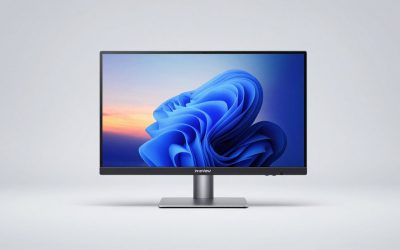
Console gaming has outgrown the standard TV setup, but finding a monitor that actually delivers on refresh rate, input latency, and picture quality can be confusing. Specs like HDR10, VRR, and panel type all matter differently depending on whether you’re running a PS5, Xbox Series X, or a Switch, and manufacturers don’t always make comparisons easy.
This guide breaks down six of the top console gaming monitors available right now, what makes each one worth considering, and the key factors you should weigh before buying — so you can pick a display that matches your console and your budget without second-guessing the decision.
Our top picks
 Samsung 32" Odyssey
- Your gaming world, more lifelike than ever
- Experience the exhilaration of gameplay as you speed…
- Experience the next level of heart-pounding gaming
 Samsung 27" Odyssey G5
- QHD Resolution (2560 x 1440) has 1.7 times…
- HDR10 provides brighter highlights and nuanced shadow for…
- The 180Hz refresh rate minimizes lag for gameplay…
 INNOCN 27" QD-OLED 2K QHD 2560 x
- Experience Ultimate Gaming Visual Clarity: This 27-inch QD-OLED…
- Dominate with Blur-Free 280Hz Speed: Gain the competitive…
- Next-Gen QD-OLED Visual Fidelity: Witness breathtaking contrast and…
| Product | Key specs | |
|---|---|---|
| Samsung 32" Odyssey | Your gaming world, more lifelike than ever Experience the exhilaration of gameplay as you speed… Experience the next level of heart-pounding gaming | Check price |
| Samsung 27" Odyssey G5 | QHD Resolution (2560 x 1440) has 1.7 times… HDR10 provides brighter highlights and nuanced shadow for… The 180Hz refresh rate minimizes lag for gameplay… | Check price |
| INNOCN 27" QD-OLED 2K QHD 2560 x | Experience Ultimate Gaming Visual Clarity: This 27-inch QD-OLED… Dominate with Blur-Free 280Hz Speed: Gain the competitive… Next-Gen QD-OLED Visual Fidelity: Witness breathtaking contrast and… | Check price |
 ASUS TUF Gaming 27” 1440P HDR Monitor ASUS TUF Gaming 27” 1440P HDR Monitor | High-Resolution QHD Gaming Display: 27-inch QHD (2560 x… ASUS Extreme Low Motion Blur Sync Technology: ELMB… Advanced Synchronization Technologies: FreeSync Premium, G-Sync compatible and… | Check price |
 acer Nitro 27 Inch QHD 2560 x acer Nitro 27 Inch QHD 2560 x | Quality Visuals: The KG271U 27" IPS monitor with… AMD FreeSync Technology: Say “goodbye” to stuttering and… Up to 180Hz: The 180Hz refresh rate speeds… | Check price |
 SANSUI 34-Inch Curved Gaming Monitor UWQHD 3440 SANSUI 34-Inch Curved Gaming Monitor UWQHD 3440 | 34 inch Curved 1500R UWQHD(3440 x 1440) @… Performance: Up to 200Hz Refresh Rate | OD… Ergonomic Stand: Tilt / Kensington Lock: -5°~15°(+/-2°) /… | Check price |
 Samsung 27" Essential S3 Samsung 27" Essential S3 | An immersive viewing experience with a curved monitor… Stay in the action when playing games, watching… Gain the edge with optimizable game settings | Check price |
 SANSUI 32 Inch Curved 240Hz Gaming Monitor SANSUI 32 Inch Curved 240Hz Gaming Monitor | 32 Inch curved 1500R gaming monitor, 240Hz high… Performance: 240Hz refresh rate, Full HD 1920*1080P resolution,… Interfaces: HDMI up to 240Hz, DP 1.4 up… | Check price |
As an Amazon Associate we earn from qualifying purchases at no extra cost to you.
🎮 Get More From Your Setup — Free
Prime Gaming gives you free PC games every month, in-game loot, and a free Twitch channel sub — plus fast free shipping on all the gear above. New members get a 30-day free trial.
Watch: Best Console Gaming Monitor — Video Review
How to Choose a Console Gaming Monitor (2026)
- Refresh Rate: Look for at least 120Hz to match PS5/Xbox Series X output; 165Hz or higher gives extra headroom for PC crossplay and future consoles.
- Resolution: QHD (1440p) is the sweet spot for current-gen consoles, balancing sharpness with frame rates; UWQHD adds immersion for supported titles.
- Panel Type: IPS and QD-OLED panels offer better color accuracy and viewing angles than VA, though VA panels typically deliver deeper blacks on curved screens.
- HDR Support: HDR10 is standard, but check peak brightness (nits) since low-brightness HDR often looks worse than SDR on bright scenes.
- Ports and VRR: Confirm HDMI 2.1 or DisplayPort compatibility for your console, and prioritize models supporting FreeSync or G-SYNC Compatible for smoother, tear-free gameplay.
The Best Console Gaming Monitor (2026)s Reviewed
Samsung 32″ Odyssey G55C
The 1000R curve and 165Hz refresh rate make this a strong pick for players who want an immersive, arcade-style field of view without stepping up to ultrawide. Its 1ms MPRT response time and HDR10 support keep fast-paced action clean, though brightness is modest compared to OLED rivals.
Samsung 27″ Odyssey G5
A more budget-friendly option that still hits 180Hz, the G5 adds a height-adjustable stand and Virtual Aim Point overlay that competitive console shooters will appreciate. It’s a sensible choice for gamers who want high refresh 1440p without paying an OLED premium.
INNOCN 27″ QD-OLED 2780S
This is the standout for picture quality, thanks to a QD-OLED panel with a blistering 0.03ms response time and support for up to 280Hz. HDR400 and rich contrast make it feel closer to a premium living-room OLED TV than a typical desktop monitor, making it ideal for console gamers who prioritize visuals above all else.
ASUS TUF Gaming VG27AQ3A
Built around a Fast IPS panel with 130% sRGB coverage, this monitor is a reliable all-rounder for console and PC crossplay, with both FreeSync Premium and G-SYNC Compatible certification. Its Extreme Low Motion Blur mode is a nice bonus for fast-paced multiplayer titles.
Acer Nitro KG271U
With a 0.5ms response time and 95% DCI-P3 coverage, the Nitro KG271U delivers punchy color and quick pixel response at a competitive price point. Dual HDMI 2.0 ports make it easy to keep a console and a streaming device connected simultaneously.
Frequently Asked Questions
Do I need a 4K monitor for console gaming?
Not necessarily. Most current-gen consoles target 1440p or upscaled 4K depending on the game, so a high-refresh QHD monitor often delivers a smoother, more consistent experience than a 4K panel running at a lower frame rate.
Does HDR really make a difference on console games?
Yes, but only if the monitor can hit sufficient peak brightness. HDR10 support alone doesn’t guarantee a noticeable improvement — check nit ratings, since panels rated 400 nits or higher tend to show more visible HDR benefits.
Is a curved or ultrawide monitor good for console gaming?
Curved and ultrawide displays can add immersion, but not all console games support ultrawide aspect ratios natively. Confirm the specific titles you play support the extra width before treating it as a must-have feature.
What’s the difference between FreeSync and G-SYNC Compatible for consoles?
Both reduce screen tearing by syncing refresh rate to frame output, and most modern consoles support VRR through HDMI regardless of the monitor’s branding. What matters most is that the monitor explicitly lists VRR or FreeSync support over HDMI.
Final Thoughts
For most console gamers, the Samsung Odyssey G5 offers the best balance of speed and value, while the INNOCN QD-OLED 2780S is the pick for anyone chasing top-tier picture quality. If ultrawide immersion is the priority, the Sansui 34-inch curved monitor rounds out a strong shortlist.