Key takeaways
- Ray tracing delivers stunning lighting and reflections but is demanding, so decide whether you value it enough to trade raw frame rate for it.
- Modern upscaling technologies render at a lower internal resolution and reconstruct a sharp image, recovering large amounts of performance with minimal visual loss.
- Frame-generation features can multiply smoothness in supported games, which helps mid-range cards punch above their weight at higher resolutions.
- Check that the games you actually play support a card’s upscaling ecosystem, since feature support varies between the major GPU brands.
The graphics card is the single component that most defines how your games look and how smoothly they run. It renders every frame, drives every effect, and ultimately decides whether you play at crisp 4K with ray tracing or settle for a blurry compromise. It is also usually the most expensive part of a build, which makes choosing the right one both the most impactful and the most nerve-wracking decision a PC gamer faces.
This guide gives you a clear framework for picking a GPU that matches your monitor, your favorite games, and your budget, without paying for power you will never see on screen. You will learn how resolution and refresh rate set your target, what VRAM and modern upscaling really do, and how to avoid the common trap of buying too much or too little card. The current graphics cards below, spanning entry 1080p options to high-end 4K performers, serve as our reference picks throughout.
Our top picks
 ASUS Dual NVIDIA GeForce RTX 5060 8GB
- Product Group: Personal Computer
- Binding: Personal Computers
 ASUS TUF Gaming GeForce RTX™ 5080 16GB
- Product Group: Personal Computer
- Binding: Personal Computers
| Product | Key specs | Amazon rating | |
|---|---|---|---|
| ASUS Dual NVIDIA GeForce RTX 5060 8GB | Product Group: Personal Computer Binding: Personal Computers | 4.0★ | Check price |
 XFX Swift AMD Radeon RX 9060 XT XFX Swift AMD Radeon RX 9060 XT | – | Check price | |
| ASUS TUF Gaming GeForce RTX™ 5080 16GB | Product Group: Personal Computer Binding: Personal Computers | 4.5★ | Check price |
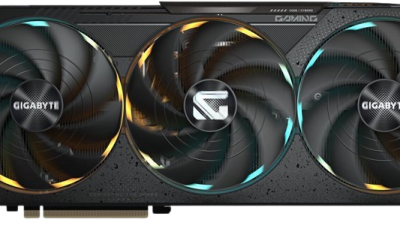
 GIGABYTE Radeon™ RX 9060 XT Gaming OC GIGABYTE Radeon™ RX 9060 XT Gaming OC | – | Check price | |
 ASUS SFF-Ready Prime NVIDIA GeForce RTX 5070 ASUS SFF-Ready Prime NVIDIA GeForce RTX 5070 | Product Group: Personal Computer Binding: Personal Computers | 4.1★ | Check price |
 GIGABYTE Radeon RX 9070 XT Gaming OC GIGABYTE Radeon RX 9070 XT Gaming OC | – | Check price | |
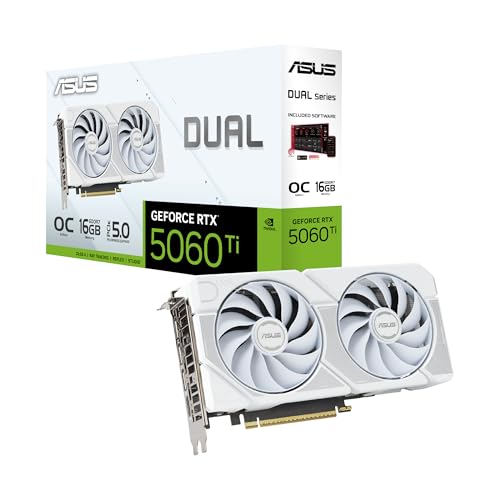 ASUS Dual NVIDIA GeForce RTX™ 5060 Ti ASUS Dual NVIDIA GeForce RTX™ 5060 Ti | – | Check price | |
 GIGABYTE GeForce RTX 5070 Ti Gaming OC GIGABYTE GeForce RTX 5070 Ti Gaming OC | Product Group: Personal Computer Binding: Personal Computers | 4.8★ | Check price |
As an Amazon Associate we earn from qualifying purchases at no extra cost to you. Ratings are shown as listed on Amazon.
⚡ Save on Your Next PC — Amazon Prime
Prime members get fast free shipping on the systems above, plus early access to Prime Day & Black Friday PC deals. New members get a 30-day free trial.
Watch: How to Choose a Graphics Card (2026 Guide) — Video Review
Start With Your Resolution and Refresh Rate
Your monitor, not your wallet, should set the starting point. A 1080p display asks far less of a GPU than a 1440p or 4K panel, so buying a flagship card for a 1080p screen wastes money on frames the monitor cannot show. As a rough map: an entry card like the RTX 5060 or RX 9060 XT suits high-refresh 1080p and light 1440p, a mid-range card such as the RTX 5070 or RX 9070 XT handles 1440p beautifully and touches 4K, and a high-end card like the RTX 5080 is what you want for smooth 4K with the effects turned up. Factor in refresh rate too, since driving a 240Hz display demands far more GPU muscle than a 60Hz one at the same resolution.
Understand VRAM and Why It Matters
Video memory, or VRAM, holds the textures and assets your card works with, and running short of it causes stutter and forced texture downgrades. In 2026 the comfortable minimum has climbed: 8GB is workable at 1080p but increasingly tight, 12GB is a sensible floor for 1440p, and 16GB gives real headroom at 1440p and 4K with high-resolution textures. Cards like the 16GB RX 9060 XT and RTX 5070 Ti carry generous memory that ages well, while 8GB cards can already strain in the most demanding new titles at high settings. When two cards perform similarly, the one with more VRAM is usually the safer long-term buy, because texture and asset sizes only grow.
Weigh Ray Tracing and Upscaling Features
- Ray tracing delivers stunning lighting and reflections but is demanding, so decide whether you value it enough to trade raw frame rate for it.
- Modern upscaling technologies render at a lower internal resolution and reconstruct a sharp image, recovering large amounts of performance with minimal visual loss.
- Frame-generation features can multiply smoothness in supported games, which helps mid-range cards punch above their weight at higher resolutions.
- Check that the games you actually play support a card’s upscaling ecosystem, since feature support varies between the major GPU brands.
Check Power, Size, and Compatibility
A great card is useless if it will not fit or run in your system. Confirm three things before buying: that your power supply has enough wattage and the correct connectors for the card, that the card physically fits your case in both length and slot width, and that your CPU is strong enough not to bottleneck it. High-end cards like the RTX 5080 are physically large and power-hungry, often needing a robust supply and generous case clearance, while compact options such as SFF-ready models exist for small builds. Reading the manufacturer’s length and power specs against your case and PSU takes five minutes and prevents an expensive return.
Balance the GPU Against the Rest of Your Build
The graphics card should be the star, but not a soloist. Pair it with a CPU capable of feeding it at your resolution, enough system memory, and a display that can actually show the frames it produces. There is little point installing a 4K-class card behind a 1080p 60Hz monitor, just as a top CPU cannot rescue an underpowered GPU. Aim for a balanced split where the GPU takes the largest share of the budget in a gaming-focused build, then ensure the supporting parts do not hold it back. A well-matched system delivers more real-world smoothness than one that overspends wildly on a single component.
Tips
- Buy the card your monitor deserves, matching resolution and refresh rate rather than chasing the highest-tier GPU by default.
- Favor more VRAM when two cards are close in speed, since 16GB ages far better than 8GB for modern texture loads.
- Verify your power supply wattage and connectors, plus your case clearance, before you order anything.
- Lean on upscaling and frame-generation features to stretch a mid-range card’s performance instead of overpaying for the tier above.
Frequently Asked Questions
How much VRAM do I need for gaming in 2026?
For 1080p, 8GB works but is getting tight, so 12GB is a wiser floor. At 1440p aim for 12 to 16GB, and for 4K with high-resolution textures target 16GB. More memory protects you against the steady growth of game asset sizes over a card’s lifespan.
Is ray tracing worth turning on?
It depends on your priorities and card. Ray tracing dramatically improves lighting and reflections but costs frame rate, so it shines on mid-to-high cards paired with upscaling. On entry GPUs you often get a smoother, better overall experience keeping it off and running higher base settings.
Do I need the newest generation graphics card?
Not necessarily. What matters is matching performance to your resolution and having enough VRAM and feature support. A well-chosen current-generation card gives you the latest upscaling tech and efficiency, but the key is buying the right tier for your monitor, not simply the newest badge.
Will my CPU bottleneck a powerful GPU?
It can, especially at lower resolutions where the CPU works hardest. If you pair a high-end card with a weak processor at 1080p, the CPU may cap your frames. At 1440p and 4K the GPU does more of the work, so a solid mid-range CPU usually keeps up fine.
Conclusion
Choosing a graphics card is really an exercise in matching. Let your monitor’s resolution and refresh rate set the target, favor generous VRAM and useful upscaling features, and confirm the card fits your case and power supply before you buy. Balance it against a capable CPU and the rest of your build so nothing holds it back. Get that match right and you will land on a GPU that delivers the visuals you want at a price that makes sense, rather than overspending on power you cannot use.