Key takeaways
- Great 1080p/1440p value: Strong mainstream performance at an accessible price.
- DLSS 4 support: Frame generation boosts frame rates in supported games.
- Modern connectivity: PCIe 5.0, HDMI 2.1, and DisplayPort 2.1 across the range.
- SFF options: Compact cards like the ZOTAC and PNY fit small builds.
The NVIDIA GeForce RTX 5060 Ti has become the go-to card for gamers building or upgrading a 1080p and 1440p rig without overspending. Built on the Blackwell architecture with DLSS 4, it delivers modern features and strong frame rates at a mainstream price, and the choice between 8GB and 16GB versions gives buyers real flexibility depending on the games they play.
With so many board partners offering their own coolers and clock speeds, finding the best 5060 Ti deal means knowing what actually differs between them. We compared the leading models from PNY, ASUS, MSI, ZOTAC, and GIGABYTE to help you spot genuine value.
Our top picks
 msi Gaming RTX 5060 Ti 16G Ventus
- Powered by the NVIDIA Blackwell architecture and DLSS…
- SFF-Ready Enthusiast GeForce Card
- TORX Fan 5.0: Fan blades linked by ring…
 ASUS Dual NVIDIA GeForce RTX 5060 Ti
- AI Performance: 767 AI TOPS
- OC mode: 2632 MHz (OC mode)/ 2602 MHz…
- Powered by the NVIDIA Blackwell architecture and DLSS…
 CyberGeek GeForce RTX 5060 Ti Graphics Card
- [Next Gen Memory and Display Connectivity] 16GB GDDR7…
- [Local LLM Inference and Private AI Workloads] Run…
- [AI Content Creation Ready] Built with 5th Gen…
| Product | Key specs | |
|---|---|---|
| msi Gaming RTX 5060 Ti 16G Ventus | Powered by the NVIDIA Blackwell architecture and DLSS… SFF-Ready Enthusiast GeForce Card TORX Fan 5.0: Fan blades linked by ring… | Check price |
| ASUS Dual NVIDIA GeForce RTX 5060 Ti | AI Performance: 767 AI TOPS OC mode: 2632 MHz (OC mode)/ 2602 MHz… Powered by the NVIDIA Blackwell architecture and DLSS… | Check price |
| CyberGeek GeForce RTX 5060 Ti Graphics Card | [Next Gen Memory and Display Connectivity] 16GB GDDR7… [Local LLM Inference and Private AI Workloads] Run… [AI Content Creation Ready] Built with 5th Gen… | Check price |
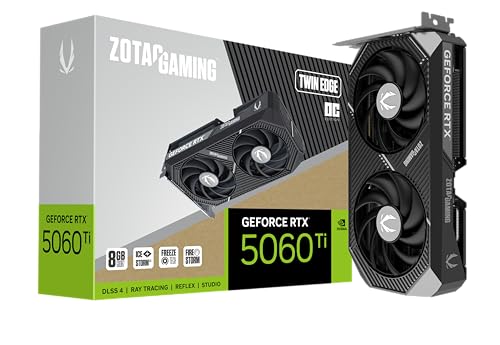 ZOTAC Gaming GeForce RTX 5060 Ti 8GB ZOTAC Gaming GeForce RTX 5060 Ti 8GB | Powered by the NVIDIA Blackwell architecture and DLSS… SFF-ready copmpact card, 2-slot, 8GB GDDR7, 128-bit, 28… IceStorm 2.0 Cooling, 2x 90mm BladeLink fans, Composite… | Check price |
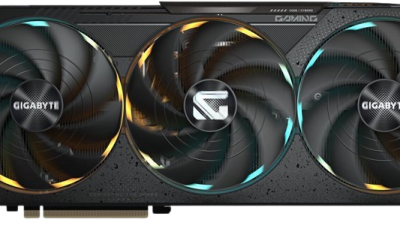
 GIGABYTE GeForce RTX 5060 Ti Gaming OC GIGABYTE GeForce RTX 5060 Ti Gaming OC | Powered by the NVIDIA Blackwell architecture and DLSS… Powered by GeForce RTX 5060 Ti Integrated with 8GB GDDR7 128bit memory interface | Check price |
 GIGABYTE GeForce RTX 5060 WINDFORCE OC 8G GIGABYTE GeForce RTX 5060 WINDFORCE OC 8G | Powered by the NVIDIA Blackwell architecture and DLSS… Powered by GeForce RTX 5060 Integrated with 8GB GDDR7 128bit memory interface | Check price |
 msi Gaming RTX 5060 Ti 8G Ventus msi Gaming RTX 5060 Ti 8G Ventus | Powered by the NVIDIA Blackwell architecture and DLSS… TORX Fan 5.0: Fan blades linked by ring… Solid Baseplate: A solid baseplate transfers heat from… | Check price |
 GIGABYTE AORUS RTX 5060 Ti AI Box GIGABYTE AORUS RTX 5060 Ti AI Box | Check price |
As an Amazon Associate we earn from qualifying purchases at no extra cost to you.
🎮 Get More From Your Setup — Free
Prime Gaming gives you free PC games every month, in-game loot, and a free Twitch channel sub — plus fast free shipping on all the gear above. New members get a 30-day free trial.
Watch: Shop Deals On Nvidia Rtx 5060 Ti Graphics Card — Video Review
Design & Build
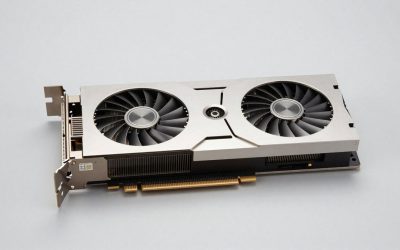
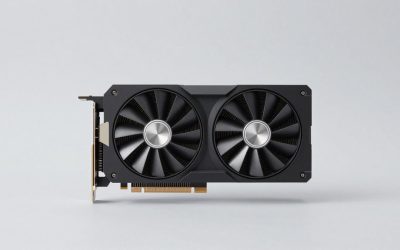
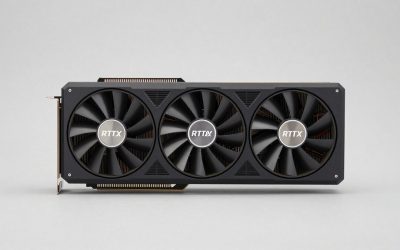
The 5060 Ti comes in compact and full-size flavors. The ZOTAC Twin Edge OC and PNY Epic-X ARGB are SFF-ready designs that squeeze into small cases, with the PNY adding RGB flair. The ASUS Dual OC leans on its proven Axial-tech fans and 0dB technology for silent idle, while the GIGABYTE Gaming OC uses the larger WINDFORCE cooler for lower temperatures under load. The MSI Shadow 2X OC is the 16GB standout, pairing extra memory with a dual-fan cooler. All are PCIe 5.0 cards with HDMI 2.1 and DisplayPort 2.1 outputs, and most occupy about 2 to 2.5 slots.
Performance
All these cards share the same core silicon, so real-world gaming differences come down to cooling, clocks, and memory. The big decision is 8GB versus 16GB: the 8GB models (ASUS Dual, PNY Epic-X, ZOTAC Twin Edge, GIGABYTE Gaming OC) are plenty for 1080p and most 1440p titles, while the MSI 16G Shadow gives extra headroom for high-texture games, ray tracing, and future titles that lean on VRAM. DLSS 4 frame generation lifts frame rates significantly across the board. Cooling determines noise and sustained boost, and the larger WINDFORCE and Shadow 2X coolers stay quieter under long sessions than the compact SFF cards.
Pros & Cons
- Great 1080p/1440p value: Strong mainstream performance at an accessible price.
- DLSS 4 support: Frame generation boosts frame rates in supported games.
- Modern connectivity: PCIe 5.0, HDMI 2.1, and DisplayPort 2.1 across the range.
- SFF options: Compact cards like the ZOTAC and PNY fit small builds.
- 8GB limits: The 8GB models can feel tight in the most VRAM-hungry titles.
- Cooler variance: Compact designs run warmer and louder than full-size ones.
Alternatives to Consider
If you play VRAM-intensive games or want the longest useful life, the MSI RTX 5060 Ti 16G Shadow 2X OC is the smart pick despite a small premium. For small-form-factor builds, the ZOTAC Twin Edge OC or PNY Epic-X ARGB fit tight cases best. Value hunters who game mainly at 1080p will find the ASUS Dual 8GB OC or GIGABYTE Gaming OC 8G deliver excellent frames per dollar. Those on a tighter budget could also consider the standard RTX 5060 (GIGABYTE WINDFORCE OC) for a step down in price and power.
Frequently Asked Questions
Should I get the 8GB or 16GB RTX 5060 Ti?
For 1080p and most 1440p gaming, 8GB is sufficient. If you play texture-heavy titles, use ray tracing, or want future headroom, the 16GB MSI model is the safer long-term choice.
Is the 5060 Ti good for 1440p?
Yes. It handles 1440p well in most modern games, especially with DLSS 4 enabled to boost frame rates in demanding titles.
Do these cards fit small cases?
The SFF-ready ZOTAC Twin Edge and PNY Epic-X are designed for compact builds, while the WINDFORCE and Shadow 2X models are larger for better cooling.
What power supply do I need?
A quality 550-650W PSU is generally recommended, but always check the specific card’s requirement and connector type before buying.
Verdict
The RTX 5060 Ti is one of the best mainstream GPU values available. For longevity and VRAM headroom the MSI 16G Shadow 2X OC leads, small-build owners should grab the ZOTAC Twin Edge OC or PNY Epic-X, and pure 1080p gamers get the most for their money with the ASUS Dual or GIGABYTE Gaming OC 8G.